On this page
- 01Key takeaways
- 02What is clear website navigation?
- 03How does clear navigation improve user experience?
- 04Why does navigation matter so much to visitors?
- 05What are the five qualities of clear navigation?
- 06Does clear navigation increase enquiries?
- 07How does navigation affect accessibility and search?
- 08Which parts of navigation matter most?
- 09What does improving navigation cost?
- 10How do you improve navigation step by step?
- 11When is better navigation not the answer?
- 12What does this look like in practice?
- 13Clear navigation checklist
- 14Guides on the principles behind clear navigation
- 15Guides on what clear navigation changes
- 16Guides on menu labels and wording
- 17Guides on menu structure
- 18Guides on orientation and site search
- 19Guides on navigation across devices
- 20Guides on testing and measuring navigation
- 21Guides on changing your navigation
- 22Navigation guides by sector
- 23Navigation checklists, examples and plans
- 24Next step
- 25Sources and further reading
- 26Frequently asked questions
Key takeaways
Clear website navigation improves user experience because visitors find what they came for faster, with less thinking, fewer wrong turns and less doubt about whether the business can help them. That shows up as more pages viewed in a purposeful order, fewer exits from the homepage, fewer 'where do I find' emails, and more enquiries from the same traffic.
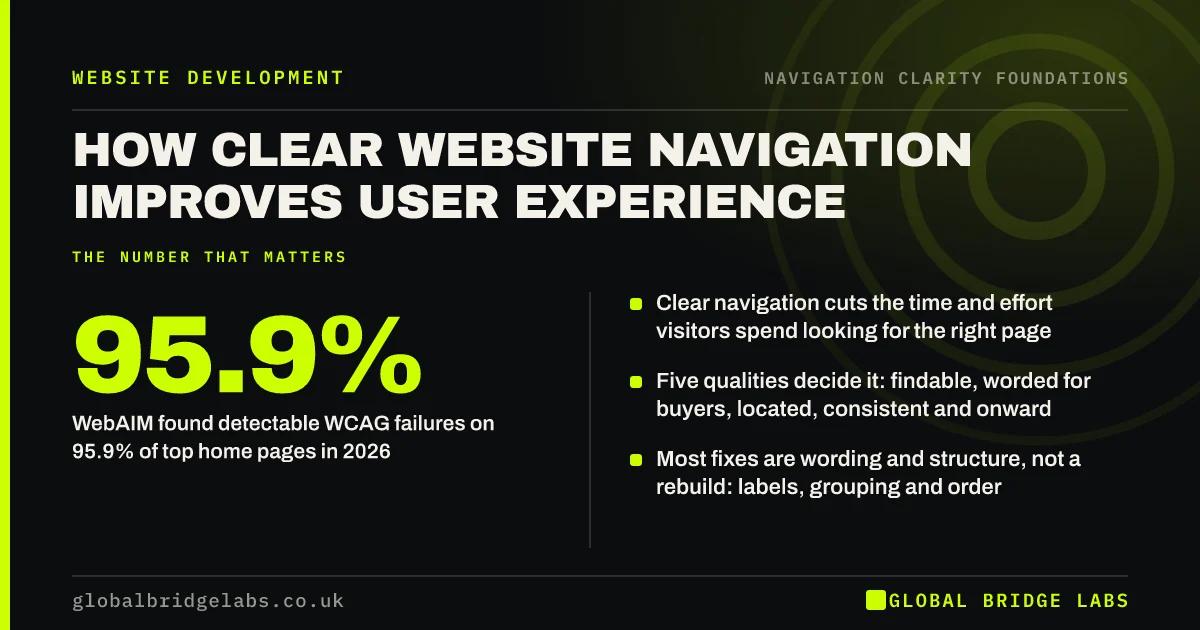
- Clear navigation cuts the time and effort visitors spend looking for the right page.
- Five qualities decide it: findable, worded for buyers, located, consistent and onward.
- WebAIM found detectable WCAG failures on 95.9% of top home pages in 2026.
- Most fixes are wording and structure, not a rebuild: labels, grouping and order.
- Test with five people and five tasks before and after you change the menu.
Want your navigation scored against these five qualities? Message us on WhatsApp.
Chat on WhatsApp →What is clear website navigation?
Clear website navigation is the set of menus, links, labels and page cues that lets a first-time visitor find the right page, understand where they are and know what to do next, without having to guess. It covers the main menu, but also link text, headings, breadcrumbs, search, the footer and the next step on each page.
Navigation is not the same as information architecture. Information architecture is the structure behind the site: which pages exist and how they group. Navigation is how visitors move through that structure. A sound structure can still be hard to use if its labels are vague or its menu changes from page to page.
How does clear navigation improve user experience?
Clear navigation improves user experience in four ways. It lowers effort, because visitors recognise the right link instead of working it out. It saves time, because the route to each key page is short and obvious. It builds confidence, because the visitor can see the business offers what they need. It reduces errors, because wrong turns are rare and easy to undo.
- Effort: visitors scan familiar, plain labels instead of decoding clever ones.
- Time: key pages sit one or two clicks or taps from any page.
- Confidence: the menu itself shows the services, prices and proof a buyer looks for.
- Errors: a wrong click leads somewhere sensible, with a clear way back.
Why does navigation matter so much to visitors?
Most visitors arrive with a task: check a price, confirm you cover their area, compare two services, find a phone number. Navigation is how they complete it. Nielsen Norman Group's research on Hick's law shows decision time rises with the number and complexity of choices, so a long, vague menu slows every task on the site.
Visitors also bring habits from other sites. Jakob Nielsen's observation, known as Jakob's law, is that people spend most of their time on other websites, so they expect yours to work the same way. Navigation that breaks those habits, such as a hidden menu on desktop or a logo that does not link home, costs effort even when it looks good.
What are the five qualities of clear navigation?
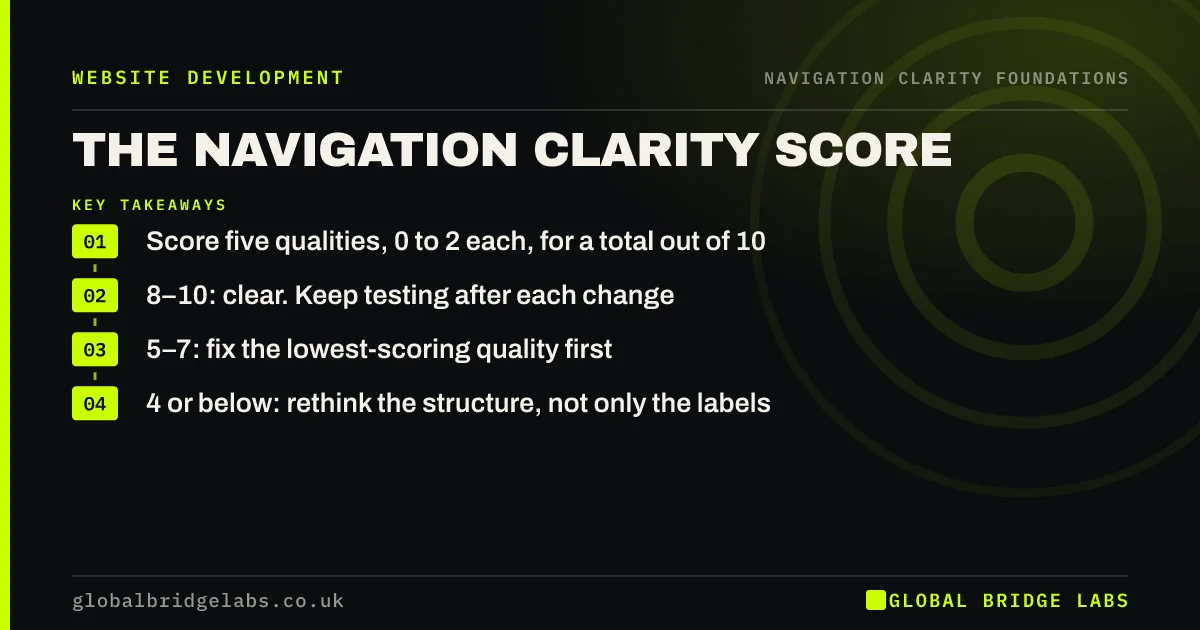
Global Bridge Labs (GBL) reviews navigation against five qualities, which together make the GBL Navigation Clarity Score. Each is scored 0 to 2, where 2 means the quality is fully present, for a total out of 10. The score is a working method, not an industry standard, but it turns 'the menu feels confusing' into a list of fixes.
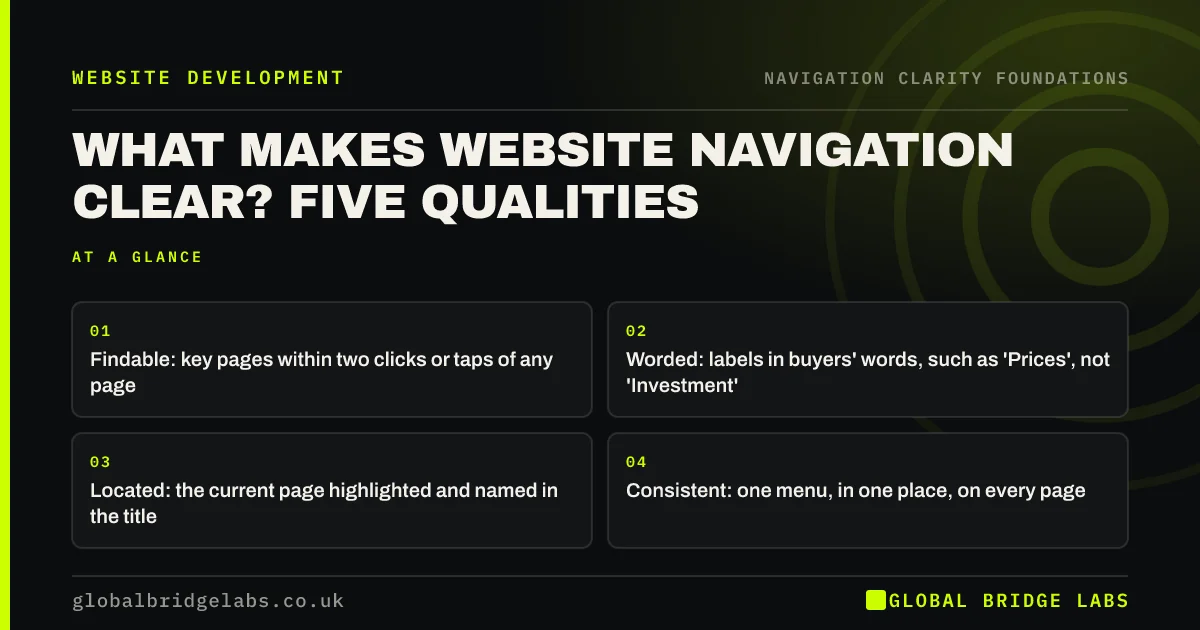
- Findable: can a visitor reach each key page in two clicks or taps from anywhere?
- Worded: are labels in the words buyers use, not internal or clever terms?
- Located: does every page show where the visitor is, with a clear page title?
- Consistent: is the menu the same, in the same place, on every page and device?
- Onward: does every page offer an obvious next step instead of a dead end?
Does clear navigation increase enquiries?
Clear navigation increases enquiries indirectly: it gets more visitors to the pages that persuade them, such as services, prices, proof and contact. It cannot fix a weak offer or a broken form. Across our client work, websites rebuilt around clarity and an obvious next step have reached a 2.4× enquiry rate, with navigation one part of that work.
The effect is easiest to see in analytics. When labels match what buyers look for, the share of sessions that reach a service page from the homepage usually rises, and the share that leave from the homepage falls. Measure both for a month before you change anything, so you can compare like with like.
How does navigation affect accessibility and search?
Navigation is where accessibility and search engine optimisation (SEO) meet usability. The Web Content Accessibility Guidelines (WCAG) 2.2 ask for consistent navigation across pages, more than one way to find a page, descriptive links and a way to skip repeated menus. Google's link guidance asks for crawlable links with descriptive anchor text. The same habits help every visitor.
WebAIM's 2026 analysis of the top one million home pages found detectable WCAG failures on 95.9% of them, and empty links on 46.3%. An empty link gives a screen reader user nothing to go on, and gives a search engine no clue what the target page is about.
Which parts of navigation matter most?
The main menu matters most, because every visitor sees it on every page. After that, the parts that matter depend on how visitors arrive. Visitors from search often land deep in the site, so location cues and onward links on inner pages carry as much weight as the menu. Returning customers rely on utility links such as login and tracking.
- Main menu: specific labels, about five to seven items, one level of dropdown.
- Header action: one distinct button, visible on phones.
- Location cues: highlighted menu item, matching heading, breadcrumbs.
- Onward links: a next step at the end of every key page.
- Search: on sites large enough to need it, tuned so key pages rank first.
- Mobile menu: the same links as desktop, with the main action outside it.
What does improving navigation cost?
Most navigation improvements are cheaper than owners expect, because they are wording, order and placement rather than new pages. In the UK market, focused fixes to an existing site typically cost £500–£3,000, and developers commonly charge around £50–£100 an hour. Navigation rebuilt within a redesign on the same platform sits within about £3,000–£12,000. These are market ranges, not a GBL price list.
The cost of not fixing it is harder to see but often larger. Visitors who cannot find a service or price simply leave, and those losses look like normal traffic in analytics. Estimate them from the share of sessions that never reach a key page.
Want a costed navigation plan for your site? Message us on WhatsApp and we will discuss your requirements.
Chat on WhatsApp →How do you improve navigation step by step?
Start with evidence, fix the cheap things first and only restructure when testing shows the structure is wrong. For most small business sites, a 90-day programme is enough to move from a confusing menu to one customers can rely on, with a named owner to keep it that way.
- Measure: key-page reach, homepage exits, site search terms, a five-person test.
- Fix quick wins: labels, header action, current page, mobile menu, next steps.
- Test structure: card sort and tree test if services or key pages are hard to find.
- Change safely: keep URLs where possible and redirect any that move.
- Lock it in: compare with the baseline, write menu rules and name an owner.
When is better navigation not the answer?
Navigation is not always the bottleneck. If visitors reach your service pages but do not enquire, the problem is usually the page itself: the offer, the proof, the price or the form. If too few people visit at all, the problem is visibility. Check where visitors leave before you redesign the menu.
It is also possible to over-simplify. Cutting a menu to three vague items can hide pages buyers need. The aim is a menu that is quick to scan and specific, not the shortest one possible.
What does this look like in practice?
A pattern we see on UK service business sites: the menu has grown to nine or ten items, services sit under a label such as 'Solutions', and the phone number is only in the footer. Visitors from search land on a blog post and cannot see what the business sells. Renaming the services item, grouping company pages under About and putting the contact action in the header makes the offer visible from every page.
Clear navigation checklist
- Write down the five tasks most visitors come to complete.
- Check each key page is reachable in two clicks or taps.
- Rename any label a customer would not use.
- Show the current page in the menu and in the page title.
- Keep the menu identical on every page.
- Give every page a next step.
- Test with five people before and after changes.
Guides on the principles behind clear navigation
These guides explain the usability principles that make navigation feel easy, and how to score your own menu.
- What makes website navigation clear? Five qualities
- The navigation clarity score: rate your menu in 20 minutes
- Recognition vs recall: let visitors see, not remember
- Jakob's law: why familiar navigation feels easier
- Mental models: navigation that matches how buyers think
- Nielsen's usability heuristics, applied to navigation
- Progressive disclosure: basics first, details on demand
- Fitts's law: why bigger, closer links are easier to use
- The three-click rule: does it matter for navigation?
Guides on what clear navigation changes
These guides cover the effect of navigation on enquiries, trust, search, AI tools, support contacts and accessibility.
- Does website navigation affect conversion rate?
- How navigation shapes whether visitors trust you
- Does website navigation affect SEO?
- Click depth: how far key pages sit from your homepage
- Navigation and AI search: help AI tools read your site
- Google sitelinks: how your navigation shapes them
- Clear navigation cuts 'where do I find' calls and emails
- What poor website navigation costs a UK business
- Accessible navigation: clearer for every visitor
- Website navigation myths that make sites harder to use
Guides on menu labels and wording
These guides cover the words in your navigation: labels, link text, titles, the header action and menu order.
- Menu labels: words visitors understand at a glance
- The services menu: how to list what you sell
- Descriptive link text: why 'click here' loses visitors
- Page titles and headings: the navigation visitors forget
- The header CTA button: one action that stands apart
- Consistent wording: call each thing by one name
- Language switchers: let visitors change language easily
- Menu order: which item goes first, and why it matters
- Should 'Pricing' be in your website menu?
- Grouping menu items so visitors see the pattern
Guides on menu structure
These guides cover how menus are arranged: depth, primary and secondary menus, dropdowns and long pages.
- Flat vs deep site structure: which is easier to navigate?
- Primary vs secondary navigation: what goes where
- Utility navigation: login, basket and search, out of the way
- Section navigation: help visitors move within a topic
- HTML sitemap pages: do visitors still use them?
- URL structure: addresses that tell visitors where they are
- Dropdown menus: hover, click, touch and keyboard
- Jump links and contents lists for long pages
- Back-to-top buttons: when long pages need one
- Vertical vs horizontal navigation: side menu or top menu?
Guides on orientation and site search
These guides cover how visitors know where they are and how site search helps them find the rest.
- 'You are here': show visitors where they are
- Consistent navigation: same menu, same place, every page
- Should landing pages have navigation?
- The back button: why breaking it frustrates visitors
- Skip links: let keyboard users jump past the menu
- Blog navigation: help readers find the next article
- Search results pages: make site search find things
- No-results pages: rescue visitors whose search failed
- Site search data: what visitors type tells you
- Search autocomplete: suggestions that get visitors there
Guides on navigation across devices
These guides cover phones, tablets, zoom, scripts and the overlays that get in the way of navigation.
- Swipe gestures on websites: hidden navigation visitors miss
- Navigation on tablets: the screen size designs forget
- Responsive navigation: when the full menu should collapse
- Nested menus on mobile: sub-menus that open and close
- Navigation at 200% zoom: menus for visitors who enlarge text
- JavaScript menus: when navigation fails to load or be crawled
- Mobile and desktop menus: keep the two in step
- Full-screen menus: stylish overlay or a step too far?
- Announcement bars: useful notice or navigation clutter?
- Cookie banners and chat widgets that cover your menu
Guides on testing and measuring navigation
These guides cover the tests and numbers that show whether visitors find their way.
- Navigation usability testing: five tasks, five people
- First-click testing: is the first step the right one?
- 'Did you find what you needed?' Surveys that test navigation
- Task success rate: the simplest navigation measure
- Time on task: how long it takes to find what matters
- Track menu clicks in GA4: see which links visitors use
- Website navigation audit: a one-afternoon review
- System Usability Scale: a 10-question score for your site
- Navigation metrics: proof visitors find their way
- Did the new menu work? Measure navigation before and after
Guides on changing your navigation
These guides cover redesigning, costing, governing and briefing navigation without losing search visibility.
- Change your navigation without losing search rankings
- What a navigation redesign costs in the UK
- How to redesign website navigation, step by step
- Org-chart navigation: menus that mirror the company
- Who owns the menu? Keep navigation clear after launch
- What to say about navigation in a website brief
- WordPress menus: set up navigation visitors can use
- Shopify navigation: menus and collections shoppers follow
- Seasonal offers in the menu: promote without clutter
- Can an AI chatbot replace your website navigation?
Navigation guides by sector
These guides apply the same principles to specific types of business.
- E-commerce navigation: help shoppers find products fast
- Product filters and faceted navigation for small shops
- Navigation for trades websites: services, areas, call
- Law firm website navigation: by problem, not department
- Accountancy website navigation clients can follow
- Clinic website navigation: treatments, fees and booking
- Restaurant and hotel website navigation: menu, rooms, book
- Logistics website navigation: services, sectors, quote
- Manufacturer website navigation: products, specs and quotes
- Charity website navigation: donate, help and volunteer
Navigation checklists, examples and plans
These guides give you examples, a checklist, quick wins and a 90-day plan to put it all into practice.
- Good website navigation examples: patterns worth copying
- Navigation usability checklist: 20 checks
- Improve your website navigation this week: quick wins
- How screen reader users navigate your site
- Navigation for returning customers: logins and reorders
- Estate agent website navigation: buy, rent, sell, value
- SaaS website navigation: product, pricing, sign in
- Resource hubs: navigation for guides, downloads and help
- Website navigation terms explained: a plain glossary
- A 90-day plan to make your website navigation clearer
Next step
Score your site on the five qualities this week, then fix the lowest one first. Most navigation problems are wording and order, which can change in days.
Message us on WhatsApp for a navigation clarity review, or book a 30-minute consultation.
Chat on WhatsApp →Sources and further reading
- Hick's Law: designing long menu lists · Nielsen Norman Group
- Web Content Accessibility Guidelines (WCAG) 2.2 · W3C
- The WebAIM Million: accessibility of the top 1,000,000 home pages · WebAIM
- SEO link best practices for Google · Google Search Central
- Memory recognition and recall in user interfaces · Nielsen Norman Group
Frequently asked questions
Why is navigation important for user experience?
Navigation is how visitors complete the task they came for. Clear navigation lowers the effort of finding a page, saves time, builds confidence that the business can help and makes wrong turns easy to undo. Unclear navigation makes visitors guess, and many leave rather than keep guessing.
What makes good website navigation?
Good navigation is findable, worded in the customer's language, shows visitors where they are, stays consistent on every page and device, and always offers a next step. It uses familiar patterns, such as a logo that links home and a menu at the top, so visitors do not have to learn anything new.
How do I know if my website navigation is confusing?
Ask five people who do not know the business to find five things, such as a price, a service and your phone number, while you watch silently. Then check analytics for exits from the homepage and site searches for things that are already in the menu. Both point to labels or structure that confuse.
Does improving navigation help SEO?
It helps indirectly. Crawlable links with descriptive text help search engines discover and understand pages, and a shallow structure keeps important pages close to the homepage. Navigation will not rank a weak page on its own, but it helps good pages get found and understood.
Written by

Global Bridge Labs (GBL) is a UK–Sri Lanka partner for social media, websites and BPO. Everything here comes from client delivery, not theory.