On this page
- 01Key takeaways
- 02How do you score each quality?
- 03What do the score thresholds mean?
- 04How do you confirm the score with real visitors?
- 05What should you fix first?
- 06When is the score misleading?
- 07What does this look like in practice?
- 08Navigation clarity score sheet
- 09Next step
- 10Sources and further reading
- 11Frequently asked questions
Key takeaways
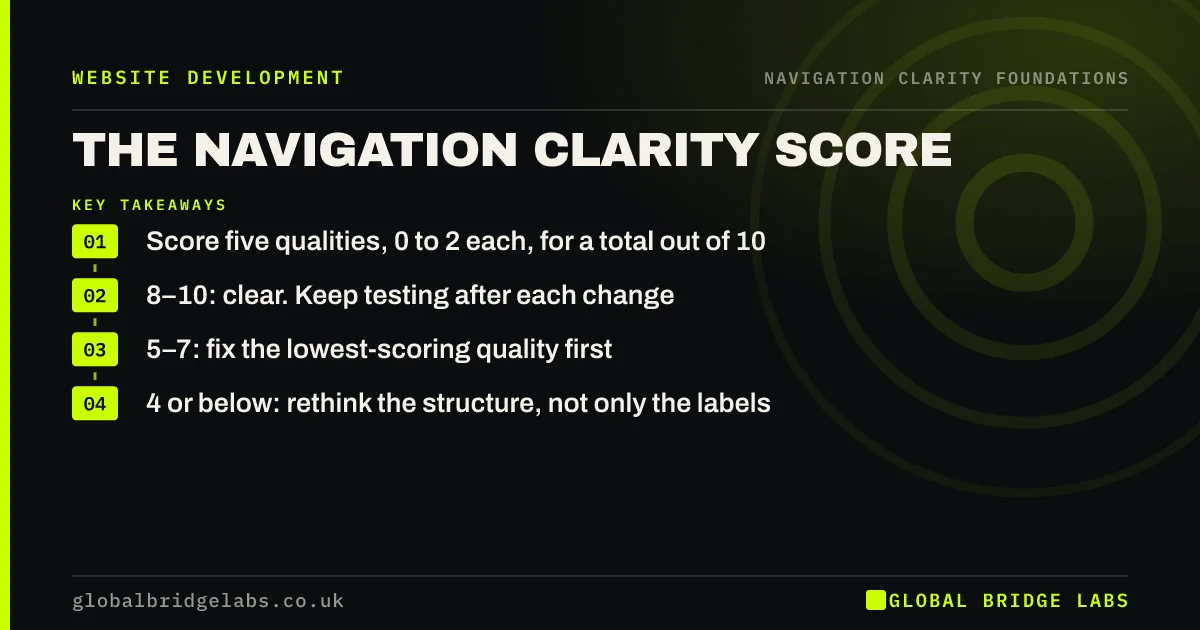
The GBL Navigation Clarity Score rates a website's navigation out of 10 in about 20 minutes. Score five qualities from 0 to 2: findable, worded, located, consistent and onward. A score of 8 to 10 is clear, 5 to 7 needs targeted fixes to the lowest quality, and 4 or below usually means the structure needs rethinking.
- Score five qualities, 0 to 2 each, for a total out of 10.
- 8–10: clear. Keep testing after each change.
- 5–7: fix the lowest-scoring quality first.
- 4 or below: rethink the structure, not only the labels.
Want a second opinion on your score? Message us on WhatsApp.
Chat on WhatsApp →How do you score each quality?
Score 2 when the quality is fully present on every page you check, 1 when it is partly there or inconsistent, and 0 when it is missing. Check the homepage, two service pages, a blog post and the contact page, on both a phone and a laptop. Score what a first-time visitor sees, not what you know.
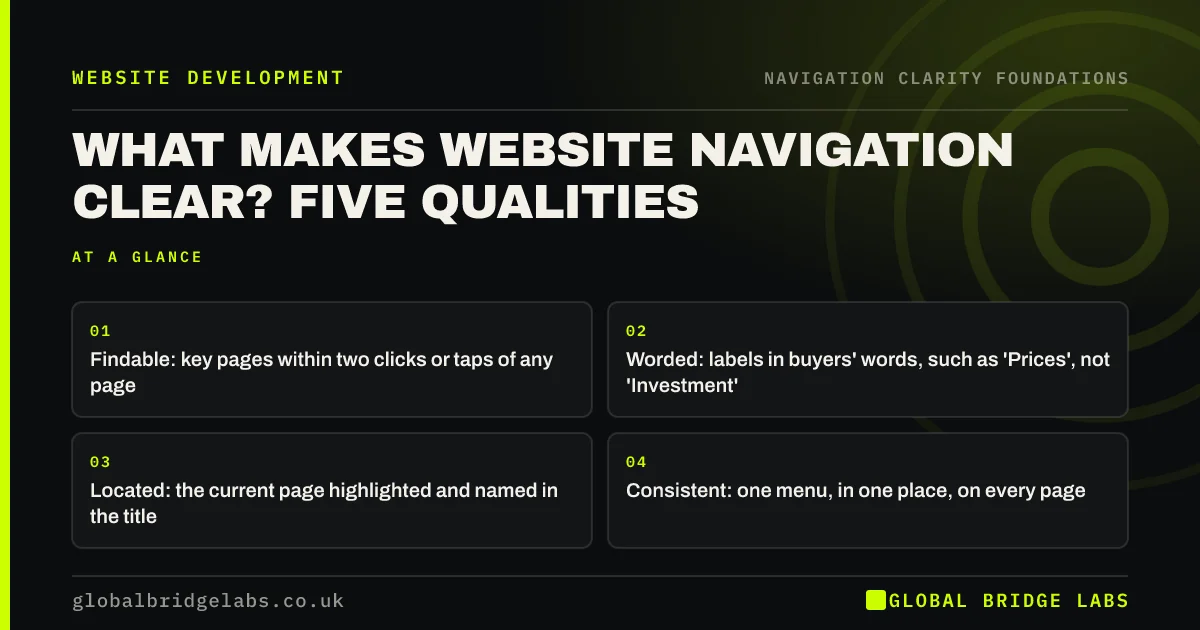
- Findable: 2 if each key page is within two clicks or taps everywhere; 1 if from some pages; 0 if hidden.
- Worded: 2 if every label is a customer's word; 1 if one or two are vague; 0 if most are.
- Located: 2 if the current page is highlighted and titled; 1 if one of the two; 0 if neither.
- Consistent: 2 if the menu is identical on all pages and devices; 1 if minor differences; 0 if it changes.
- Onward: 2 if every page has a next step; 1 if key pages only; 0 if many dead ends.
What do the score thresholds mean?
The thresholds are GBL's working rule of thumb from navigation reviews, not an industry benchmark. A score of 8 to 10 means visitors can rely on the menu; keep the structure and test any change. A score of 5 to 7 usually means one or two qualities are weak, often wording or onward links. A score of 4 or below usually means the grouping itself is wrong.
How do you confirm the score with real visitors?
A self-score is a starting point; visitors are the test. Ask five people who match your customers to complete five tasks, such as finding a price or a service in their area. Nielsen Norman Group's analysis suggests about five users reveal most usability problems in a round of testing. If they struggle where you scored a 2, lower the score.
What should you fix first?
Fix the lowest-scoring quality first, because one weak quality undermines the others. If two are tied, fix wording before structure: renaming a label is fast, cheap and reversible, while moving pages affects URLs and search. Re-score after each change rather than changing everything at once.
Want the fixes for your lowest score mapped out? Message us on WhatsApp and we will discuss your requirements.
Chat on WhatsApp →When is the score misleading?
The score measures navigation, not the whole site. A site can score 9 and still lose visitors to slow pages, weak copy or a broken form. It is also less useful for very large catalogues, where search and filters matter as much as the menu. Use it alongside analytics, not instead of them.
What does this look like in practice?
A pattern we see: an owner scores their site 8, then watches five customers try it and re-scores it 5. Wording drops because two labels mean nothing to buyers, and onward drops because service pages end without a next step. Those two fixes are usually a few days' work.
Navigation clarity score sheet
- Pick five pages: homepage, two services, a blog post, contact.
- Check each on a phone and a laptop.
- Score findable, worded, located, consistent and onward from 0 to 2.
- Add up the total out of 10.
- Confirm with five real users and five tasks.
- Fix the lowest quality, then re-score.
Next step
Block 20 minutes this week, score your site, and write down the single lowest quality.
Message us on WhatsApp for the navigation clarity score sheet, or book a 30-minute consultation.
Chat on WhatsApp →Sources and further reading
- Why you only need to test with 5 users · Nielsen Norman Group
- 10 usability heuristics for user interface design · Nielsen Norman Group
- Understanding WCAG 2.2 success criterion 3.2.3: Consistent Navigation · W3C
Frequently asked questions
How do I evaluate my website navigation?
Score it against five qualities: can visitors find key pages quickly, are labels in customers' words, can visitors tell where they are, is the menu consistent, and does every page offer a next step. Then test with five real people completing common tasks and compare what they do with your score.
What is a good navigation score?
On the GBL Navigation Clarity Score, 8 to 10 out of 10 is clear, 5 to 7 needs targeted fixes and 4 or below suggests the structure needs rethinking. These are working thresholds, so confirm them with user testing and analytics before making large changes.
How often should I review my navigation?
Review it whenever you add or remove a service, launch a new section or redesign, and at least once a year. Navigation drifts as pages are added one at a time, so a short annual score catches problems before they pile up.
Written by

Global Bridge Labs (GBL) is a UK–Sri Lanka partner for social media, websites and BPO. Everything here comes from client delivery, not theory.