
On this page
- 01Key takeaways
- 02What does a navigation audit cover?
- 03What are the steps?
- 04What data should you look at?
- 05How do you rank the fixes?
- 06When should you bring in outside help?
- 07What does this look like in practice?
- 08Navigation audit checklist
- 09Next step
- 10Sources and further reading
- 11Frequently asked questions
Key takeaways
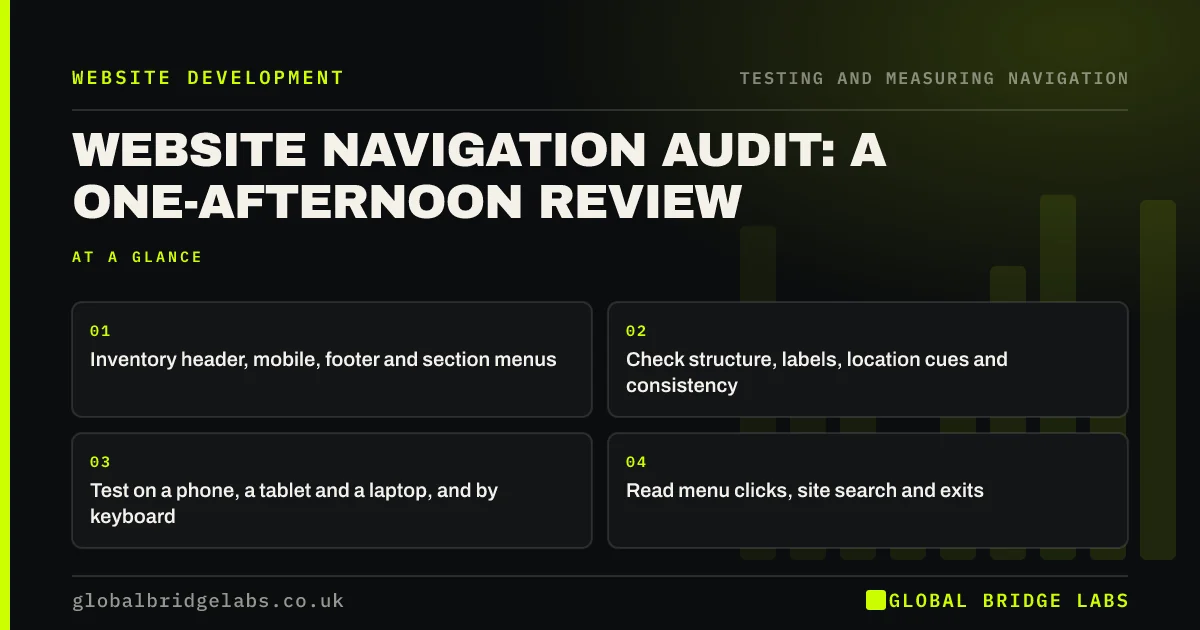
A navigation audit is a structured review of every menu, link and wayfinding cue on a site, with a ranked list of fixes at the end. You can do a useful one in an afternoon: inventory the menus, check structure and labels, test on phone and desktop, run accessibility checks and read the data. Rank fixes by impact and effort.
- Inventory header, mobile, footer and section menus.
- Check structure, labels, location cues and consistency.
- Test on a phone, a tablet and a laptop, and by keyboard.
- Read menu clicks, site search and exits.
- Rank fixes by impact and effort.
Want a navigation audit done for you? Message us on WhatsApp.
Chat on WhatsApp →What does a navigation audit cover?
A navigation audit covers everything visitors use to move around: the main and mobile menus, utility links, footer, breadcrumbs, section menus, search, in-page links and the next steps on each page. It checks them against usability principles, accessibility requirements and how visitors actually behave.
What are the steps?
Work through these in order. Each takes 20 to 40 minutes on a small business site.
- Inventory: list every menu and its items on each device.
- Structure: map levels and click depth to key pages.
- Labels: flag vague, internal or overlapping words.
- Location: check active states, headings and breadcrumbs.
- Consistency: compare templates and devices.
- Accessibility: keyboard, focus, skip link and link text.
- Data: menu clicks, site search terms and exits.
What data should you look at?
Look at menu click counts, if tracked, site search terms, the pages visitors leave from, and paths from the homepage to key pages in GA4. Search Console queries show the words visitors use. Data shows where to look; the audit explains why.
- Track menu clicks in GA4: see which links visitors use
- Site search data: what visitors type tells you
- How to find where visitors leave your website
Want the data side of the audit set up first? Message us on WhatsApp and we will discuss your requirements.
Chat on WhatsApp →How do you rank the fixes?
Score each issue for impact, from how many visitors it affects and how badly, and for effort. Do high-impact, low-effort fixes first: usually label changes, a header action and missing links. Larger structural changes go into a plan with testing and redirects.
When should you bring in outside help?
When the audit shows the structure itself is wrong, when URLs need to change, or when the team is too close to the site to see label problems. An outside reviewer and a round of usability testing catch what an internal audit misses.
What does this look like in practice?
A pattern we see: an afternoon's audit of a 30-page site finds a mobile menu missing two services, a blog template with an old menu, no active states, five 'Learn more' links on the homepage and site searches for 'prices'. Most are fixed in a day or two; the menu structure itself stays.
Navigation audit checklist
- Inventory every menu on every device.
- Map click depth to key pages.
- Flag unclear labels.
- Check location cues and consistency.
- Run keyboard and screen reader checks.
- Read clicks, search and exits.
- Rank fixes by impact and effort.
Next step
Block an afternoon, open a spreadsheet and start with the menu inventory on phone and desktop.
Message us on WhatsApp for a navigation audit, or book a 30-minute consultation.
Chat on WhatsApp →Sources and further reading
- 10 usability heuristics for user interface design · Nielsen Norman Group
- Web Content Accessibility Guidelines (WCAG) 2.2 · W3C
- Path exploration · Google Analytics Help
Frequently asked questions
What is a navigation audit?
A navigation audit is a structured review of a website's menus, links and wayfinding cues, checking structure, labels, consistency, accessibility and visitor data, and ending with a prioritised list of fixes.
How long does a navigation audit take?
For a small business site, a useful audit takes an afternoon. Larger sites with many templates, menus and languages can take several days, especially if user testing is included.
How often should I audit my navigation?
At least once a year, and whenever you add a new service, section or template, change platform or plan a redesign. Navigation drifts as pages are added, so regular checks prevent problems building up.
Written by

Global Bridge Labs (GBL) is a UK–Sri Lanka partner for social media, websites and BPO. Everything here comes from client delivery, not theory.


