On this page
- 01Key takeaways
- 02What is progressive disclosure?
- 03How does progressive disclosure help navigation?
- 04What should never be hidden?
- 05How deep should disclosure go?
- 06When does progressive disclosure backfire?
- 07What does this look like in practice?
- 08Progressive disclosure checklist
- 09Next step
- 10Sources and further reading
- 11Frequently asked questions
Key takeaways
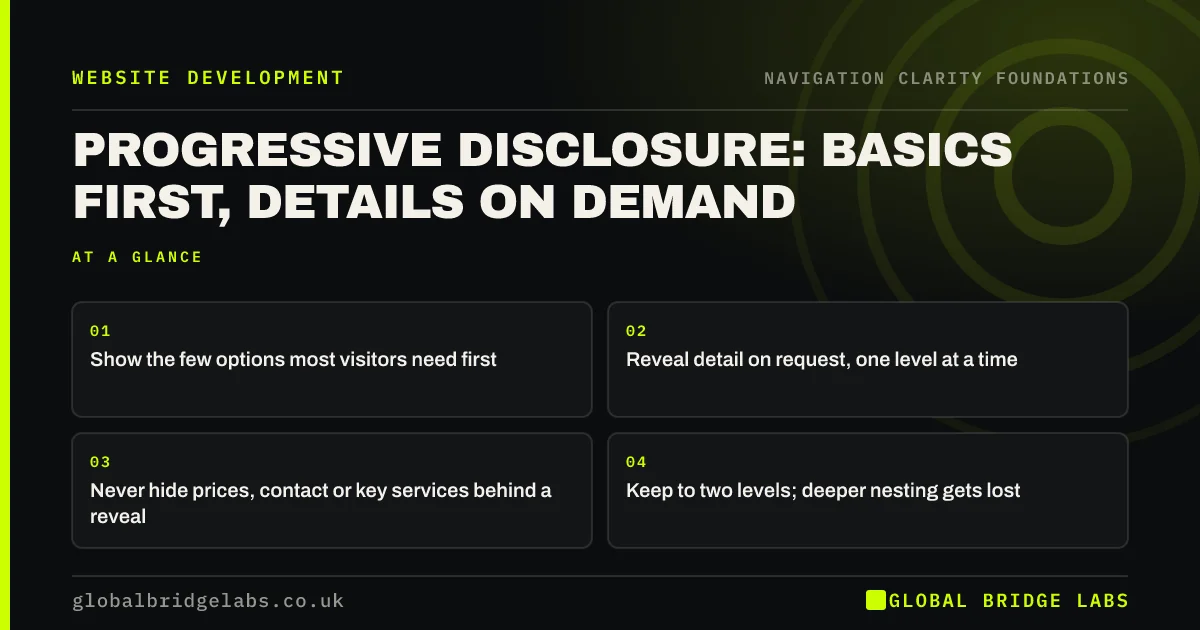
Progressive disclosure means showing the most important options first and revealing the rest only when visitors ask for them. In navigation, that means a short top-level menu with clear sub-menus, service pages that summarise before they detail, and advanced options kept out of the way. It reduces clutter without hiding what buyers need.
- Show the few options most visitors need first.
- Reveal detail on request, one level at a time.
- Never hide prices, contact or key services behind a reveal.
- Keep to two levels; deeper nesting gets lost.
Want to know what your menu should show first? Message us on WhatsApp.
Chat on WhatsApp →What is progressive disclosure?
Progressive disclosure is an interaction design technique that defers less-used or advanced options to a secondary screen or layer, so the primary view stays simple. Nielsen Norman Group describes it as improving learnability, efficiency and error rates by showing users only what they need at each step.
How does progressive disclosure help navigation?
A menu that shows every page at once overwhelms visitors. A menu that shows six clear categories, each opening to its pages, lets visitors choose the right area first and then the right page. Each decision is small. The same applies within pages: a summary first, then detail for those who want it.
What should never be hidden?
Anything most visitors need should be visible immediately. Hiding prices, contact details, the main services or the primary action behind a reveal adds a step for everyone. The test is frequency: if most visitors need it, show it; if a few do, disclose it on demand.
How deep should disclosure go?
Two levels is enough for most business sites: a top-level item and one sub-menu. Nielsen Norman Group warns that designs with more than two disclosure levels typically have low usability, because visitors get lost moving between layers. If you need three levels, the structure is probably too complex.
When does progressive disclosure backfire?
It backfires when the split between basic and advanced is wrong, so visitors must keep opening layers to find common items. It also fails when the trigger is unclear, such as an unlabelled arrow or a vague 'More' link. Base the split on data about what visitors use, not on guesswork.
What does this look like in practice?
A pattern we see: a services page lists 18 services in one long block. Grouping them into four categories, each with a short description and a link to the detailed pages, lets visitors pick their area first. Nothing is removed; it is ordered by need.
Progressive disclosure checklist
- List what most visitors need and show it first.
- Group the rest under clear, labelled triggers.
- Keep to two levels.
- Never hide prices, contact or key services.
- Check analytics to confirm the split is right.
Next step
Pick your longest menu or page and decide which items most visitors need first.
Message us on WhatsApp for a navigation review, or book a 30-minute consultation.
Chat on WhatsApp →Sources and further reading
- Progressive disclosure · Nielsen Norman Group
- Hick's Law: designing long menu lists · Nielsen Norman Group
- Accordions for complex website content on desktops · Nielsen Norman Group
Frequently asked questions
What is an example of progressive disclosure?
A 'Services' menu item that opens to show five service pages is progressive disclosure: visitors see the category first and the detail on request. Others include 'Show more' links on long lists, advanced filters behind a button and FAQ answers that expand.
Is progressive disclosure the same as hiding content?
No. Progressive disclosure orders content by need, keeping the essentials visible and making the rest easy to reach. Hiding content is removing or burying it so visitors cannot find it. The difference is whether the trigger is obvious and the split is right.
Does progressive disclosure affect SEO?
Content revealed by a click is usually still in the page and can be indexed, but anything important should be visible text with clear headings. Do not hide key service information behind interactions that only load content after a click.
Written by

Global Bridge Labs (GBL) is a UK–Sri Lanka partner for social media, websites and BPO. Everything here comes from client delivery, not theory.