
On this page
Key takeaways
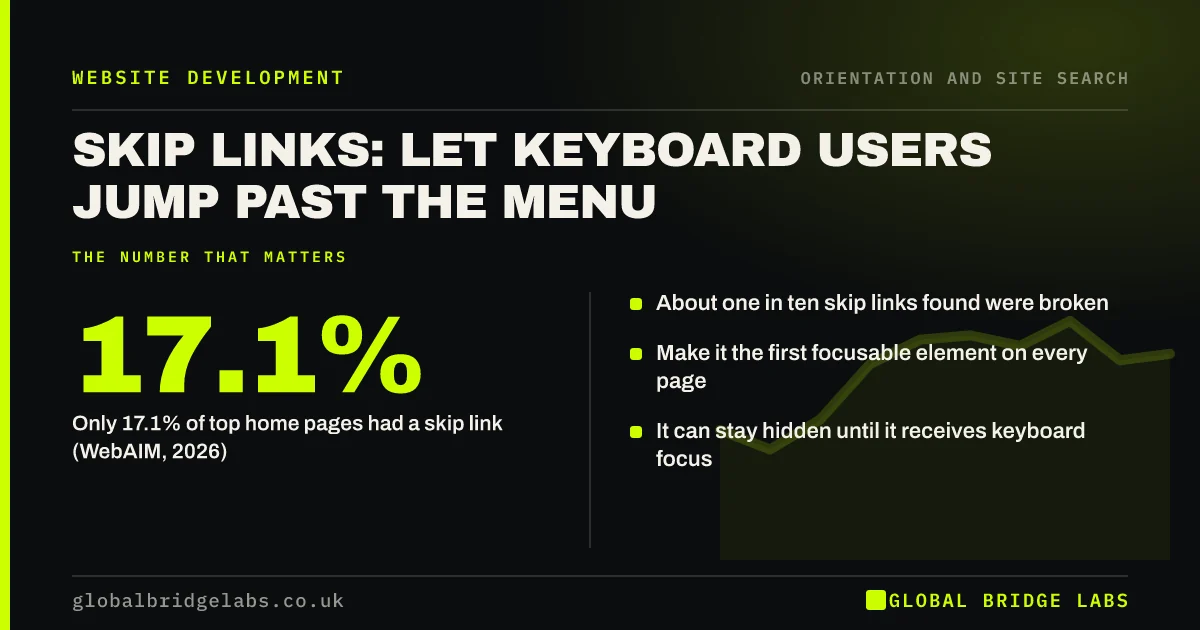
A skip link is a link at the very top of a page that lets keyboard and screen reader users jump past the menu straight to the main content. Without one, they must tab through every menu link on every page. WebAIM found a skip link on only 17.1% of top home pages in 2026, and about one in ten of those did not work.
- Only 17.1% of top home pages had a skip link (WebAIM, 2026).
- About one in ten skip links found were broken.
- Make it the first focusable element on every page.
- It can stay hidden until it receives keyboard focus.
Want a working skip link added to your site? Message us on WhatsApp.
Chat on WhatsApp →What is a skip link?
A skip link is an in-page link, usually labelled 'Skip to main content', that moves keyboard focus from the top of the page to the start of the main content. It meets WCAG 2.2 success criterion 2.4.1, Bypass Blocks, which requires a way to skip blocks of content repeated on multiple pages, such as the main menu.
Who needs a skip link?
People who navigate by keyboard, including many with motor impairments, screen reader users and people using switch devices. On a site with 20 links in the header, they press Tab 20 times on every page before reaching the content. A skip link turns that into one key press.
How should a skip link be built?
The GOV.UK Design System's skip link component shows the pattern: the first focusable element on the page, visually hidden until focused, then shown clearly at the top left. It links to the main content area, which needs a matching id. Test it with the keyboard after every template change.
- First focusable element in the page.
- Labelled 'Skip to main content'.
- Hidden until focused, then clearly visible.
- Links to an id on the main content area.
- Moves focus, not just scroll position.
Want your templates checked for skip links and landmarks? Message us on WhatsApp and we will discuss your requirements.
Chat on WhatsApp →Why do skip links break?
Skip links break when the target id is missing or renamed, when the link is hidden in a way that stops it ever becoming visible or focusable, or when a cookie banner takes focus first. WebAIM's 2026 survey found about one in ten detected skip links were broken in one of these ways.
Are landmarks enough instead?
Landmarks, such as the main and nav elements, help screen reader users jump between regions, and WebAIM found a main landmark on 46.1% of home pages in 2026. Many keyboard users do not use screen readers, though, so landmarks do not replace a skip link. Use both.
What does this look like in practice?
A pattern we see: a site has a skip link in the theme, but the main content area has no id, so pressing it does nothing. Adding the id to the main element takes minutes and restores the shortcut on every page.
Skip link checklist
- Skip link as the first focusable element.
- Visible when focused.
- Target id present on main content.
- Focus moves to the content.
- Main and nav landmarks in place.
Next step
Load your homepage, press Tab once and see whether a skip link appears.
Message us on WhatsApp for an accessibility check, or book a 30-minute consultation.
Chat on WhatsApp →Sources and further reading
- Understanding WCAG 2.2 success criterion 2.4.1: Bypass Blocks · W3C
- Skip link component · GOV.UK Design System
- The WebAIM Million: accessibility of the top 1,000,000 home pages · WebAIM
Frequently asked questions
Is a skip link required for accessibility?
WCAG 2.2 success criterion 2.4.1, Bypass Blocks, requires a way to skip repeated content such as menus. A skip link is the most common and reliable way to meet it. Proper headings and landmarks also help but do not serve all keyboard users.
Should the skip link be visible?
It can be hidden until it receives keyboard focus, then appear clearly at the top of the page. It must never be hidden in a way that stops it receiving focus, or it will not work.
Where should a skip link go?
It should be the first focusable element on the page, before the logo and menu, and should link to the start of the main content area.
Written by

Global Bridge Labs (GBL) is a UK–Sri Lanka partner for social media, websites and BPO. Everything here comes from client delivery, not theory.


