
On this page
- 01Key takeaways
- 02Why put a CTA button in the header?
- 03Which action should it be?
- 04How should the button look?
- 05Should the button be sticky?
- 06When is a header CTA a bad idea?
- 07What does this look like in practice?
- 08Header CTA checklist
- 09Next step
- 10Sources and further reading
- 11Frequently asked questions
Key takeaways
A header call to action button gives visitors one obvious next step from every page. Use one primary action, such as 'Get a quote' or 'Book a call', style it as a button distinct from the menu links, place it at the right of the header and keep it visible on phones. Two competing buttons dilute it.
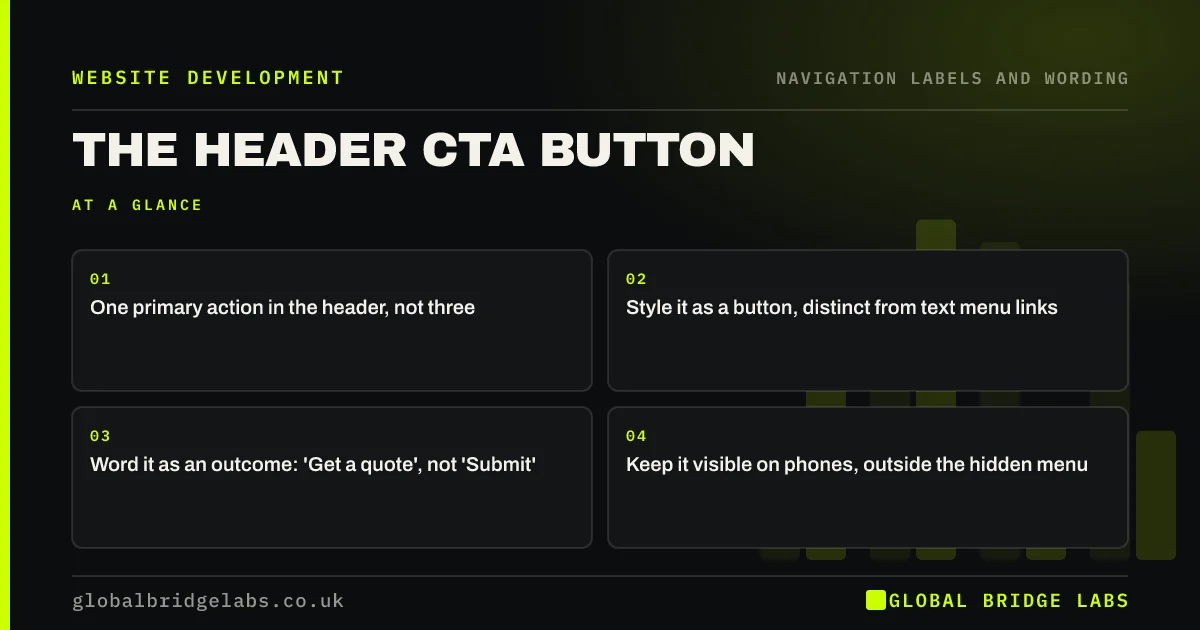
- One primary action in the header, not three.
- Style it as a button, distinct from text menu links.
- Word it as an outcome: 'Get a quote', not 'Submit'.
- Keep it visible on phones, outside the hidden menu.
Want the right header action chosen for your business? Message us on WhatsApp.
Chat on WhatsApp →Why put a CTA button in the header?
Visitors decide to act at different points: some on the homepage, some halfway down a service page, some on a case study. A header button gives all of them a consistent route without searching. It also tells first-time visitors what the business wants them to do next.
Which action should it be?
Choose the action most of your customers take to buy. Trades and local services often use 'Call' or 'Get a quote'; clinics and salons 'Book'; professional firms 'Book a consultation'; shops usually use the basket instead. If phone and WhatsApp matter as much, show the number as text beside the button.
How should the button look?
It should look like a button and different from the menu links: a filled shape in your accent colour with strong contrast. The GOV.UK Design System advises button text that describes the action and is short. Keep it the same size, wording and position on every page.
- Filled, high-contrast shape.
- Short outcome wording.
- Right-hand end of the header on desktop.
- Visible beside the menu icon on phones.
- Same on every page.
Want your header action designed and tested? Message us on WhatsApp and we will discuss your requirements.
Chat on WhatsApp →Should the button be sticky?
A sticky header keeps the button in view as visitors scroll, which helps on long pages. It also takes screen space, particularly on phones. Keep a sticky header slim, and make sure it does not cover focused elements, which WCAG 2.2 success criterion 2.4.11 addresses.
When is a header CTA a bad idea?
When the action does not fit most visitors, such as 'Buy now' on a site where buyers need a conversation first, or when there are several buttons competing. On e-commerce sites, the basket and account links usually do this job, and a sales button would distract.
What does this look like in practice?
A pattern we see: a header holds 'Contact', 'Get a quote', 'Book a survey' and a phone icon, all styled the same. Visitors cannot tell which is the main route. Keeping one filled 'Get a quote' button and showing the phone number as text gives one obvious action and one alternative.
Header CTA checklist
- Choose one primary action.
- Word it as an outcome.
- Style it distinctly from the menu.
- Show it on phones outside the hidden menu.
- Keep it identical on every page.
- Track clicks on it in analytics.
Next step
Ask three customers how they first got in touch, and make that the header action.
Message us on WhatsApp for a header review, or book a 30-minute consultation.
Chat on WhatsApp →Sources and further reading
- Button component · GOV.UK Design System
- Understanding WCAG 2.2 success criterion 2.4.11: Focus Not Obscured (Minimum) · W3C
- Sticky headers: 5 ways to make them better · Nielsen Norman Group
Frequently asked questions
Should the contact button be in the navigation menu?
Usually as a separate, styled button at the right of the header rather than as a plain menu link. That makes it stand out from the information links and gives visitors one obvious route to get in touch from any page.
What should the header button say?
Describe the outcome in two to four words: 'Get a quote', 'Book a call', 'Check availability'. Avoid vague words such as 'Submit' or 'Go', and avoid pressure words that do not fit a considered purchase.
Can I have two buttons in the header?
You can show a primary button and a secondary text link, such as a phone number, but two equal buttons compete. If both matter, make one clearly primary through colour and the other a plain link.
Written by

Global Bridge Labs (GBL) is a UK–Sri Lanka partner for social media, websites and BPO. Everything here comes from client delivery, not theory.


