On this page
- 01Key takeaways
- 02What is recognition rather than recall?
- 03Why does recall make navigation harder?
- 04How do you apply recognition in navigation?
- 05Where do sites rely on recall without noticing?
- 06When is recall acceptable?
- 07What does this look like in practice?
- 08Recognition checklist
- 09Next step
- 10Sources and further reading
- 11Frequently asked questions
Key takeaways
Recognition is easier than recall. People spot the right option far more easily when they can see it than when they have to remember it. In navigation, that means visible menus on desktop, specific labels, visible search on large sites and cues that remind visitors where they have been, instead of relying on memory.
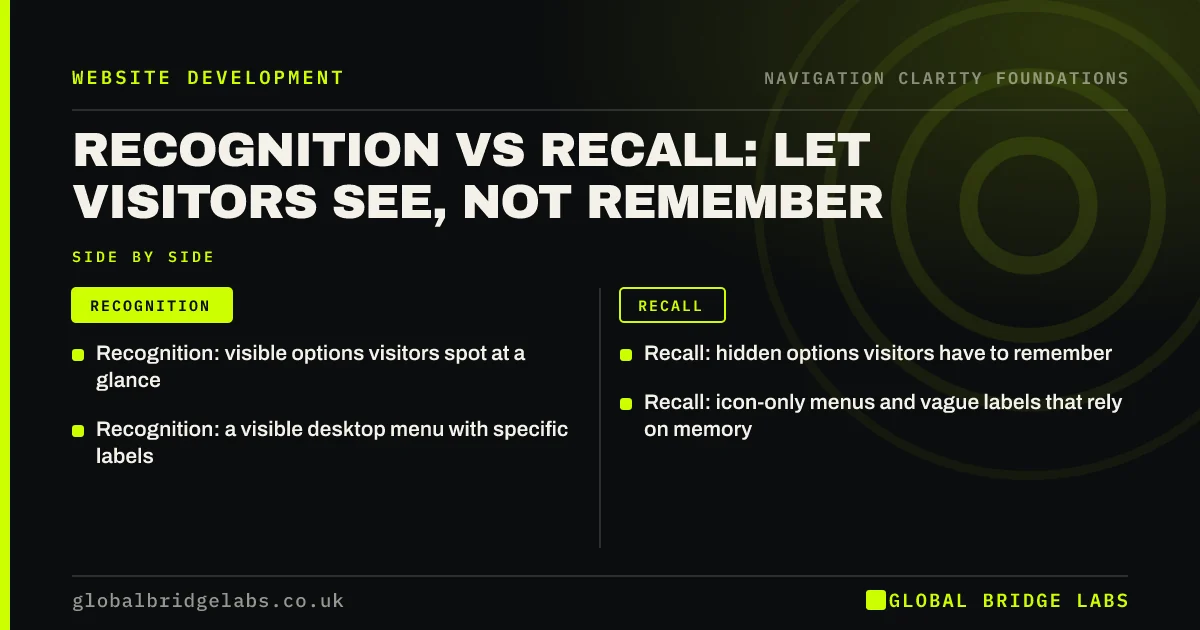
- Recognition: visible options visitors spot at a glance.
- Recall: hidden options visitors have to remember.
- Recognition: a visible desktop menu with specific labels.
- Recall: icon-only menus and vague labels that rely on memory.
Want your menu checked for hidden options? Message us on WhatsApp.
Chat on WhatsApp →What is recognition rather than recall?
Recognition rather than recall is a usability principle stating that interfaces should make options, actions and information visible, so users recognise what they need instead of retrieving it from memory. It is the sixth of Jakob Nielsen's 10 usability heuristics. Nielsen Norman Group explains that recognition uses more cues, so it is faster and less error-prone.
Why does recall make navigation harder?
Recall forces visitors to hold information in their heads: which menu hid the price list, what you called the service, which page had the form. Every item they must remember adds to cognitive load, the mental effort of using a site. When effort rises, visitors slow down, make mistakes or leave.
How do you apply recognition in navigation?
Make the important things visible at the moment visitors need them. On desktop, show the main menu rather than hiding it behind a hamburger icon. Use labels that echo the visitor's own words, so the right option jumps out. On long service lists, show the list rather than asking visitors to type into search.
- Visible main menu on screens wide enough to show it.
- Labels that match search terms and customer language.
- Breadcrumbs and highlighted menu items to show location.
- Visited links styled differently from unvisited ones.
- Search suggestions that show matching pages as visitors type.
Where do sites rely on recall without noticing?
The common cases are icon-only menus, labels that only make sense once you know the business, menus that change between pages, and forms that ask visitors to re-enter details they gave earlier. Each one assumes the visitor remembers something they never learned.
When is recall acceptable?
Recall is acceptable for regular users of a tool they use every day, such as a customer portal, where keyboard shortcuts or typed commands save time. For first-time visitors to a business website, design for recognition: they have no history with your site to recall.
What does this look like in practice?
A pattern we see: a site hides its menu behind a hamburger icon on desktop to look minimal, and visitors only find services by scrolling the homepage. Showing the five main items across the top puts the options in view, and visitors no longer need to remember to open a menu.
Recognition checklist
- Show the main menu on desktop.
- Replace icon-only links with icon plus label.
- Rename labels in customers' words.
- Highlight the current page and style visited links.
- Add search suggestions on larger sites.
Next step
List every place your site asks visitors to remember something, and make one of them visible this week.
Message us on WhatsApp for a navigation review, or book a 30-minute consultation.
Chat on WhatsApp →Sources and further reading
- Memory recognition and recall in user interfaces · Nielsen Norman Group
- 10 usability heuristics for user interface design · Nielsen Norman Group
- Hamburger menus and hidden navigation hurt UX metrics · Nielsen Norman Group
Frequently asked questions
What is an example of recognition rather than recall?
A visible menu listing 'Kitchens', 'Bathrooms' and 'Prices' uses recognition: visitors see and pick the option. A hidden menu, or a search box with no suggestions, relies on recall: visitors must remember or guess the right word. Autocomplete in search is another common recognition aid.
Why is recognition easier than recall?
Recognition gives the memory more cues to work with, because the answer is in front of you and you only have to confirm it. Recall requires retrieving the information with few or no cues. Nielsen Norman Group describes recognition as faster and less prone to errors for this reason.
Is the hamburger menu bad for recognition?
On desktop, often yes, because it hides options that would fit on screen. On phones, a hamburger menu is a reasonable trade-off for space, but keep the most important action, such as call or book, visible outside it so visitors do not need to remember where it is.
Written by

Global Bridge Labs (GBL) is a UK–Sri Lanka partner for social media, websites and BPO. Everything here comes from client delivery, not theory.