On this page
- 01Key takeaways
- 02What counts as a website design mistake?
- 03Why do design mistakes cost UK businesses enquiries?
- 04Which readability mistakes are most common?
- 05Which navigation mistakes stop visitors finding things?
- 06Which structural mistakes leave visitors stuck?
- 07Which visual mistakes undermine trust?
- 08Which colour, layout and image mistakes are most common?
- 09Which interaction mistakes get in the way?
- 10Which content design mistakes hide the answers buyers need?
- 11Which form and contact mistakes lose enquiries?
- 12Which accessibility mistakes create legal risk?
- 13Which quality mistakes only show up after launch?
- 14Which process mistakes cause the rest?
- 15How do design mistakes differ by sector?
- 16What do design mistakes cost, and what does fixing them cost?
- 17When is a design mistake not worth fixing?
- 18How do you find the design mistakes on your own site?
- 19What does this look like in practice?
- 20Website design mistakes checklist
- 21Next step
- 22Sources and further reading
- 23Frequently asked questions
Key takeaways
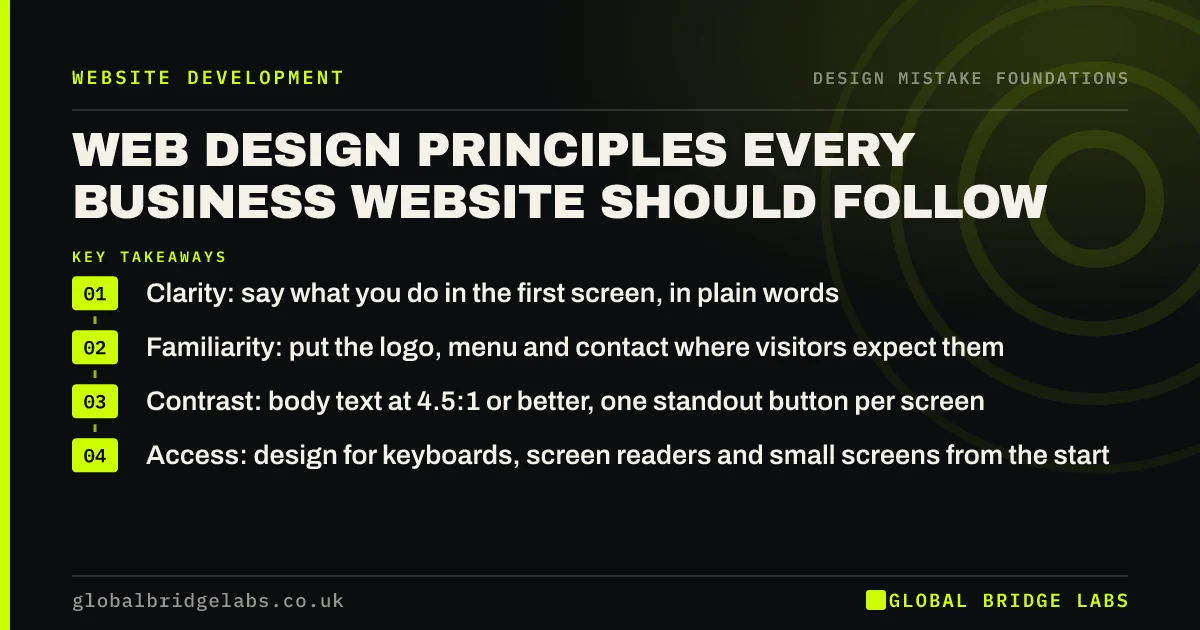
The most common website design mistakes on UK business sites are not ugly colours. They are low-contrast text that is hard to read, buttons that do not look like buttons, menus that hide the services, contact details buried in the footer, forms without proper labels, and motion or pop-ups that get in the way. Most can be fixed on the existing site for far less than a redesign.
- 83.9% of the top million home pages have low-contrast text (WebAIM, 2026).
- 51% have form fields without proper labels, so some visitors cannot fill them in.
- Fix readability and the next step first; visual polish comes last.
- Focused fixes on an existing site typically cost £500–£3,000 in the UK market.
Want a second pair of eyes on your design? Message us on WhatsApp.
Chat on WhatsApp →What counts as a website design mistake?
A website design mistake is a visual, layout or interaction decision that makes it harder for a visitor to read the page, find what they need, trust the business or take the next step. It is judged by what it does to visitors, not by whether the owner or the designer likes how it looks.
That separates design mistakes from the wider business problems covered in our guide to small business website mistakes, such as a vague offer, slow hosting or missing tracking. This guide stays with the design layer: type, colour, layout, navigation, imagery, buttons, forms, motion and accessibility.
Why do design mistakes cost UK businesses enquiries?
Design mistakes cost enquiries because visitors judge a site quickly and leave quietly. Nobody emails to say your grey text was hard to read or your menu hid the service they wanted. They go back to the search results and contact the next business. The cost shows up only as enquiries that never arrive.
The scale is larger than most owners expect. The WebAIM Million 2026 report found detectable accessibility failures on 95.9% of the top one million home pages, an average of 56.1 errors per page. These are big, well-funded sites. Small business sites built from templates usually carry the same faults.
Looks still matter, but in a specific way. Nielsen Norman Group describes the aesthetic-usability effect: people perceive attractive designs as easier to use, first studied by Kurosu and Kashimura at Hitachi in 1995. A good-looking site buys some patience. It does not make up for a page visitors cannot read or a button they cannot find.
Which readability mistakes are most common?
The most common readability mistake is low-contrast text: light grey on white, white on a pale photo, or thin type on a coloured panel. WebAIM found it on 83.9% of home pages in 2026, the most frequent failure it detects. The Web Content Accessibility Guidelines (WCAG) set a minimum contrast ratio of 4.5:1 for normal text.
- Low contrast between text and background, especially grey body text.
- Body text below 16px, long lines that run the full width of a wide screen, and tight line spacing.
- Too many typefaces, or a decorative font used for paragraphs.
- Key words baked into images, so they cannot be read by search engines or screen readers and go blurry when zoomed.
- Centred paragraphs and full-justified text that leave uneven gaps.
Which navigation mistakes stop visitors finding things?
Navigation mistakes hide the pages buyers came for. The usual ones are too many top-level items, vague labels such as 'Solutions', icons without words, a hamburger menu on desktop where there is plenty of room, and no route back from a broken link. Each forces visitors to guess, and many stop guessing.
- More than about seven top-level menu items, or labels that describe your org chart rather than what buyers want.
- A desktop hamburger menu that hides every service behind one icon.
- Icon-only navigation that visitors have to hover over to understand.
- A footer with no contact details and no links to key pages.
- A default 404 page with no search and no way forward.
Which structural mistakes leave visitors stuck?
Structural mistakes leave visitors with nowhere to go next. The usual ones are a footer with only a copyright line, a default server error instead of a helpful 404 page, deep pages with no breadcrumb trail back to their section, a large catalogue with no search, or a search that returns nothing useful, and a single long page trying to sell several different services.
Each gives visitors a dead end at exactly the moment they were looking for more. The fixes are cheap: contact details and key links in every footer, a 404 page with links and a phone number, breadcrumbs where pages sit three or more levels deep, search only where the site is too big to browse, and a separate page for each main service so it can be found and ranked on its own.
Which visual mistakes undermine trust?
Visual mistakes that undermine trust make a business look generic, careless or out of date. A template that looks like a thousand others, obvious stock photos, a logo squashed into the corner, inconsistent colours from page to page and a trend copied from a design gallery all tell visitors that little thought went into the site.
Nielsen Norman Group's research on photos found that people ignore generic, decorative images and pay attention to pictures of real people and real products. A real photo of your team on a job usually does more than an expensive stock image.
Which colour, layout and image mistakes are most common?
The most common colour, layout and image mistakes are too many colours with the accent used everywhere, items that do not line up, gaps of random sizes, a logo that is squashed, blurry or placed where nobody looks, and photos that are soft, stretched or obviously not of your business. Each is small; together they make a site look careless.
Most of these are fixed in the site's global styles rather than page by page. One accent colour reserved for buttons, a consistent spacing scale, a grid, a sharp logo in the top-left corner and images uploaded at about twice their display width tidy every page at once. Nielsen Norman Group found visitors were 89% more likely to remember logos placed top left than on the right.
- Choosing a website colour scheme: mistakes to avoid
- White space in web design: why empty space sells
- Website layout mistakes: alignment, grids and spacing
- Website logo placement and size: what visitors expect
- Blurry images on your website: causes and fixes
- Team photos on your website: what works and what does not
Which interaction mistakes get in the way?
Interaction mistakes are features that move, play or pop up before the visitor asked for anything. Autoplay video with sound, loading screens, scroll effects that hijack the page, carousels that rotate before anyone has read the first slide and pop-ups on arrival all delay the answer the visitor came for.
Some carry accessibility duties too. WCAG requires a way to pause any moving content that lasts more than five seconds, and a way to stop audio that plays automatically for more than three seconds.
Which content design mistakes hide the answers buyers need?
Content design mistakes hide answers that are already on the site. Prices and inclusions folded into closed accordions, pages cut so short they skip the questions buyers ask, product lists with infinite scroll that make the footer unreachable, links that open new tabs without warning and social media icons in the header that invite buyers to leave are the common ones.
The rule of thumb is simple: anything a buyer needs to decide should be visible without a click, and nothing on a sales page should invite them away before they act. Keep accordions for FAQs and specifications, let page length follow the buyer's questions, use pagination or a 'Load more' button for listings, open links in the same tab by default and move social icons to the footer.
Which form and contact mistakes lose enquiries?
Form and contact mistakes lose enquiries at the very last step, from people who had already decided to get in touch. WebAIM found missing form labels on 51% of home pages in 2026. Add placeholder text that disappears as you type, vague error messages and a hard CAPTCHA, and some ready buyers simply give up.
- Placeholder text used instead of a visible label.
- Error messages that say 'invalid input' without saying what to fix.
- A CAPTCHA puzzle in front of every enquiry.
- Phone number and email hidden on a contact page instead of the header.
- Buttons that look like plain text, or text styled to look like buttons.
- Button design: why visitors miss your website buttons
- Where to put contact details on your website
- Form error messages that help visitors finish
- Form labels vs placeholder text: which should you use?
- CAPTCHA on contact forms: stop spam without losing leads
- Contact page design mistakes that stop enquiries
- Pricing page design mistakes that put buyers off
Not sure which of these your site has? Message us on WhatsApp and we will discuss your requirements.
Chat on WhatsApp →Which accessibility mistakes create legal risk?
Accessibility mistakes create legal risk because the Equality Act 2010 requires UK service providers to make reasonable adjustments for disabled people, and that includes websites. Missing alt text, controls that cannot be reached by keyboard and low contrast are the usual faults. A plug-in overlay widget does not fix them; the underlying code has to change.
WCAG 2.2 at level AA is the standard most UK organisations work to, and the one public sector bodies must meet. For a private business it is the clearest way to show you have taken reasonable steps.
Which quality mistakes only show up after launch?
Some design mistakes are invisible on the designer's own screen and appear only when real visitors arrive. A layout that breaks in Safari on an iPhone, a form button hidden behind the phone keyboard, images borrowed from a Google search that later attract a copyright claim, and design choices that hide content from search engines are the common ones.
Testing in the browsers your customers use, keeping a record of where every image came from, and checking that important text and links are real HTML rather than images or scripts prevent most of them. They cost little before launch and much more once a claim, a ranking drop or a run of lost enquiries has already happened.
Which process mistakes cause the rest?
Most design mistakes start before anyone opens a design tool. The common causes are designing the layout before the words exist, choosing a designer on portfolio looks alone, copying a competitor's site, publishing an AI-generated draft without checking it, giving vague feedback such as 'make it pop', and letting a committee approve every page. Fix the process and many visual faults never appear.
- Content-first web design: write the words before the layout
- Mistakes to avoid when hiring a web designer
- How to give website design feedback that gets results
- Should you copy a competitor's website design?
- AI website builders: the design mistakes to check for
- Bad website design examples, and what each one costs
How do design mistakes differ by sector?
The same mistakes appear in every sector, but their cost depends on what buyers need most. For tradespeople it is a phone number that cannot be tapped; for restaurants a PDF menu and a hidden booking button; for professional firms hidden people and fees; for online shops surprise delivery costs; for clinics awkward booking and inaccessible design; for logistics firms vague capability pages and long quote forms.
Start with the mistake that blocks your buyers' most common action. A trades site that fixes its header phone number, or a restaurant that moves its menu onto a web page, usually gains more than any amount of visual polish.
- Tradesperson website design mistakes that lose jobs
- Restaurant website design mistakes that lose bookings
- Professional services website design mistakes
- E-commerce website design mistakes that cost sales
- Clinic website design mistakes that lose patients
- Logistics website design mistakes that lose contracts
What do design mistakes cost, and what does fixing them cost?
Design mistakes cost a share of the visitors who were ready to act. In an illustrative example, a site with 2,000 visits a month converting at 1.5% gets 30 enquiries. If clearer text, buttons and forms lift that to 2%, it gets 40. If one in four enquiries becomes a job worth £1,500, those 10 extra enquiries are worth about £3,750 a month.
Fixing them is usually cheaper than owners fear. In the UK market, focused fixes to an existing site (contrast, type, buttons, forms, navigation labels) typically cost £500–£3,000. A redesign on the same platform runs about £3,000–£12,000, and a rebuild £5,000–£20,000 or more. These are market ranges, not a GBL price list.
Want a costed list of fixes for your site? Message us on WhatsApp and we will discuss your requirements.
Chat on WhatsApp →When is a design mistake not worth fixing?
A design mistake is not worth fixing on its own when the page gets almost no traffic, when a rebuild is already planned in the next few months, or when the bigger problem is the offer or the traffic rather than the design. Accessibility faults are the exception: fix those regardless, because they shut people out.
Be wary of fixing taste. A colour you dislike is not a mistake unless it hurts reading or clashes with your brand. Spend the budget on faults that stop people reading, finding or acting.
How do you find the design mistakes on your own site?
Score your site with the GBL Design Mistake Scorecard: five lines (read, find, trust, act and work), each scored 0, 1 or 2, out of 10. Read is comfortable text; find is navigation; trust is a current, consistent, real look; act is an obvious next step; work is every device, browser and visitor. It takes about 30 minutes.
A score of 8 to 10 means the design is sound and only needs small fixes. 5 to 7 means fix the weakest line first. 4 or below means start with read and act before spending anything on visual polish. Then watch five real people try one task on your site; it will confirm or overturn the score.
What does this look like in practice?
A pattern we see often: an owner asks for a redesign because the site 'looks tired'. A review shows the real problems are grey body text, a menu with eleven items, a contact form with placeholder labels and the phone number only in the footer. Fixing those on the existing site comes first, and the redesign conversation becomes smaller and clearer.
Across our client work, websites rebuilt around clarity and an obvious next step have reached a 2.4× enquiry rate. That figure comes from whole-site work, not one fix, but the order is the same: readable, findable, then polished.
Website design mistakes checklist
- Check body text contrast is at least 4.5:1 and size at least 16px.
- Cut the main menu to the pages buyers look for, with plain labels.
- Make every button look clickable and say what happens next.
- Put your phone number or WhatsApp in the header on every page.
- Give every form field a visible label and clear error messages.
- Stop autoplay sound, rotating carousels and pop-ups on arrival.
- Replace generic stock photos with real ones where you can.
- Test with a keyboard and on at least one iPhone and one Android phone.
Next step
Run the 30-minute scorecard on your homepage and your best service page this week. Write down the weakest line and fix that first.
Message us on WhatsApp for a design review of your site, or book a 30-minute consultation.
Chat on WhatsApp →Sources and further reading
- The WebAIM Million: accessibility of the top 1,000,000 home pages · WebAIM
- The aesthetic-usability effect · Nielsen Norman Group
- Understanding SC 1.4.3: Contrast (Minimum) · W3C
- Photos as web content · Nielsen Norman Group
- Equality Act 2010 · legislation.gov.uk
- Understanding SC 2.2.2: Pause, Stop, Hide · W3C Web Accessibility Initiative
Frequently asked questions
What are the most common website design mistakes?
Low-contrast text, small or crowded type, too many menu items, buttons that do not look clickable, contact details hidden in the footer, forms without visible labels, autoplay video and pop-ups on arrival. WebAIM found low-contrast text on 83.9% of the top million home pages in 2026.
How do I know if my website design is bad?
Watch five people try to find a service and contact you, without helping them. If they hesitate, squint, scroll back or ask where to click, the design is getting in the way. A 30-minute scorecard covering reading, finding, trust, action and access gives you a structured view.
Do I need a redesign to fix design mistakes?
Usually not. Contrast, type size, button styles, menu labels, contact details and form labels can all be fixed on the existing site, typically for £500–£3,000 in the UK market. A redesign makes sense when the platform itself blocks the fixes or the brand has changed.
Are website design mistakes a legal issue in the UK?
Some are. The Equality Act 2010 requires service providers to make reasonable adjustments for disabled people, which includes websites. Faults such as missing alt text, poor contrast and controls that need a mouse can shut people out. Working towards WCAG 2.2 AA is the clearest way to show reasonable steps.
What should I fix first on my website?
Fix anything that stops people reading or acting: text contrast and size, the main call to action, contact details and the enquiry form. Then navigation labels. Leave colour, imagery and animation until those work, because a better-looking page that still cannot be read wins nothing.
Written by

Global Bridge Labs (GBL) is a UK–Sri Lanka partner for social media, websites and BPO. Everything here comes from client delivery, not theory.