
On this page
- 01Key takeaways
- 02Why work in this order?
- 03Weeks 1 to 2: baseline and score
- 04Weeks 3 to 6: readability and the next step
- 05Weeks 7 to 10: navigation, trust and access
- 06Weeks 11 to 13: measure and decide
- 07What can go wrong?
- 08What does this look like in practice?
- 0990-day plan checklist
- 10Next step
- 11Sources and further reading
- 12Frequently asked questions
Key takeaways
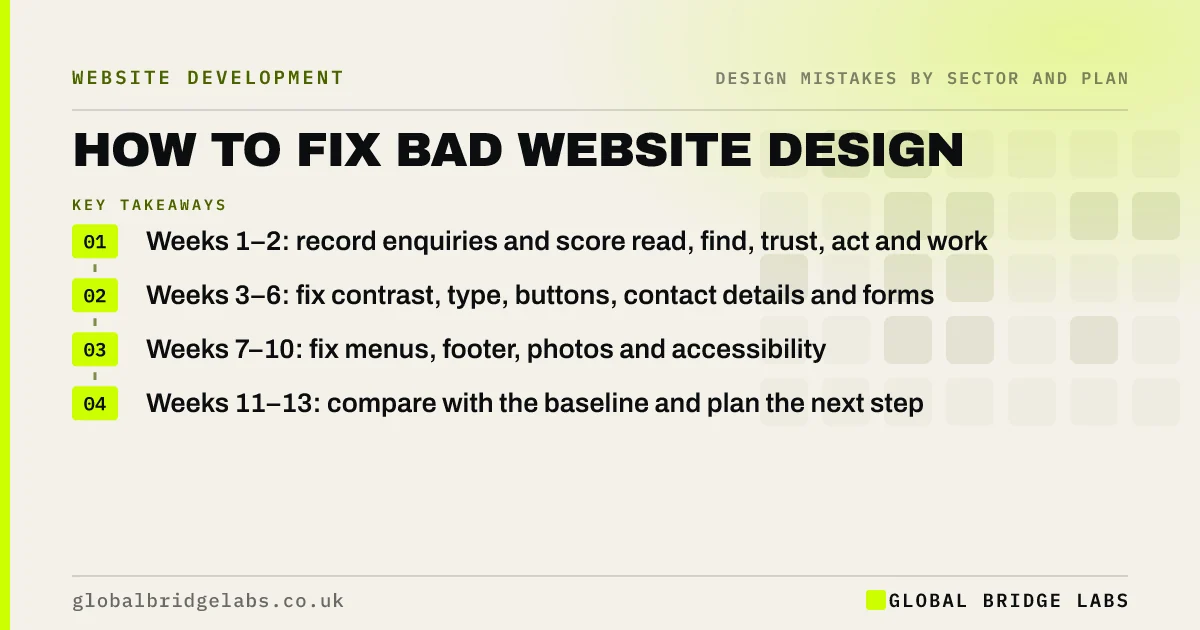
To fix bad website design without a rebuild, work in order of impact over 90 days. Weeks 1 to 2: measure a baseline and score the site. Weeks 3 to 6: fix readability and the next step. Weeks 7 to 10: fix navigation, trust and access. Weeks 11 to 13: test, measure and decide what is left. Expect to spend about 2 to 4 hours a week of owner time.
- Weeks 1–2: record enquiries and score read, find, trust, act and work.
- Weeks 3–6: fix contrast, type, buttons, contact details and forms.
- Weeks 7–10: fix menus, footer, photos and accessibility.
- Weeks 11–13: compare with the baseline and plan the next step.
Want help running the 90 days? Message us on WhatsApp.
Chat on WhatsApp →Why work in this order?
Readability and the next step affect every visitor on every page, and most fixes are quick. Navigation and trust come next because they matter once people can read and act. Visual polish comes last, because a better-looking page that still cannot be read or used wins nothing.
Weeks 1 to 2: baseline and score
Record current enquiries, calls and form submissions per month, and the enquiry rate if you track it in Google Analytics 4. Then score the site with the GBL Design Mistake Scorecard and watch five customers try one task. List problems by line: read, find, trust, act, work.
Weeks 3 to 6: readability and the next step
Fix the faults that stop people reading and acting. Most live in global styles and templates, so one change fixes many pages.
- Darken text to pass 4.5:1 contrast; body text at least 16px.
- Make the main button solid, high contrast and clearly labelled.
- Put phone or WhatsApp in the header on every page.
- Add visible labels and clear errors to forms.
- Remove autoplay, sliders and pop-ups on arrival.
- Colour contrast on websites: why grey text loses readers
- Button design: why visitors miss your website buttons
- Where to put contact details on your website
Want these fixes done for you? Message us on WhatsApp and we will discuss your requirements.
Chat on WhatsApp →Weeks 7 to 10: navigation, trust and access
With the basics working, help visitors find and trust. Trim and rename the menu, add a useful footer and 404 page, replace stock photos with real ones and fix keyboard access and alt text.
Weeks 11 to 13: measure and decide
Compare enquiries and enquiry rate with the baseline, allowing for seasonality, and re-score the site. Watch five more customers try the same task. Then decide: keep improving in place, run a focused test on one page, or plan a redesign for the problems that remain.
What can go wrong?
The common failures are changing everything at once so you cannot tell what helped, spending the early weeks on colours, and stopping after the quick wins. Keep a simple log of each change and its date, and resist redesigning pages mid-plan.
What does this look like in practice?
A pattern we see: an owner planning a rebuild works through the first six weeks and finds the site does most of what they need once text, buttons and forms are fixed. The rebuild becomes a smaller project focused on the few things the platform genuinely cannot do.
Across our client work, websites rebuilt around clarity and an obvious next step have reached a 2.4× enquiry rate; the order of work in this plan follows the same principle.
90-day plan checklist
- Record a baseline of enquiries.
- Score the site and watch five customers.
- Fix readability and the next step first.
- Then fix navigation, trust and access.
- Log every change with its date.
- Compare with the baseline at week 13.
Next step
Write down last month's enquiries today. That number is your baseline.
Message us on WhatsApp to plan your 90 days, or book a 30-minute consultation.
Chat on WhatsApp →Sources and further reading
- About key events · Google Analytics Help
- Understanding SC 1.4.3: Contrast (Minimum) · W3C
- Why you only need to test with 5 users · Nielsen Norman Group
Frequently asked questions
How do I fix a badly designed website?
Start by scoring it and recording a baseline. Fix readability and the next step first (contrast, text size, buttons, contact details, forms), then navigation, trust and accessibility. Measure against the baseline before deciding on a redesign.
Can I improve my website design without a redesign?
Often, yes. Many common design mistakes sit in global styles and templates and can be fixed on the existing site. A redesign is needed when problems are widespread or the platform blocks the fixes.
How long does it take to improve website design?
Quick fixes can be done in days. A structured improvement plan covering readability, the next step, navigation, trust and access typically fits into about 90 days, with 2 to 4 hours a week of owner time.
Written by

Global Bridge Labs (GBL) is a UK–Sri Lanka partner for social media, websites and BPO. Everything here comes from client delivery, not theory.


