On this page
- 01Key takeaways
- 02What is website accessibility?
- 03Is website accessibility a legal requirement in the UK?
- 04What are the most common accessibility failures?
- 05How do you check your site's accessibility?
- 06Does accessibility help SEO and conversion?
- 07When is full compliance hard to reach?
- 08What does this look like in practice?
- 09Accessibility checklist
- 10Next step
- 11Sources and further reading
- 12Frequently asked questions
Key takeaways
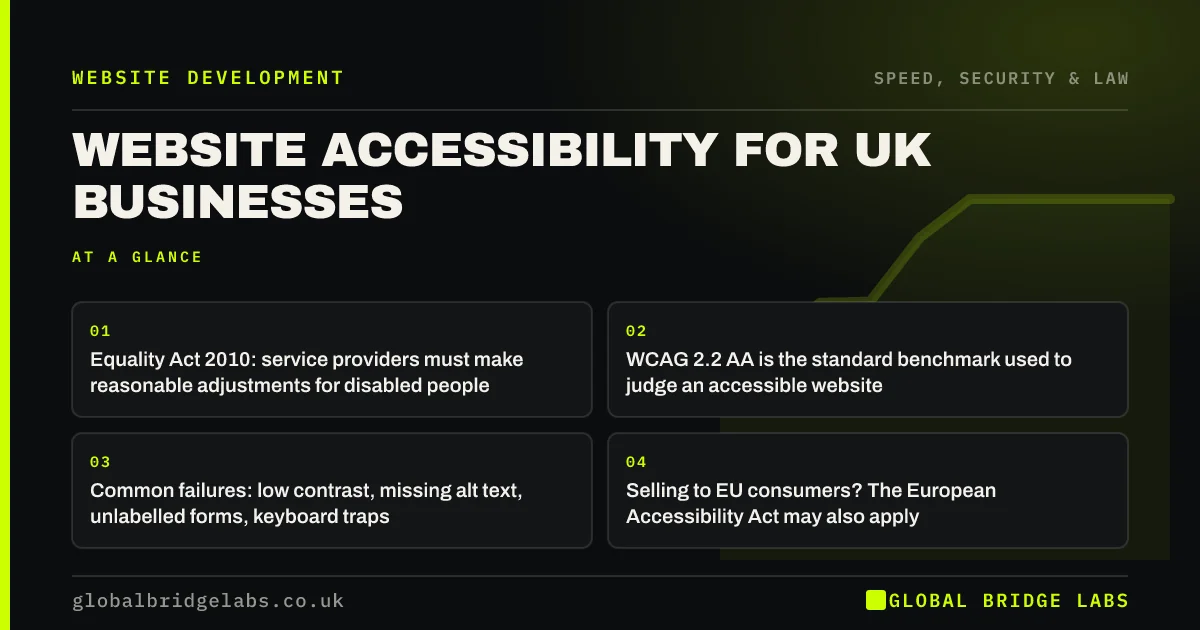
Website accessibility for UK businesses means making a site usable by people with disabilities, including those using screen readers, keyboards or magnification. The Equality Act 2010 requires service providers to make reasonable adjustments, and WCAG 2.2 level AA is the accepted benchmark. Accessible sites are also clearer and easier for everyone.
- Equality Act 2010: service providers must make reasonable adjustments for disabled people.
- WCAG 2.2 AA is the standard benchmark used to judge an accessible website.
- Common failures: low contrast, missing alt text, unlabelled forms, keyboard traps.
- Selling to EU consumers? The European Accessibility Act may also apply.
- Accessibility fixes usually improve usability and search clarity too.
Want a quick accessibility check of your key pages? Message us on WhatsApp with the URL.
Chat on WhatsApp →What is website accessibility?
Website accessibility is the practice of designing and building websites so that people with disabilities, including visual, hearing, motor and cognitive impairments, can perceive, understand, navigate and interact with them.
The Web Content Accessibility Guidelines (WCAG), published by the W3C, set out testable criteria organised around four principles: content must be perceivable, operable, understandable and robust. Version 2.2, published in October 2023, is the current recommendation.
Is website accessibility a legal requirement in the UK?
For private businesses, there is no UK law that names WCAG directly. The Equality Act 2010 requires service providers not to discriminate against disabled people and to make reasonable adjustments, which applies to services provided through websites. WCAG 2.2 AA is the benchmark most likely to be used to judge whether a site is reasonably accessible.
Public sector bodies have a specific legal duty under the Public Sector Bodies Accessibility Regulations 2018. UK businesses selling certain products and services, including e-commerce, to consumers in the EU may also fall under the European Accessibility Act, which applies from June 2025, although microenterprises providing services are exempt.
What are the most common accessibility failures?
Most small business sites fail on a handful of issues that are straightforward to fix once identified.
- Low colour contrast between text and background.
- Images with no alt text, or alt text that says image1.jpg.
- Form fields without visible labels.
- Buttons and links that cannot be reached or used with a keyboard.
- No visible focus indicator when tabbing through the page.
- Headings used for styling rather than structure.
- Link text such as Click here that makes no sense out of context.
- Videos with no captions.
How do you check your site's accessibility?
Start with the W3C's Easy Checks, which walk through page titles, image text, headings, contrast, keyboard access and forms without specialist tools. Then try using your key pages with only a keyboard: can you reach and use every link, button and form field?
Automated checkers catch some issues, typically a minority of WCAG failures, so treat them as a first pass. For a site that handles bookings, payments or sensitive services, a manual audit against WCAG 2.2 AA is worth commissioning.
Want the Easy Checks run on your top pages with a fix list? Message us on WhatsApp.
Chat on WhatsApp →Does accessibility help SEO and conversion?
Largely, yes. Many accessibility practices overlap with good SEO and usability: descriptive page titles, a logical heading structure, meaningful link text, text alternatives for images and fast, stable pages. Search engines and AI systems read structure much as screen readers do.
Conversion benefits too. Clear labels, readable contrast and forms that work with a keyboard help everyone complete tasks, especially on mobile and in bright sunlight.
When is full compliance hard to reach?
Third-party tools such as booking widgets, embedded maps and payment forms may not meet WCAG, and you may not be able to change them. Choose accessible suppliers where possible, provide an alternative route such as phone or email, and say so on an accessibility statement.
The trade-off is effort against risk and reach. Fix the high-impact issues on key pages first, then work through the rest over time. Perfection is not the entry ticket. Steady progress is.
What does this look like in practice?
A pattern in design-led sites: pale grey text on white, form fields with placeholder text instead of labels, and a custom menu that cannot be opened with a keyboard.
Darkening the text colour, adding visible labels and making the menu keyboard-accessible are small changes. They make the site usable for people who previously could not use it and easier for everyone else.
Accessibility checklist
Run these on your homepage, top service page and contact page.
- Check text contrast.
- Add meaningful alt text to informative images.
- Give every form field a visible label.
- Test all navigation and forms with a keyboard only.
- Ensure a visible focus indicator.
- Use headings in a logical order.
- Write descriptive link text.
- Caption videos.
- Publish an accessibility statement with a contact route.
Next step
If you have never checked your site for accessibility, we will run the Easy Checks on your key pages with you in 30 minutes and list the fixes by priority.
Message us on WhatsApp for an accessibility check, or book a 30-minute consultation.
Chat on WhatsApp →Sources and further reading
- Equality Act 2010 · legislation.gov.uk
- Web Content Accessibility Guidelines (WCAG) 2.2 · W3C
- Easy checks: a first review of web accessibility · W3C Web Accessibility Initiative
- WCAG 2 overview · W3C Web Accessibility Initiative
Frequently asked questions
Is website accessibility a legal requirement in the UK?
For private businesses, the Equality Act 2010 requires service providers to make reasonable adjustments for disabled people, which covers services provided online. No UK law names WCAG for private firms, but WCAG 2.2 level AA is the benchmark most likely to be used to judge whether a website is accessible.
What is WCAG 2.2 AA?
WCAG 2.2 is the current version of the W3C's Web Content Accessibility Guidelines, published in October 2023. Level AA is the middle conformance level and the widely accepted target. It covers issues such as contrast, text alternatives, keyboard access, form labels and consistent navigation.
How do I check if my website is accessible?
Start with the W3C's Easy Checks and try using your site with only a keyboard. Automated tools catch some issues but miss many, so for sites handling bookings, payments or sensitive services, a manual audit against WCAG 2.2 AA is worth commissioning.
Does the European Accessibility Act apply to UK businesses?
It can. The European Accessibility Act applies from June 2025 to certain products and services, including e-commerce, sold to consumers in the EU, wherever the business is based. Microenterprises providing services are exempt. UK businesses selling to EU consumers should check whether it applies to them.
Written by

Global Bridge Labs (GBL) is a UK–Sri Lanka partner for social media, websites and BPO. Everything here comes from client delivery, not theory.