
On this page
- 01Key takeaways
- 02What is website typography?
- 03Mistake 1: body text that is too small
- 04Mistake 2: too many typefaces
- 05Mistake 3: decorative fonts for body text
- 06Mistake 4: lines that run too long
- 07Mistake 5: cramped line spacing
- 08Mistake 6: centred and justified paragraphs
- 09Mistake 7: weak heading hierarchy
- 10When can you break these rules?
- 11What does this look like in practice?
- 12Typography checklist
- 13Next step
- 14Sources and further reading
- 15Frequently asked questions
Key takeaways
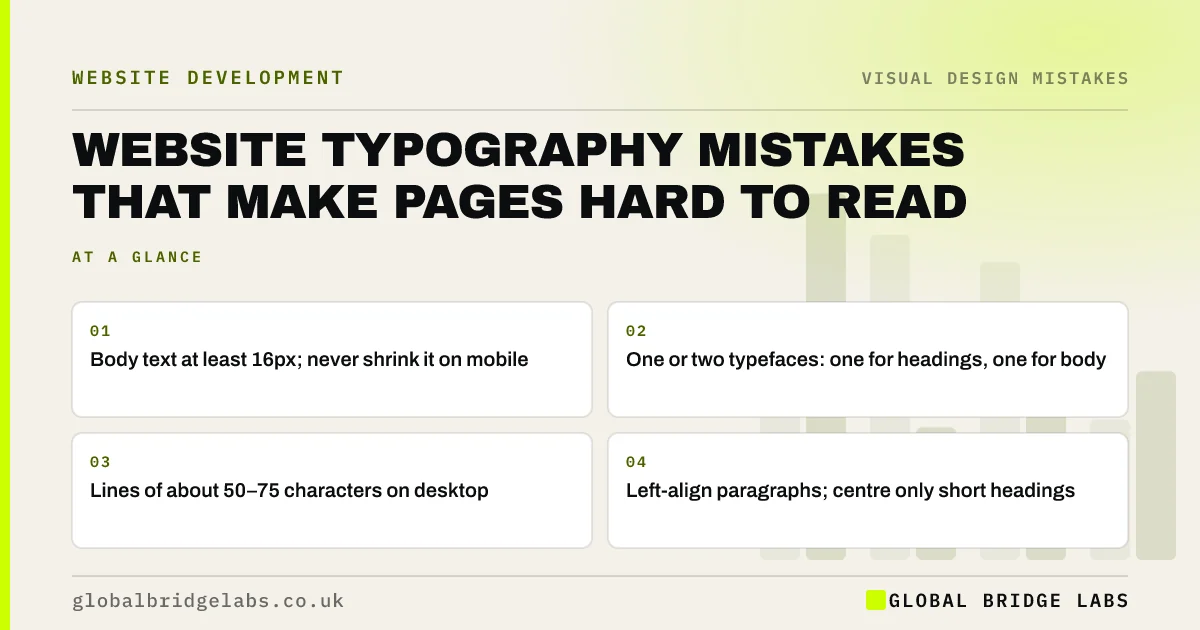
Most website typography mistakes come down to small text, too many fonts, lines that are too long and too little spacing. A business site reads well with one or two typefaces, body text of at least 16px, lines of roughly 50 to 75 characters, line spacing around 1.5 and left-aligned paragraphs.
- Body text at least 16px; never shrink it on mobile.
- One or two typefaces: one for headings, one for body.
- Lines of about 50–75 characters on desktop.
- Left-align paragraphs; centre only short headings.
Want your typography reviewed? Message us on WhatsApp.
Chat on WhatsApp →What is website typography?
Website typography is the choice and arrangement of type on a page: typefaces, sizes, weights, line length, line spacing, alignment and the contrast between headings and body text. Good typography is invisible; visitors simply find the page easy to read. Poor typography makes them skim, squint or leave.
Mistake 1: body text that is too small
Body text below 16px is hard to read on phones and for older visitors. Many templates set 14px for a tidy look. Use at least 16px for body text, and let visitors zoom: blocking zoom on mobile fails WCAG's resize text criterion, which expects text to work at 200% zoom.
Mistake 2: too many typefaces
Three or four fonts on one page look disorganised and slow the site, because each font file has to download. Use one typeface for headings and one for body text, or a single family in different weights. Each extra font should earn its place.
Mistake 3: decorative fonts for body text
Script, handwritten, condensed and very thin fonts can work for a logo or a short heading. For paragraphs they slow reading. Choose a plain, well-spaced sans-serif or serif for body text, at a regular or medium weight rather than light.
Mistake 4: lines that run too long
On a wide screen, text that stretches across the full width makes it hard to find the start of the next line. Common typographic guidance is around 50 to 75 characters per line. Set a maximum width on text columns so paragraphs stay comfortable on large monitors.
Mistake 5: cramped line spacing
Line spacing (line height) that is too tight makes paragraphs feel dense. Around 1.5 times the font size suits body text. WCAG's text spacing criterion also expects content to still work if visitors increase spacing, so avoid fixed-height boxes that clip text.
Mistake 6: centred and justified paragraphs
Centred paragraphs give each line a different starting point, so the eye has to search for it. Full justification creates uneven gaps between words, especially on narrow mobile screens. Left-align body text and keep centring for short headings and single lines.
Mistake 7: weak heading hierarchy
If headings are barely larger than body text, or every heading is the same size, visitors cannot scan the page. Make H2s clearly larger and bolder than body text, and H3s smaller than H2s. Nielsen Norman Group's research on scanning shows people rely on headings to decide what to read.
- Visual hierarchy: guide the eye to the next step
- Too much text on your website? How to tell and what to cut
Want a type system set up properly? Message us on WhatsApp and we will discuss your requirements.
Chat on WhatsApp →When can you break these rules?
Short marketing headlines can be centred, very large or use a display typeface. A premium brand may use a serif and generous spacing. The rules apply most strictly to body text, forms and anything a visitor must read to make a decision.
What does this look like in practice?
A pattern we see: a template sets 14px light-weight grey text across a full-width column. Moving to 17px regular-weight dark text in a narrower column makes the same words noticeably easier to read, with no change to the content.
Typography checklist
- Set body text to at least 16px.
- Use no more than two typefaces.
- Use regular or medium weight for body text.
- Limit lines to about 50–75 characters.
- Set line height around 1.5.
- Left-align paragraphs.
- Make headings clearly larger than body text.
- Allow zoom on mobile.
Next step
Open your longest page on a phone and a wide monitor and read one paragraph on each. Note what feels like effort.
Message us on WhatsApp for a typography review, or book a 30-minute consultation.
Chat on WhatsApp →Sources and further reading
- Understanding SC 1.4.4: Resize Text · W3C Web Accessibility Initiative
- Best practices for fonts · web.dev (Google)
- F-shaped pattern of reading: misunderstood, but still relevant · Nielsen Norman Group
- Visual hierarchy in UX: definition · Nielsen Norman Group
Frequently asked questions
What font size should a website use?
At least 16px for body text on both desktop and mobile, with headings clearly larger. Many readable sites use 17px or 18px body text. Do not block zoom on mobile, so visitors can enlarge text if they need to.
How many fonts should a website use?
One or two typefaces: one for headings and one for body text, or one family in several weights. More fonts make pages look disorganised and add download time.
What is the best font for a business website?
A plain, well-spaced sans-serif or serif at regular weight for body text. The best choice is one that is readable at small sizes, has several weights and suits your brand. Avoid script, very thin or condensed fonts for paragraphs.
Written by

Global Bridge Labs (GBL) is a UK–Sri Lanka partner for social media, websites and BPO. Everything here comes from client delivery, not theory.


