
On this page
- 01Key takeaways
- 02What does designing a website around the customer journey mean?
- 03Why does the customer journey matter more than the homepage?
- 04What are the stages of a website customer journey?
- 05How do you map your customer journey before designing pages?
- 06How do you turn a journey map into website structure?
- 07What should each page do at each journey stage?
- 08How do you measure whether the journey is working?
- 09What does a better customer journey earn a small business?
- 10How much does journey-led website design cost in the UK?
- 11When is journey mapping not worth the effort?
- 12What does this look like in practice?
- 13Customer journey design checklist
- 14Next step
- 15Sources and further reading
- 16Frequently asked questions
Key takeaways
To design a website around your customer journey, start with how buyers actually find you, compare you and decide, not with a list of your services. Map the five steps most buyers take (find, orient, compare, commit, return), give each step the pages and answers it needs, and connect them with one obvious next move. Then measure the routes people really take and fix the step where they stall.
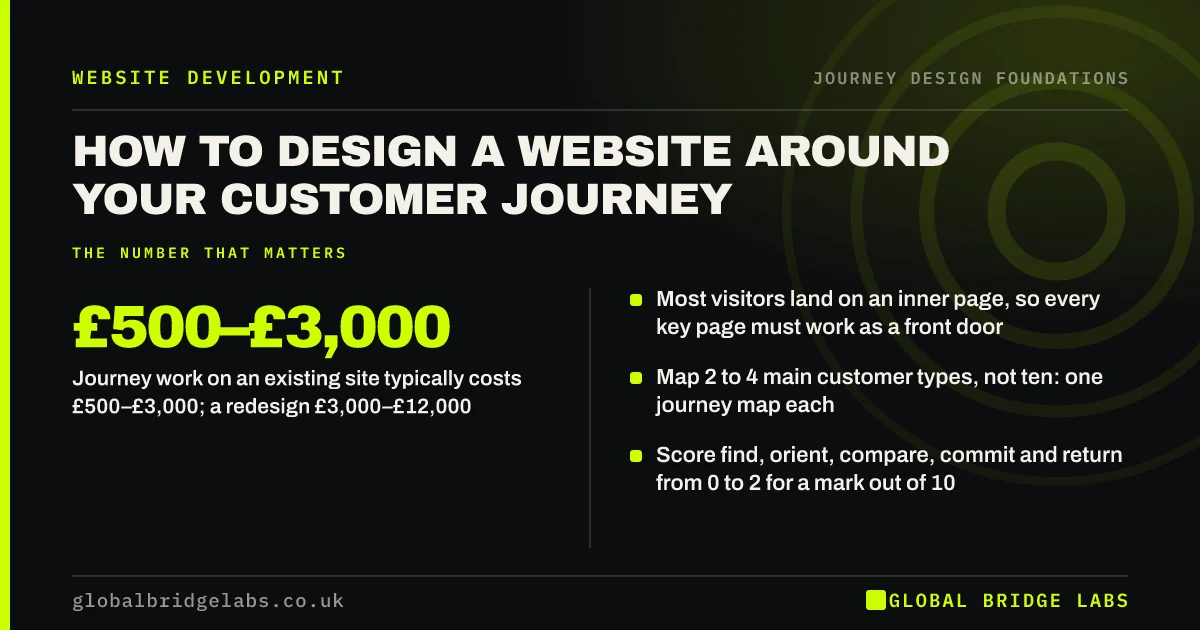
- Most visitors land on an inner page, so every key page must work as a front door.
- Map 2 to 4 main customer types, not ten: one journey map each.
- Score find, orient, compare, commit and return from 0 to 2 for a mark out of 10.
- Journey work on an existing site typically costs £500–£3,000; a redesign £3,000–£12,000.
- Five customer interviews per buyer type surface most of the journey's gaps.
Want your website scored against your real customer journey? Message us on WhatsApp.
Chat on WhatsApp →What does designing a website around the customer journey mean?
Designing a website around the customer journey means organising pages, navigation and calls to action around the steps a buyer takes to choose you, rather than around how your business is structured. A customer journey is the full sequence of steps a person goes through to reach a goal, across channels and over time. The website is one part of it.
Nielsen Norman Group (NN/g) defines a journey map as a visualisation of the process a person goes through in order to accomplish a goal. For a UK small business, that goal is usually practical: get a leak fixed, find an accountant who understands contractors, or book a table for eight on Saturday. A journey-led website answers each question in the order the buyer asks it.
The opposite is an organisation-led website: a homepage, an About page, a Services menu that mirrors the internal departments, and a Contact page. It looks complete, but it asks the buyer to translate their problem into your structure. Most will not do that work for long.
Why does the customer journey matter more than the homepage?
The customer journey matters more than the homepage because most buyers never start there. They arrive from a Google search on a service page, a link in a social post, a Google Business Profile, a referral text or an advert. Each of those is a different entry point with a different question, and the homepage only serves one of them.
Visitors also judge quickly. NN/g research on page visits found that people often leave within 10 to 20 seconds unless the page shows clear value. A journey-led site makes sure the page each visitor lands on answers their question at once and shows the next step, wherever in the site that page sits.
What are the stages of a website customer journey?
Most website customer journeys pass through five stages: find, orient, compare, commit and return. Buyers find you through search, social or referral; orient themselves on the page they land on; compare you with alternatives; commit by enquiring, booking or buying; and return as customers who need help, re-order or refer. Each stage asks something different of the website.
These five stages are the GBL Journey Fit Scorecard, the framework Global Bridge Labs (GBL) uses to review websites. The stages are not a strict sequence. Buyers loop back from compare to find, visit on a phone and enquire on a laptop, or skip straight to commit because a friend recommended you. Design for each stage, then check the links between them.
- Find: the pages and listings that match what buyers search, share and are sent.
- Orient: on any page, can the visitor tell what you do, for whom and where in two screens?
- Compare: prices or price guidance, proof, process and how you differ, all on the site.
- Commit: one clear next step per page, with a short form, a phone number and a booking option.
- Return: what customers see after the enquiry and after the sale, from confirmation to re-order.
How do you map your customer journey before designing pages?
Map your customer journey by talking to recent customers, reading the questions in your inbox and sales calls, and checking analytics for where visitors land and leave. Write down each step a typical buyer takes, what they need to know at that step, and where they currently get stuck. One map per main customer type is enough.
For most small businesses the research fits into a week and the mapping into a single day. Interview five recent customers of each main type; NN/g's long-standing finding is that five users reveal about 85% of usability problems, and the same law of diminishing returns applies to journey interviews. Add your sales notes, then build the map as a simple table: stage, what they do, what they ask, what they feel, where it breaks, and what the website should do.
- Pick 2 to 4 main customer types; ignore edge cases for now.
- Interview five recent customers of each type, including one who nearly chose someone else.
- Collect the ten questions you are asked most by phone, email and WhatsApp.
- Pull landing pages, exit pages and enquiry sources from GA4.
- Build one map per customer type and mark the three worst moments.
- Customer journey mapping for small businesses in one day
- A customer journey map template for website planning
- Customer interviews before a website project: what to ask
Want a hand turning your customer notes into a journey map? Send us your top ten customer questions on WhatsApp.
Chat on WhatsApp →How do you turn a journey map into website structure?
Turn a journey map into website structure by giving every important question on the map a home: a page, a section or a clear answer. Group pages the way buyers group their problems, label menus in the buyer's words, and link each page to the next question a buyer at that stage asks. Structure follows the map, not the other way round.
In practice that usually means service pages written for a specific problem, a page or section that helps people compare options, visible price guidance, proof placed near the decision, and a confirmation journey after the form. Check the structure with customers before building: a card sort shows how they group things, and a tree test shows whether they can find them.
- Write the top-level menu in buyers' words, tested with a card sort.
- Make each service page answer what, who for, how much, how long and what next.
- Add comparison, pricing guidance and process pages where buyers stall.
- Link every page to the next question, not back to the homepage.
- Design the confirmation page and first reply as part of the journey.
What should each page do at each journey stage?
Each page should do the job of the stage most of its visitors are in. A blog article reached from search serves the find stage and should point to the relevant service. A service page serves orient and compare and should show proof and price guidance. A contact page serves commit and should be short. Mismatched pages lose people.
The table below is how we read a small business site in a journey review. It is a starting point, not a rule: some sectors compress stages (an emergency plumber's buyer goes from find to commit in a minute) and others stretch them (a B2B logistics contract can take months).
- Article or guide (find): answer the question fully, then link to the matching service.
- Service page (orient, compare): problem, outcome, process, proof, price guidance, next step.
- Comparison or pricing page (compare): options side by side and when each is right.
- Case study (compare, commit): a buyer like me, the problem, what changed.
- Contact or booking page (commit): short form, phone, hours, what happens next.
- Confirmation page and first reply (return): timeline, who will call, what to prepare.
How do you measure whether the journey is working?
Measure the journey with a few numbers per stage: how many visitors reach a service page from an entry page, how many view proof or pricing, how many start and finish a form, and how many enquiries become customers. GA4 path and funnel explorations show the routes and the drop-offs. Session recordings show why.
Keep GA4's data retention at 14 months rather than 2, because Google notes that the retention setting affects explorations and funnel reports. Then review the journey every quarter: pick the stage with the biggest drop, watch ten recordings of it, change one thing and check again. Journey design is a habit, not a launch.
What does a better customer journey earn a small business?
A better customer journey earns more enquiries from the same visitors, better-qualified enquiries, and fewer repetitive questions for your team. The gain comes from fixing the steps where buyers currently stall, so the size depends on how broken those steps are today. Small improvements at a busy step are worth more than a large one at a quiet step.
An illustrative sum: a site with 3,000 visits a month and a 2% enquiry rate produces 60 enquiries. If clearer routes from service pages to a shorter form lift that to 2.5%, it produces 75. If one in four enquiries closes at an average of £1,500, those 15 extra enquiries are worth about £5,600 a month. Your numbers will differ; the method is the point.
Across our client work we have seen a 2.4x enquiry rate from conversion changes of this kind, made at the stages where buyers were dropping out. Benchmarks for conversion rates sit in our separate guide, because the right comparison is your own site before and after.
How much does journey-led website design cost in the UK?
Journey-led design costs the same as good web design, because it is a way of doing the work rather than an extra product. As indicative UK ranges, journey research and changes to an existing site typically cost £500–£3,000, a redesign £3,000–£12,000 and a full rebuild £5,000–£20,000 or more. The research phase is usually a modest share of a project budget.
The bigger cost is owner time. Expect to give five to ten hours: choosing customers to interview, answering questions about the sales process, and reviewing the map. That time is what stops an agency designing around guesses. Global Bridge Labs (GBL) does not publish a rate card; tell us your situation and we will cost a plan for your requirements.
- What journey mapping and journey-led design cost in the UK
- how much a business website costs in the UK
Want a costed plan for redesigning your site around how customers buy? Message us on WhatsApp or book a 30-minute consultation.
Chat on WhatsApp →When is journey mapping not worth the effort?
Journey mapping is not worth a formal exercise when the journey is already short and obvious, when the site gets too few visitors to change anything measurable, or when the real problem is elsewhere. A one-service local business with a working phone line may only need a clear page and a click-to-call button.
It also fails when it stays on the wall. A beautiful map that never changes a page, a link or a follow-up email is a cost with no return. And if enquiries arrive but are answered slowly, the journey breaks after the website; fix the response time before redesigning pages.
- Skip the formal map if you sell one simple service to one type of buyer.
- Skip it if the site gets under a few hundred visits a month and the fix is obvious.
- Fix slow replies to enquiries before redesigning the pages that create them.
- Do not map ten personas: two to four cover most small businesses.
What does this look like in practice?
A pattern we see often in professional services: the site is organised by the firm's departments, with service pages that describe expertise and a contact form at the bottom of each. Analytics shows most visitors landing on two articles about a specific problem, reading them, and leaving. The articles answer the question but never connect to the service that solves it.
Re-mapping the journey usually changes little on the surface: each article gains a short section that names the service and links to it, service pages gain fee guidance and a 'what happens next' block, and the form is shortened. The design stays; the routes change. Global Bridge Labs (GBL) starts journey work with the pages visitors actually land on.
Customer journey design checklist
- Name your 2 to 4 main customer types and what each is trying to get done.
- Interview five recent customers per type and collect your ten most-asked questions.
- Build one journey map per type: stage, actions, questions, feelings, breaks.
- Score the site 0 to 2 on find, orient, compare, commit and return.
- Check your top ten landing pages each work as a front door.
- Give every page one next step that matches its stage.
- Put price guidance, proof and process where buyers compare.
- Design the confirmation page and first reply.
- Set GA4 retention to 14 months and build one funnel exploration.
- Review the weakest stage every quarter.
Next step
If your website was built around your services rather than your buyers, you do not always need a new site. Often the routes between existing pages are the problem. We will score your site against the five journey stages and show you which step to fix first.
Message us on WhatsApp for a customer journey review of your website, or book a 30-minute consultation.
Chat on WhatsApp →Sources and further reading
- Journey mapping 101 · Nielsen Norman Group
- User journeys vs. user flows · Nielsen Norman Group
- How long do users stay on web pages? · Nielsen Norman Group
- Why you only need to test with 5 users · Nielsen Norman Group
- Data retention · Google Analytics Help
- Funnel exploration · Google Analytics Help
Frequently asked questions
What is customer journey website design?
Customer journey website design organises pages, navigation and calls to action around the steps buyers take to choose a supplier, rather than around the business's own structure. It starts with research into how customers find, compare and decide, then gives each step the answers and next move it needs.
How do I design my website around the customer journey?
Pick your two to four main customer types, interview five recent customers of each, and map their steps from first search to after the sale. Then give every question on the map a page or section, link each page to the next question, and measure where visitors stall in GA4.
What are the five stages of the customer journey on a website?
A practical model for small business websites is find, orient, compare, commit and return. Buyers find you through search, social or referral, orient themselves on the page they land on, compare you with alternatives, commit by enquiring or buying, and return as customers needing help or re-ordering.
Do I need a new website to improve the customer journey?
Not usually. Many journey problems sit in the links between pages, missing price guidance or proof, a long form, or a weak confirmation page. Those can be fixed on an existing site for a fraction of a redesign. A new site makes sense when the structure itself cannot be changed.
How long does customer journey mapping take for a small business?
For most small businesses, research takes about a week of elapsed time and the mapping itself one working day. Allow five to ten hours of the owner's time for interviews, sales-process questions and review. Larger firms with several buyer types may need two to three weeks.
Written by

Global Bridge Labs (GBL) is a UK–Sri Lanka partner for social media, websites and BPO. Everything here comes from client delivery, not theory.


