
On this page
- 01Key takeaways
- 02What is GA4 path exploration?
- 03How do you set up a path exploration?
- 04What is backwards path analysis?
- 05What should you look for in the paths?
- 06What are the limits of path exploration?
- 07When is path exploration not the right tool?
- 08What does this look like in practice?
- 09Path exploration checklist
- 10Next step
- 11Sources and further reading
- 12Frequently asked questions
Key takeaways
GA4 path exploration shows the sequences of pages or events visitors follow, either forwards from a starting point or backwards from an end point such as an enquiry. For a small business, the two most useful views are forwards from your top landing pages and backwards from your form submission or phone click. Set GA4 data retention to 14 months first, because explorations depend on it.
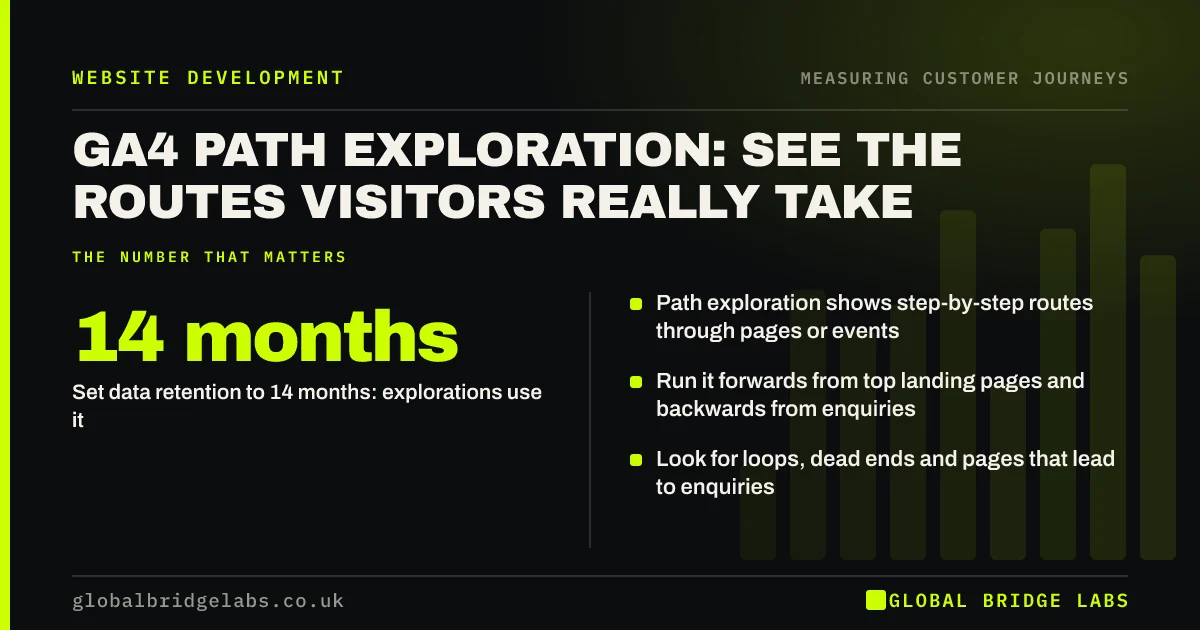
- Path exploration shows step-by-step routes through pages or events.
- Run it forwards from top landing pages and backwards from enquiries.
- Set data retention to 14 months: explorations use it.
- Look for loops, dead ends and pages that lead to enquiries.
Want a path exploration built for your site? Message us on WhatsApp.
Chat on WhatsApp →What is GA4 path exploration?
GA4 path exploration is a report in the Explore section of Google Analytics 4 that shows the paths users take as a tree of steps, using page titles, screen names or event names. You can start from a chosen page or event and see what users did next, or start from an end point and see what led to it. It is the closest GA4 comes to a customer journey view of your website.
How do you set up a path exploration?
Open GA4, go to Explore and choose the Path exploration template. Pick a starting point, such as a page title or the session_start event, and choose page title and screen name as the node type. Expand nodes step by step to follow the routes. Set the date range to at least 90 days for a small site, so there are enough journeys to read.
- Explore, then the Path exploration template.
- Starting point: a landing page title or session_start.
- Node type: page title and screen name.
- Date range: at least 90 days for small sites.
- Expand the busiest nodes first.
What is backwards path analysis?
Backwards path analysis starts from an end point, such as a form submission or a phone click tracked as a key event, and shows the steps that led to it. For a small business it answers a valuable question: which pages do people view before they enquire? Pages that often appear just before enquiries are your strongest journey pages; protect and improve them first.
Want your enquiry events set up so backwards paths work? Message us on WhatsApp.
Chat on WhatsApp →What should you look for in the paths?
Look for four patterns. Loops, where visitors go back and forth between two pages, suggest missing answers or weak labels. Dead ends, where a busy page leads mostly to exits, need a next step. Strong routes, where a page often leads to an enquiry, deserve more traffic. Unexpected routes show how buyers actually think, which may differ from your menu.
- Loops: back and forth between pages.
- Dead ends: busy pages followed by exits.
- Strong routes: pages that often precede enquiries.
- Surprises: routes your navigation did not expect.
What are the limits of path exploration?
Path exploration has limits. Google notes that the data retention setting affects explorations, so a short retention period cuts how far back you can look. Small sites may see thresholding or too few journeys to read. Visitors who decline analytics cookies are not counted. And paths show what people did, not why, so pair them with recordings and customer conversations.
When is path exploration not the right tool?
It is not the right tool for counting drop-off at defined steps, which a funnel exploration does better, or for very low-traffic sites where paths are too sparse to show patterns. In that case, watch session recordings and ask customers instead.
What does this look like in practice?
A pattern we see in backwards paths from enquiries: the pricing page and one case study appear far more often before enquiries than the homepage does. Yet neither is linked from the main service pages; buyers find them through the menu or search. The strongest route on the site is also the hardest to follow.
Linking pricing and that case study from each service page makes the strong route the easy one. Across our client work we have seen a 2.4x enquiry rate from conversion changes of this kind. Global Bridge Labs (GBL) reads backwards paths before redesigning navigation.
Path exploration checklist
- Set GA4 data retention to 14 months.
- Track form submissions and phone clicks as key events.
- Run forward paths from the top 5 landing pages.
- Run backward paths from each enquiry event.
- Note loops, dead ends and strong routes.
- Make strong routes easier to follow.
Next step
Path exploration is powerful but easy to misread. We will build forwards and backwards paths for your site and explain what they say about your customer journey.
Message us on WhatsApp for a GA4 path exploration of your site, or book a 30-minute consultation.
Chat on WhatsApp →Sources and further reading
- Path exploration · Google Analytics Help
- Data retention · Google Analytics Help
- About key events · Google Analytics Help
Frequently asked questions
What is a path exploration in GA4?
A report in GA4's Explore section that shows the sequences of pages or events users follow, as a tree you can expand step by step. You can start from a page or event and look forwards, or start from an end point such as an enquiry and look backwards.
How do I see the user journey in Google Analytics 4?
Use a path exploration in the Explore section. Start from a landing page or session_start and expand the steps, or start from a key event such as a form submission and look backwards. Funnel explorations show drop-off at defined steps.
Why is my GA4 path exploration missing older data?
Explorations depend on GA4's data retention setting. Standard properties can keep event data for 2 or 14 months, and Google notes the setting affects explorations and funnel reports. Set it to 14 months; it does not restore data already deleted.
Written by

Global Bridge Labs (GBL) is a UK–Sri Lanka partner for social media, websites and BPO. Everything here comes from client delivery, not theory.


