
On this page
- 01Key takeaways
- 02What is a user flow?
- 03Which flows should a small business map?
- 04How do you draw a user flow?
- 05How do you simplify a user flow?
- 06How do user flows connect to the customer journey?
- 07When are user flows not worth drawing?
- 08What does this look like in practice?
- 09User flow checklist
- 10Next step
- 11Sources and further reading
- 12Frequently asked questions
Key takeaways
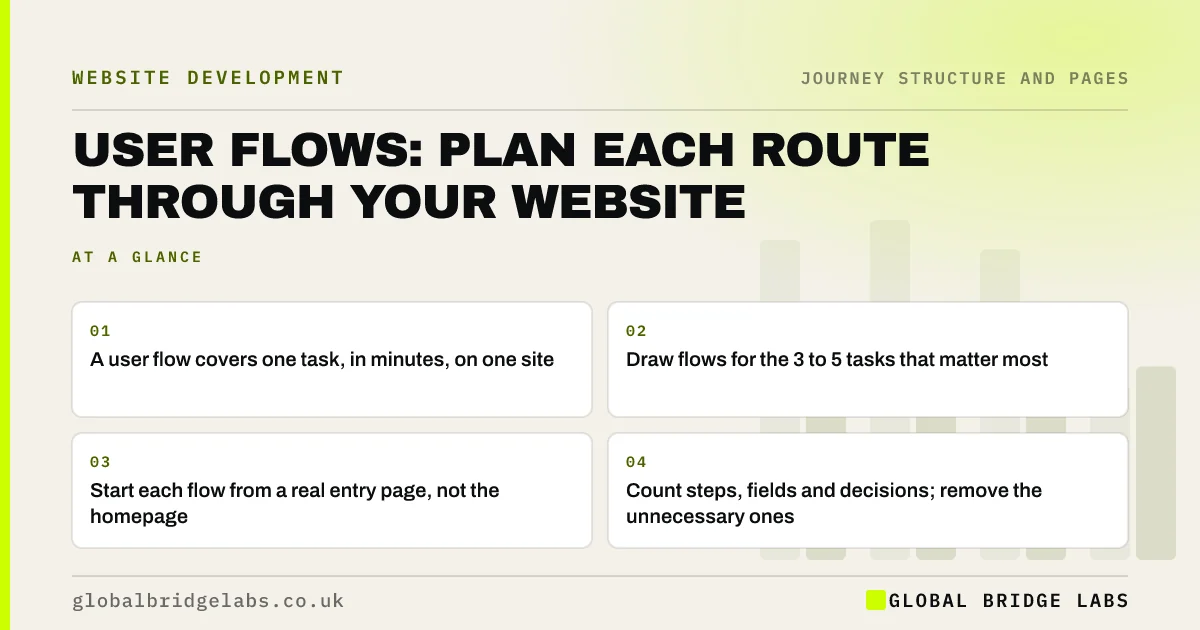
A user flow maps the exact steps a visitor takes to complete one task on your website, such as requesting a quote or booking an appointment, from the page they land on to the confirmation. Draw flows for your three to five most important tasks, starting at the real entry pages, then remove every step, field and decision the visitor does not need.
- A user flow covers one task, in minutes, on one site.
- Draw flows for the 3 to 5 tasks that matter most.
- Start each flow from a real entry page, not the homepage.
- Count steps, fields and decisions; remove the unnecessary ones.
Want your enquiry or booking flow mapped and trimmed? Message us on WhatsApp.
Chat on WhatsApp →What is a user flow?
A user flow is a diagram of the steps a person takes to complete a specific task on a website or app, showing each screen, action and decision along the way. Nielsen Norman Group defines it as a set of interactions describing the typical or ideal steps needed to accomplish a common task. Flows are narrower than journey maps: one task, one product, usually minutes.
Which flows should a small business map?
Map the flows that lead to revenue or save staff time. For most small businesses that means: request a quote or call back, book an appointment, buy a product, find contact details and directions, and an existing customer task such as rebooking. Pick three to five; more becomes paperwork.
- Request a quote or call back.
- Book an appointment or consultation.
- Buy a product and check out.
- Find phone, address and opening hours.
- Rebook, re-order or get help as an existing customer.
How do you draw a user flow?
Draw a user flow by starting at the page where visitors with this task actually land, then writing each step as a box: the page or screen, the action, and any decision. Use GA4's landing pages and path exploration to find the real start points and routes. Mark where visitors drop out. A whiteboard or simple diagram tool is enough.
- Start: the real entry page from GA4.
- Steps: each page or screen as a box.
- Actions: what the visitor clicks or types.
- Decisions: points where they choose a route.
- End: confirmation page and first email.
- Drop-offs: mark where analytics shows exits.
How do you simplify a user flow?
Simplify a flow by questioning every step, field and decision. Could two pages be one? Is each form field needed to reply? Does the visitor need an account? Could the decision be made for them with a sensible default? The GOV.UK Service Manual advises asking only questions you need, one thing per page where it helps, and explaining why you ask.
- Remove steps that do not move the task forward.
- Ask only for information needed to reply or deliver.
- Avoid forced account creation.
- Use sensible defaults instead of extra decisions.
- Show progress in multi-step flows.
- Multi-step vs single-step forms: which gets more enquiries?
- Website friction: the small obstacles that stop enquiries
Want your quote or booking flow cut to the essential steps? Message us on WhatsApp.
Chat on WhatsApp →How do user flows connect to the customer journey?
User flows are the detailed routes inside the customer journey's website stages. The journey tells you why the visitor is on the page and what they need before they will act; the flow makes the action itself quick. A short flow that starts before the buyer is ready still fails, so check each flow's start against the journey map.
When are user flows not worth drawing?
Flows are not worth drawing for simple one-step actions, such as tapping a phone number, or for pages with no task. They are most useful for multi-step tasks like booking, quoting and checkout, and when analytics shows people starting a task and not finishing.
What does this look like in practice?
A pattern we see when drawing quote flows: the visitor lands on a service page, clicks 'Get a quote', arrives at a general contact page, chooses the service again from a dropdown, fills eleven fields and sees a generic thank-you. Five decisions and two pages could be one pre-filled short form.
Starting the form on the service page with the service already chosen removes steps without losing information. Across our client work we have seen a 2.4x enquiry rate from conversion changes of this kind. Global Bridge Labs (GBL) draws the flow before designing the form.
User flow checklist
- Pick 3 to 5 tasks that drive revenue or save time.
- Find real start pages in GA4.
- Draw each step, action and decision.
- Mark drop-offs from analytics.
- Remove unneeded steps, fields and decisions.
- Test the shortened flow on a phone.
Next step
Most enquiry and booking flows have a step or two nobody needs. We will map yours from the real entry page and show what can go.
Message us on WhatsApp to map your website user flows, or book a 30-minute consultation.
Chat on WhatsApp →Sources and further reading
- User journeys vs. user flows · Nielsen Norman Group
- Structuring forms · GOV.UK Service Manual
- Question pages pattern · GOV.UK Design System
- Path exploration · Google Analytics Help
Frequently asked questions
What is a user flow in website design?
A diagram of the steps someone takes to complete one task on a website, such as requesting a quote, showing each page, action and decision from the entry page to the confirmation. It is narrower than a customer journey map and focuses on making the task quick.
What is the difference between a user flow and a customer journey?
A customer journey covers the whole relationship across channels and over time, including thoughts and feelings. A user flow covers one task on one website or app, usually in minutes, and records actions and screens. Flows sit inside the journey's website stages.
How do I create a user flow for my website?
Pick a key task, find the real entry page in GA4, then draw each page, action and decision until the confirmation. Mark where analytics shows people leave. Then remove steps, fields and decisions the visitor does not need, and test the shorter flow on a phone.
Written by

Global Bridge Labs (GBL) is a UK–Sri Lanka partner for social media, websites and BPO. Everything here comes from client delivery, not theory.


