
On this page
- 01Key takeaways
- 02How should you use this checklist?
- 03Checks 1 to 5: is the first screen fast?
- 04Checks 6 to 9: does the page respond?
- 05Checks 10 to 13: does the page stay still?
- 06Checks 14 to 17: is the whole journey fast?
- 07Checks 18 to 20: will it stay fast?
- 08What does the checklist not cover?
- 09What does this look like in practice?
- 10Next step
- 11Sources and further reading
- 12Frequently asked questions
Key takeaways
This website speed checklist covers twenty checks in five groups: the first screen, responsiveness, stability, the wider journey and upkeep. Work through it on a phone over mobile data before paying for any speed work. Most small business sites fail the same six or seven checks, and several of those can be fixed without a developer. The list is ordered so that the cheapest, highest-impact items come first.
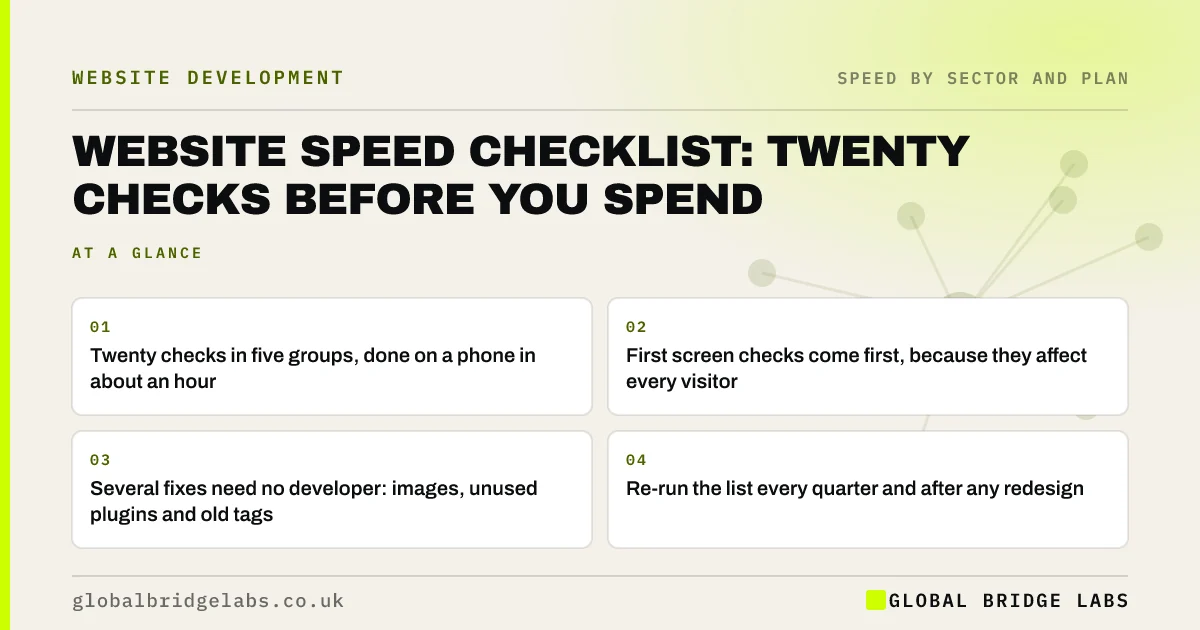
- Twenty checks in five groups, done on a phone in about an hour.
- First screen checks come first, because they affect every visitor.
- Several fixes need no developer: images, unused plugins and old tags.
- Re-run the list every quarter and after any redesign.
Prefer us to run the checklist? Send the URL on WhatsApp and we will return it marked up.
Chat on WhatsApp →How should you use this checklist?
Use a mid-range phone, switch off Wi-Fi and open a private browsing window. Pick the three pages that receive most first visits. Mark each check pass, fail or not sure, then fix failures in the order listed. Have PageSpeed Insights open on the mobile tab for the checks that need a measurement.
Checks 1 to 5: is the first screen fast?
- 1. The headline is readable within about 2.5 seconds.
- 2. The main image is sized for the screen and in a modern format.
- 3. There is no slider or background video on mobile.
- 4. The main button and phone number appear as text, not inside an image.
- 5. The server responds within about 0.8 seconds.
Checks 6 to 9: does the page respond?
- 6. The menu opens on the first tap, as soon as it appears.
- 7. Every button shows a pressed state.
- 8. Chat, pop-ups and reviews load after the main content.
- 9. Interaction to Next Paint is within 200 milliseconds in field data.
Checks 10 to 13: does the page stay still?
- 10. Nothing moves after the visitor starts reading.
- 11. Images and embeds have their space reserved.
- 12. The cookie banner is an overlay, not pushed in at the top.
- 13. Cumulative Layout Shift is below 0.1 in field data.
Failing several of these and not sure where to start? Ask us on WhatsApp.
Chat on WhatsApp →Checks 14 to 17: is the whole journey fast?
- 14. The second and third pages load faster than the first.
- 15. The back button returns to the previous page at once.
- 16. The enquiry form confirms within a second of Send.
- 17. Booking, search or checkout steps show progress while they work.
Checks 18 to 20: will it stay fast?
- 18. Page caching is on for public pages.
- 19. There is a current list of plugins, tags and third-party scripts, each with an owner.
- 20. Someone checks key pages monthly and after every change.
What does the checklist not cover?
The checklist tells you what is slow, not always why, and it rates speed alone. A site can pass all twenty checks and still fail to win enquiries because the offer is unclear or the proof is thin. It also relies on one phone on one day, so confirm borderline results with field data.
Use it to build a short, ordered fix list. If more than half the checks fail, or the failures point to the theme or platform, get a diagnosis before spending.
What does this look like in practice?
A pattern we see when owners run this list for the first time: the first screen checks mostly pass, because someone has optimised the homepage, and the journey checks fail. The form takes several seconds, the back button reloads the page and nobody has looked at the tag list in two years.
Those failures are usually cheaper to fix than the ones people expect to find. Across client work at Global Bridge Labs (GBL), we have seen a 2.4x enquiry rate from conversion changes like these.
Next step
Twenty checks and an hour will tell you whether you have a speed problem and roughly where. If you would like the list run for you, with the fixes costed, we can do that.
- The website speed scorecard: score your site in an hour
- A 90-day plan to make your website faster
- Website speed optimisation costs in the UK
Message us on WhatsApp and we will run the twenty checks on your site and send back the results.
Chat on WhatsApp →Sources and further reading
- About PageSpeed Insights · Google for Developers
- Understanding Core Web Vitals and Google search results · Google Search Central
- The most effective ways to improve Core Web Vitals · web.dev (Google)
- Time to First Byte (TTFB) · web.dev (Google)
Frequently asked questions
What should a website speed checklist include?
Checks on the first screen, responsiveness to taps, layout stability, the wider journey including forms and later pages, and upkeep such as caching and a script inventory. Run them on a mid-range phone over mobile data, on the pages that receive most first visits.
How do I check my website speed without a developer?
Open key pages on a phone over mobile data in a private window, time the first screen, tap the menu and submit your form. Then look up the pages in PageSpeed Insights on the mobile tab for field data. That covers most of what matters.
Which website speed fixes can I do myself?
Resize and compress images before upload, delete unused plugins and tools, ask for old tracking tags to be paused and turn on the caching your host provides. Changes to themes or how scripts load are better left to a developer.
How often should I run a website speed checklist?
Every quarter, and after any redesign, new plugin, new tracking tag or campaign page. Websites slow down through small additions, so a regular check catches the decline while it is cheap to reverse.
Written by

Global Bridge Labs (GBL) is a UK–Sri Lanka partner for social media, websites and BPO. Everything here comes from client delivery, not theory.


