On this page
- 01Short answer
- 02What is a website audit?
- 03How do you audit clarity and conversion?
- 04How do you audit speed and mobile?
- 05How do you audit search and AI visibility?
- 06How do you audit security, legal and tracking?
- 07How do you prioritise what the audit finds?
- 08When should you get an external audit?
- 09What should you do with the audit results?
- 10What does this look like in practice?
- 11Audit scoring summary
- 12Next step
- 13Sources and further reading
- 14Frequently asked questions
Short answer
A website audit checklist for a small business should cover eight areas: clarity, conversion, speed, mobile, search visibility, AI visibility, security and legal, and tracking. Score each area red, amber or green, fix the reds on your highest-traffic pages first, and repeat the audit every six to twelve months.
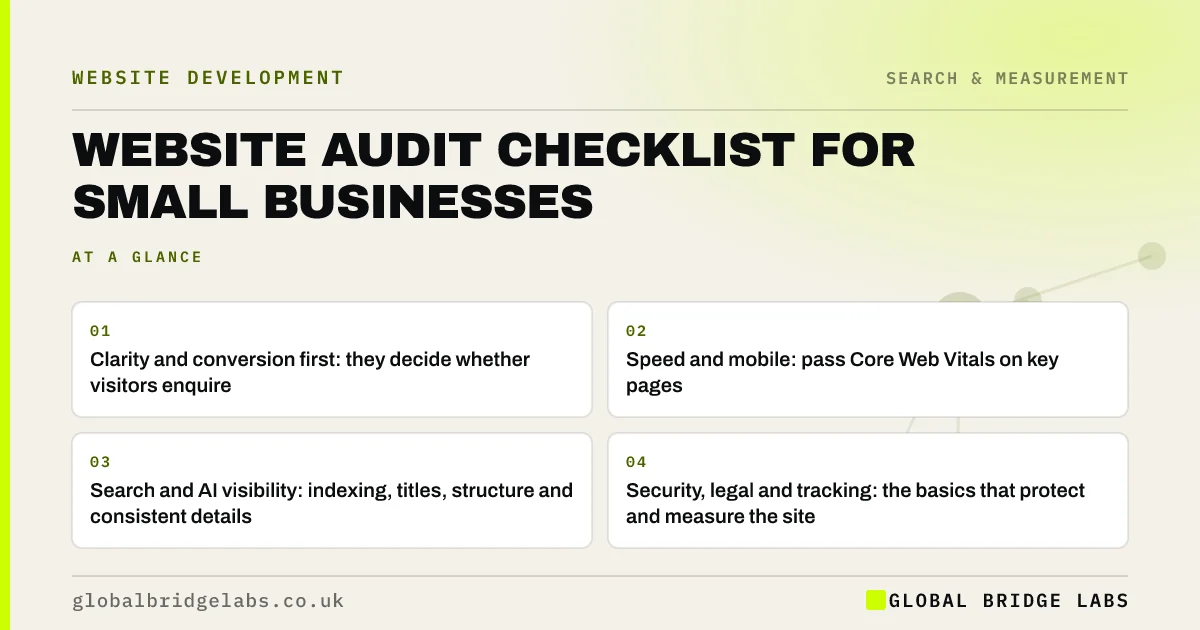
- Clarity and conversion first: they decide whether visitors enquire.
- Speed and mobile: pass Core Web Vitals on key pages.
- Search and AI visibility: indexing, titles, structure and consistent details.
- Security, legal and tracking: the basics that protect and measure the site.
- Score red, amber, green and fix reds on high-traffic pages first.
Want this audit run on your site with you? Message us on WhatsApp with the URL.
Chat on WhatsApp →What is a website audit?
A website audit is a structured review of a website's performance against business goals and technical standards, covering how well it communicates, converts, loads, ranks, stays secure and complies with the law, and producing a prioritised list of fixes.
The value is the prioritised list. An audit that finds 200 issues without ranking them is just a longer version of the problem.
Before starting, write down what the site is for, in one sentence with a number, such as 40 qualified enquiries a month. Every finding is then judged by whether it moves that number, which keeps the audit commercial rather than cosmetic.
How do you audit clarity and conversion?
Start where money is lost fastest. Review the homepage, top service pages and contact route.
- Can a stranger say what you do, for whom and where after five seconds?
- Does every key page have one primary action, repeated?
- Is specific proof next to each call to action?
- Is pricing guidance available?
- Does every form, phone link and WhatsApp button work on a phone?
How do you audit speed and mobile?
Use Google Search Console's Core Web Vitals report and PageSpeed Insights, then test on a real phone.
- Do key pages pass LCP, INP and CLS on mobile?
- Are images compressed and correctly sized?
- Are unused plugins and scripts removed?
- Are text, buttons and forms comfortable on a phone?
How do you audit search and AI visibility?
Check that search engines can find, understand and trust your pages.
- Are key pages indexed in Google and Bing?
- Does each page have a unique, descriptive title and one H1?
- Does each service have its own page?
- Is LocalBusiness or Organization structured data accurate?
- Are name, address and phone identical across the site and profiles?
- Do key pages answer buyer questions directly under question headings?
Want a scored audit with the top ten fixes ranked? Message us on WhatsApp.
Chat on WhatsApp →How do you audit security, legal and tracking?
These protect the business and measure the site. They are often invisible until something goes wrong.
- Is software up to date, with daily off-site backups?
- Is two-factor authentication on for admin logins?
- Is HTTPS forced on every page?
- Are company details, privacy notice and cookie consent in place?
- Are forms, calls, WhatsApp and bookings tracked as key events?
- Does the business own the domain, hosting and analytics accounts?
How do you prioritise what the audit finds?
Score each issue by impact and effort. Fix high-impact, low-effort issues first, usually broken enquiry routes, vague headlines, missing proof and oversized images. Schedule high-impact, high-effort issues, such as platform changes. Ignore low-impact issues on low-traffic pages.
Across our client work, we have seen a 2.4x enquiry rate after a website rebuild. An audit tells you whether you need a rebuild to get that kind of lift, or whether a focused set of fixes will do.
When should you get an external audit?
A self-audit catches most issues. An external audit is worth it before a rebuild, after a sudden drop in enquiries or rankings, or when you need a second opinion on an agency's work.
The trade-off is objectivity against cost. Outside reviewers see what you have stopped noticing, but make sure any audit ends in a ranked list, not a generic report.
What should you do with the audit results?
Turn them into one decision: fix in place, redesign or rebuild. Most audits point to fixes in place. When several areas fail and the platform blocks the fixes, score the site to decide whether the answer is a redesign or a rebuild.
What does this look like in practice?
A pattern we see in first audits: the owner expects design feedback, and the top three findings turn out to be a form sending to a dead inbox, a key page excluded from Google, and no enquiry tracking at all.
None of those is visible from the homepage, and all three are cheap to fix. That is why an audit is always the first step before a redesign.
Audit scoring summary
Score each area red, amber or green.
- Clarity: headline, services, pricing.
- Conversion: actions, proof, forms.
- Speed: Core Web Vitals on mobile.
- Mobile: usability on a real phone.
- Search: indexing, titles, structure.
- AI visibility: direct answers, consistent facts.
- Security and legal: updates, backups, notices.
- Tracking: key events and source logging.
Next step
If you want a clear, ranked list of what to fix, we will run this audit on your site with you in 30 minutes.
Message us on WhatsApp for a website audit, or book a 30-minute consultation.
Chat on WhatsApp →Sources and further reading
- Google Search Console · Google
- Understanding Core Web Vitals and Google search results · Google Search Central
- Easy checks: a first review of web accessibility · W3C Web Accessibility Initiative
- Small Business Guide: cyber security · National Cyber Security Centre
Frequently asked questions
What should a website audit include?
A useful audit covers clarity, conversion, speed, mobile usability, search visibility, AI visibility, security and legal basics, and tracking. It should end in a prioritised list of fixes ranked by impact and effort, not just a long list of issues with no guidance on what to do first.
How often should I audit my website?
Every six to twelve months for most small businesses, and also before a redesign, after a sudden drop in enquiries or rankings, and after major changes such as a new platform or domain. A monthly check of Search Console and enquiry numbers catches most problems between audits.
Can I audit my own website?
Yes. Use a checklist, Google Search Console, PageSpeed Insights and a real phone, and test every enquiry route yourself. Ask people unfamiliar with the business to try key tasks. An external audit adds objectivity, especially before investing in a rebuild.
What tools do I need for a website audit?
Free tools cover most of it: Google Search Console for indexing and Core Web Vitals, PageSpeed Insights for page speed, Google's Rich Results Test for structured data, the W3C Easy Checks for accessibility, and GA4 for tracking. A real mid-range phone is essential too.
Written by

Global Bridge Labs (GBL) is a UK–Sri Lanka partner for social media, websites and BPO. Everything here comes from client delivery, not theory.