
On this page
- 01Key takeaways
- 02Why is one speed test not enough?
- 03Step 1: How do you test on a real phone?
- 04Step 2: How do you read field data?
- 05Step 3: What is the lab test for?
- 06Step 4: How do you test the whole journey?
- 07What are the limits of testing it yourself?
- 08What does this look like in practice?
- 09Website speed testing checklist
- 10Next step
- 11Sources and further reading
- 12Frequently asked questions
Key takeaways
To test website speed properly, use four checks in order: a real phone on mobile data, field data from real visitors, a lab test for diagnosis, and a full journey from landing page to sent enquiry. Each answers a different question. Most businesses run only a lab test on the homepage from a desktop, which is the check least like a customer's experience.
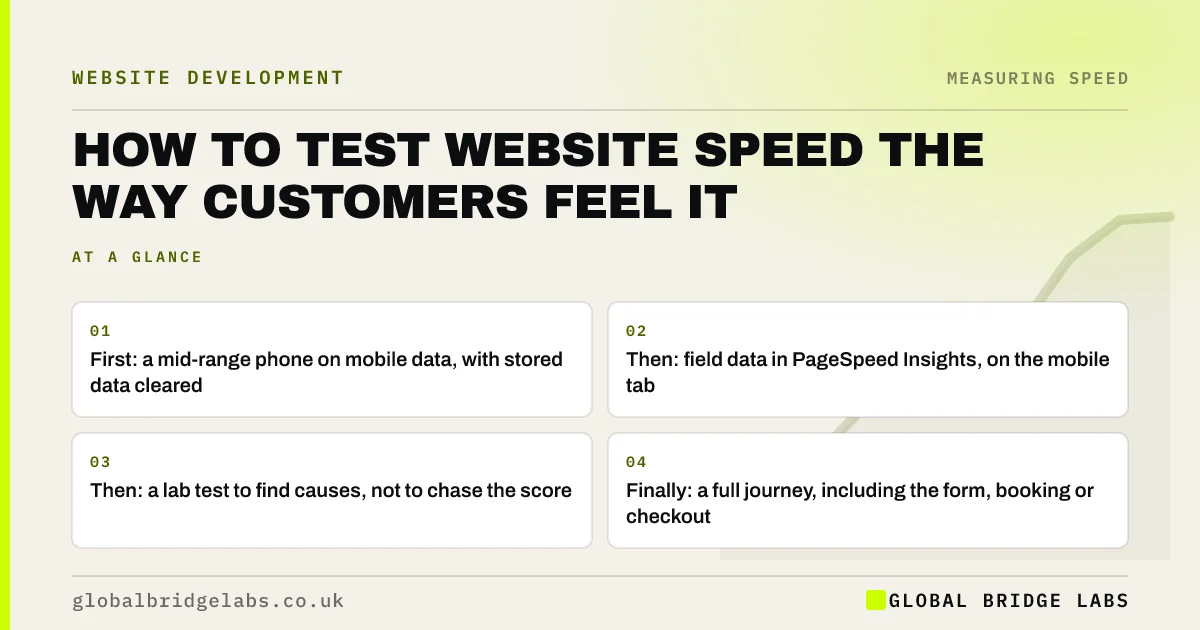
- First: a mid-range phone on mobile data, with stored data cleared.
- Then: field data in PageSpeed Insights, on the mobile tab.
- Then: a lab test to find causes, not to chase the score.
- Finally: a full journey, including the form, booking or checkout.
Short of time? Send us the URL on WhatsApp and we will run all four checks.
Chat on WhatsApp →Why is one speed test not enough?
One speed test is not enough because speed is not one thing. A lab tool loads a single page once on a simulated device. It cannot tell you what last month's real visitors experienced, how the site behaves on the third click or whether the enquiry form hangs.
The four checks below take about an hour together and cover what customers feel, what Google records, why a page is slow and where in the journey it happens.
Step 1: How do you test on a real phone?
Start with the test no tool can do for you. Use an ordinary phone, not this year's flagship. Switch off Wi-Fi so you are on mobile data. Open a private browsing window, so nothing is stored from earlier visits. Then open your main landing pages as a customer would, from a search result or an advert.
- Time how long before you can read the headline.
- Tap the menu and main button as soon as they appear.
- Watch for anything that moves after it has loaded.
- Note how the page feels, in a sentence, before looking at any number.
Step 2: How do you read field data?
Enter the page address into PageSpeed Insights and select the mobile tab. If your site has enough visitors, the top section shows real-user data from the Chrome User Experience Report, collected over the previous 28 days and reported at the 75th percentile.
Look at three results: Largest Contentful Paint (LCP), Interaction to Next Paint (INP) and Cumulative Layout Shift (CLS). Each is marked good, needs improvement or poor. This is what real customers experienced and what Google's systems see. If no field data appears, your site has too little Chrome traffic for it, and Steps 1 and 3 carry more weight.
Want your field data explained in plain English? Ask us on WhatsApp.
Chat on WhatsApp →Step 3: What is the lab test for?
The lower section of PageSpeed Insights is a lab test run by Lighthouse on a simulated mid-range phone and connection. Use it to find causes. The opportunities and diagnostics list which images are oversized, which scripts block the page and which third parties take the most time.
Do not treat the performance score as the goal. It varies between runs and does not measure what real visitors saw. Its value is the list underneath it.
Step 4: How do you test the whole journey?
Finish by doing what a customer does. From the landing page, visit two more pages, press back, then complete the action the site exists for: send an enquiry, make a booking or place a test order. Time the wait after you press the final button.
This step finds the problems tools miss: later pages as slow as the first, a back button that reloads from the top, a booking widget that takes five seconds to show dates and a form with no confirmation.
What are the limits of testing it yourself?
Testing it yourself tells you where the site is slow and how it feels. It will not always tell you why, and a single phone on a single day is one data point. Your signal may be better or worse than a typical customer's.
Use your own test to decide what matters, and bring in a developer when the cause is not obvious from the lab results.
What does this look like in practice?
A pattern we see when owners test their own sites for the first time: the homepage is acceptable, and the surprise is elsewhere. The service page that receives most of the advertising traffic has a slider nobody remembered, and the enquiry form takes several seconds to respond.
Neither showed up in the monthly report, which tested the homepage on desktop. Global Bridge Labs (GBL) runs the four checks on the pages that receive first visits, not the pages the business looks at most.
Website speed testing checklist
- List the three pages that receive most first visits.
- Test each on a mid-range phone over mobile data.
- Check field data for each in PageSpeed Insights.
- Read the lab diagnostics for causes.
- Walk the full journey and submit the form.
- Record the results with the date, and repeat quarterly.
Next step
An hour of proper testing replaces a year of guessing. If you would like the four checks run for you, with a ranked list of fixes, we can do that.
Message us on WhatsApp for a four-step speed test of your key pages, or book a 30-minute consultation.
Chat on WhatsApp →Sources and further reading
- PageSpeed Insights · Google
- About PageSpeed Insights · Google for Developers
- Introduction to Lighthouse · Chrome for Developers
- How to test frontend performance · GOV.UK Service Manual
Frequently asked questions
How do I test my website speed?
Use four checks. Open key pages on an ordinary phone over mobile data. Look up their field data in PageSpeed Insights on the mobile tab. Read the lab diagnostics for causes. Then walk a full customer journey, including sending an enquiry or placing a test order.
What is the best free website speed test?
PageSpeed Insights, because it shows both real-user field data and a lab test with diagnostics. Search Console's Core Web Vitals report covers the whole site. Neither replaces testing on a real phone, which shows what the numbers feel like.
Should I test on mobile or desktop?
Mobile first. Most UK web traffic is on phones, mobile connections and processors are slower, and Google indexes the mobile version of your pages. A site that passes on mobile will almost always be fine on desktop. The reverse is not true.
Why does PageSpeed Insights show no field data for my site?
Field data comes from real Chrome users, and it is only shown when enough visits have been recorded for the page or the site. Smaller sites often fall below the threshold. Rely on real-phone testing and the lab results instead.
Written by

Global Bridge Labs (GBL) is a UK–Sri Lanka partner for social media, websites and BPO. Everything here comes from client delivery, not theory.


