On this page
- 01Short answer
- 02What is image optimisation?
- 03Why do images slow sites down?
- 04How do you optimise images step by step?
- 05How do images help search?
- 06Should you use stock photos?
- 07When does quality matter more than size?
- 08What does this look like in practice?
- 09Image optimisation checklist
- 10Next step
- 11Sources and further reading
- 12Frequently asked questions
Short answer
To optimise website images, resize them to the size they are displayed at, save them in a modern format such as WebP or AVIF, compress them, set width and height to prevent layout shift, lazy-load images below the first screen, and give each a descriptive file name and alt text. Oversized images are the most common cause of slow small business sites.
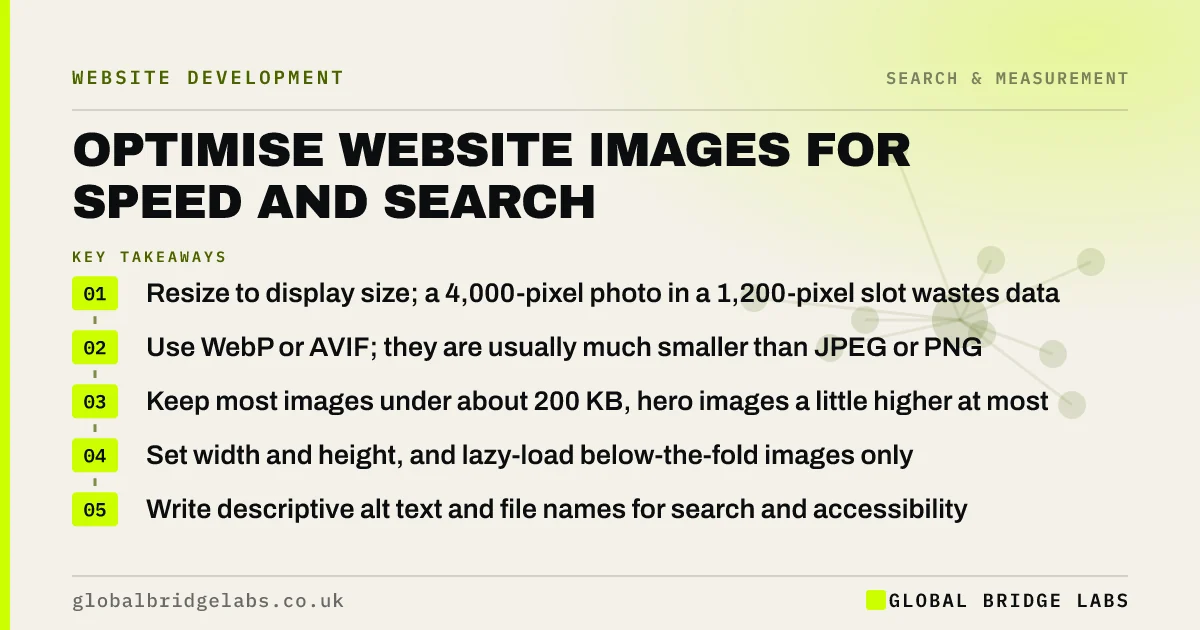
- Resize to display size; a 4,000-pixel photo in a 1,200-pixel slot wastes data.
- Use WebP or AVIF; they are usually much smaller than JPEG or PNG.
- Keep most images under about 200 KB, hero images a little higher at most.
- Set width and height, and lazy-load below-the-fold images only.
- Write descriptive alt text and file names for search and accessibility.
Want your heaviest images found and fixed? Send us your URL on WhatsApp.
Chat on WhatsApp →What is image optimisation?
Image optimisation is the process of reducing the file size of website images and delivering them efficiently, without visible loss of quality, while also describing them properly so that search engines and assistive technologies can understand them.
It has two halves: performance (size, format, loading) and meaning (alt text, file names, context). Both affect how the page performs.
Why do images slow sites down?
Images are usually the largest files on a page, and the hero image is often the element that determines Largest Contentful Paint, one of Google's Core Web Vitals. If the hero image is several megabytes, the page cannot pass the 2.5-second threshold on a typical mobile connection.
Images also cause layout shift when their dimensions are not set, as text jumps down once each image loads. That affects Cumulative Layout Shift and makes buttons move under the visitor's thumb.
How do you optimise images step by step?
Follow this process for every image before it goes on the site.
- 1. Resize to the largest size it will be displayed at, allowing for high-density screens.
- 2. Convert to WebP or AVIF, keeping a fallback only where needed.
- 3. Compress to the lowest quality that looks right; check by eye.
- 4. Set width and height attributes in the HTML.
- 5. Lazy-load images below the first screen; never lazy-load the hero image.
- 6. Prioritise the hero image, for example with fetchpriority high.
- 7. Serve responsive sizes with srcset so phones get smaller files.
Want an image optimisation workflow your team can follow? Message us on WhatsApp.
Chat on WhatsApp →How do images help search?
Google's Images SEO guidance recommends descriptive file names, relevant alt text, high-quality images placed near related text, and images in standard HTML image elements rather than CSS backgrounds when they matter. Images can bring visitors through Google Images and help pages rank for visual searches.
Alt text should describe what the image shows and why it matters on the page, in plain language. A photograph of a finished kitchen might have alt text such as oak shaker kitchen fitted in a Victorian terrace in Bristol, rather than kitchen1.
Should you use stock photos?
Use real photographs wherever you can. Real images of your team, premises and work are stronger trust signals, and they are unique, which helps in image search. Stock images are recognisable and add nothing that sets you apart.
Check licences for any image you did not create. Copyright applies to photographs, and using an image found online without permission can lead to claims for licence fees.
When does quality matter more than size?
For portfolio businesses, such as architects, photographers and high-end interiors, image quality sells the work. Compress less aggressively on key gallery images, but still resize, use modern formats and lazy-load galleries.
The trade-off is speed against impact. Keep the hero image fast, and let galleries load progressively as visitors scroll.
What does this look like in practice?
A pattern on many small business sites: photographs uploaded straight from a phone or camera at several megabytes each, displayed at a fraction of their size, with file names such as IMG_4821.jpg and no alt text.
Resizing, converting to WebP and adding descriptive names and alt text typically cuts page weight dramatically and gives search engines something meaningful to index. Many platforms can automate the conversion once configured.
Image optimisation checklist
Apply this to every new image.
- Resize to display size.
- Convert to WebP or AVIF.
- Compress and check by eye.
- Set width and height.
- Lazy-load below the fold only.
- Prioritise the hero image.
- Use a descriptive file name.
- Write meaningful alt text.
- Confirm you have the right to use it.
Next step
If your pages feel heavy on a phone, images are the first place to look. We will find the biggest ones with you in 30 minutes and show you how to fix them.
Message us on WhatsApp for an image optimisation check, or book a 30-minute consultation.
Chat on WhatsApp →Sources and further reading
- Google Images SEO best practices · Google Search Central
- Optimise Largest Contentful Paint · web.dev (Google)
- Understanding Core Web Vitals and Google search results · Google Search Central
Frequently asked questions
What is the best image format for websites?
WebP is widely supported and usually much smaller than JPEG or PNG at similar quality. AVIF can be smaller still and is supported by modern browsers. Use SVG for logos and icons. Many platforms can convert uploads to WebP or AVIF automatically once configured.
How big should images be on a website?
Resize images to the largest size they are displayed at, allowing for high-density screens, and compress them. Most content images can be kept well under 200 KB. Hero images may be slightly larger but should still load quickly enough for the page to meet the 2.5-second LCP threshold.
Should I lazy-load all images?
No. Lazy-load images below the first screen, but never the hero image or anything visible when the page opens, because delaying it slows Largest Contentful Paint. Instead, prioritise the hero image so the browser fetches it first, and set dimensions on every image.
What should image alt text say?
Describe what the image shows and why it matters on the page, in plain language, for example oak kitchen fitted in a Victorian terrace in Bristol. Avoid stuffing keywords or writing image of. Decorative images that add no information should have empty alt text.
Written by

Global Bridge Labs (GBL) is a UK–Sri Lanka partner for social media, websites and BPO. Everything here comes from client delivery, not theory.