
On this page
- 01Key takeaways
- 02Why 90 days?
- 03Days 1 to 30: what do you measure and fix first?
- 04Days 31 to 60: what do you fix in the templates?
- 05Days 61 to 90: how do you protect and prove it?
- 06What will it cost and who does the work?
- 07When will this plan not be enough?
- 08What does this look like in practice?
- 0990-day speed plan checklist
- 10Next step
- 11Sources and further reading
- 12Frequently asked questions
Key takeaways
A website speed improvement plan works best in three 30-day stages: measure and take the easy wins, fix templates and scripts, then protect the gains and prove the result. Ninety days is deliberate. Real-visitor data takes 28 days to reflect a change, so each stage ends with evidence instead of hope. Most small business sites can move from failing to passing on mobile within that period.
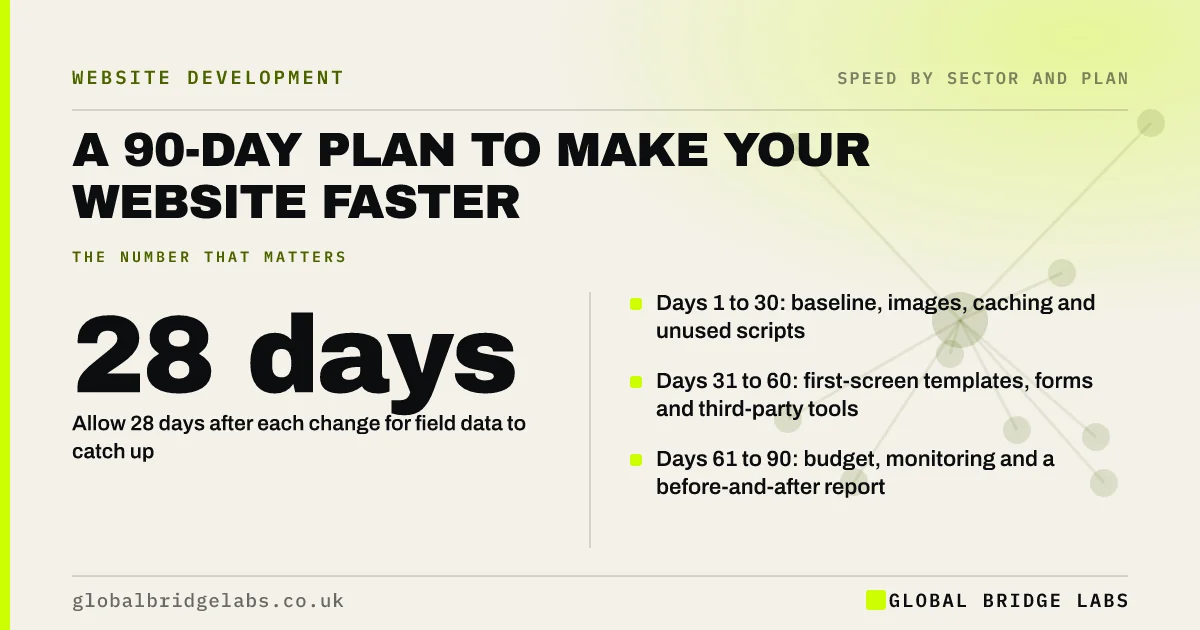
- Days 1 to 30: baseline, images, caching and unused scripts.
- Days 31 to 60: first-screen templates, forms and third-party tools.
- Days 61 to 90: budget, monitoring and a before-and-after report.
- Allow 28 days after each change for field data to catch up.
Want this plan tailored to your site with costs? Message us on WhatsApp.
Chat on WhatsApp →Why 90 days?
Ninety days fits how speed is measured. The field data Google uses covers a rolling 28-day window, so a fix made today is only fully visible a month later. Three stages of about a month each let you make changes, see their effect in real-visitor data and decide the next step on evidence.
It is also long enough to deal with the cause of most slowdowns, which is not one fault but habits: unsized images, tools added without review and nobody watching.
Days 1 to 30: what do you measure and fix first?
Start by recording where you are, then make the fixes that need little or no development.
- 1. Score the site on the GBL Speed Experience Scorecard.
- 2. Record field and lab results for three key pages, with enquiries by device.
- 3. Resize and convert the images on those pages.
- 4. Switch on page and browser caching.
- 5. Delete unused plugins and pause tags for inactive platforms.
- 6. Replace mobile sliders and video headers with one image.
Days 31 to 60: what do you fix in the templates?
The second month is developer work on the templates behind your key pages and the steps where customers act.
- 1. Make the first-screen text, image and button load before anything else.
- 2. Delay chat, reviews, pop-ups and non-essential scripts.
- 3. Reserve space for images, banners and embeds.
- 4. Cut fonts to the weights in use and show text immediately.
- 5. Make the enquiry form confirm at once.
- 6. Move booking or other heavy widgets behind a tap.
- Third-party scripts: the hidden reason your site is slow
- Why your website jumps around while it loads
- Slow enquiry forms: the wait after a visitor clicks Send
- Slow booking widgets: where appointment bookings are lost
Want the template work scoped and quoted? Ask us on WhatsApp.
Chat on WhatsApp →Days 61 to 90: how do you protect and prove it?
The final month makes the gains stick and shows what they were worth.
- 1. Write a one-page performance budget and name its owner.
- 2. Set up uptime alerts and a monthly check of three pages.
- 3. Re-score the site and compare with day one.
- 4. Compare mobile engagement and enquiry rate with the baseline.
- 5. Report the result on one page, with any remaining work.
What will it cost and who does the work?
The first month is largely the business's own time, with some help on caching. The second is where a developer is needed. Indicative UK market ranges for focused speed work on an existing site are £500 to £3,000 in total, depending on the number of templates and the tools involved.
Name one person on your side to own the plan. Without that, the stages drift and the gains are not defended.
When will this plan not be enough?
The plan will not be enough when the platform is the cause. If the site still fails after the scripts are trimmed and the first screen is light, the theme or page builder is probably shipping more code than can be tuned away. At that point the evidence from the first 60 days makes the case for a redesign of templates or a rebuild, and tells the next supplier what to avoid.
It is also the wrong plan if speed is not your problem. If pages pass on day one, put the 90 days into conversion work instead.
What does this look like in practice?
A pattern we see when speed work is done as a single burst: a developer spends a week on it, the score improves, and nobody checks whether customers noticed or whether it lasted. Six months on, the site is slow again and the business doubts speed work is worth paying for.
Staging the work, measuring at each step and ending with a budget and an owner turns a one-off fix into a lasting one. Across client work at Global Bridge Labs (GBL), we have seen a 2.4x enquiry rate from conversion changes like these.
90-day speed plan checklist
- Name the owner and the three key pages.
- Record the baseline before changing anything.
- Month one: images, caching, unused plugins and tags.
- Month two: templates, scripts, fonts and forms.
- Month three: budget, monitoring and the report.
- Decide on evidence whether more work is justified.
Next step
Three months from now your site can be measurably faster, with someone responsible for keeping it that way. If you would like help with any stage, let's discuss your requirements.
Message us on WhatsApp for a costed 90-day speed plan for your site, or book a 30-minute consultation.
Chat on WhatsApp →Sources and further reading
- Understanding Core Web Vitals and Google search results · Google Search Central
- The most effective ways to improve Core Web Vitals · web.dev (Google)
- Performance budgets 101 · web.dev (Google)
- About PageSpeed Insights · Google for Developers
Frequently asked questions
How do I make my website faster?
Work in stages. First measure key pages, resize images, turn on caching and remove unused plugins and tags. Then fix the templates: lighter first screens, delayed third-party scripts, stable layouts and forms that confirm at once. Finally set a budget and monitoring so it stays fast.
How long does it take to speed up a website?
Individual fixes can take days. Proving the result takes longer, because real-visitor data covers a rolling 28 days. A 90-day plan in three stages lets you fix, measure and confirm, and is enough for most small business sites to move from failing to passing on mobile.
What should I fix first to improve website speed?
The first screen of the pages that receive most first visits. Resize the main image, remove sliders and video on mobile and switch on caching. These affect every visitor and usually cost the least.
What if my website is still slow after optimisation?
If pages still fail after images, scripts, caching and templates have been addressed, the theme, page builder or platform is likely the limit. The measurements from the work you have done give you the evidence to justify a rebuild and brief it properly.
Written by

Global Bridge Labs (GBL) is a UK–Sri Lanka partner for social media, websites and BPO. Everything here comes from client delivery, not theory.


