
On this page
Key takeaways
Checkout speed matters more than speed anywhere else in a shop, because every visitor it loses had already chosen to buy. Payment steps stall for specific reasons: delivery rates fetched live, address lookups, payment scripts and bank verification. A shopper who presses Pay and sees nothing fears a failed or doubled charge. Fix the pauses, and show progress where you cannot.
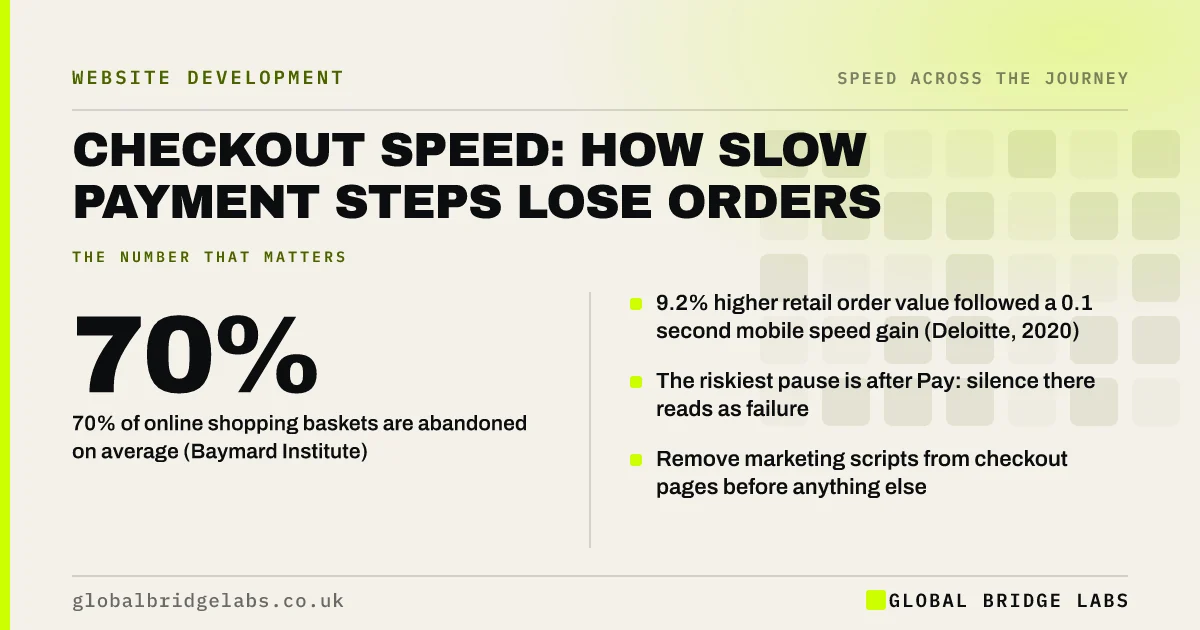
- 70% of online shopping baskets are abandoned on average (Baymard Institute).
- 9.2% higher retail order value followed a 0.1 second mobile speed gain (Deloitte, 2020).
- The riskiest pause is after Pay: silence there reads as failure.
- Remove marketing scripts from checkout pages before anything else.
Want your checkout timed step by step on a phone? Message us on WhatsApp.
Chat on WhatsApp →Why does checkout speed matter so much?
Checkout speed matters because the visitor's intent is at its highest and their tolerance for doubt is at its lowest. They are handing over card details. Any stall raises a question about whether the shop is reliable.
Baymard Institute's long-running average puts basket abandonment at about 70%. Most of that has other causes, such as extra costs and forced account creation, but a slow or confusing process is among the reasons shoppers give. Deloitte's 2020 study found retail shoppers spent 9.2% more when mobile speed improved by 0.1 seconds.
Where do checkouts usually stall?
Checkouts stall at the points where the page has to ask another system for something. Each one is a pause the shopper can feel.
- Basket updates: changing quantity reloads the whole page.
- Delivery options: rates fetched live from a courier.
- Address lookup: a postcode search that hangs.
- Discount codes: applied with a full page refresh.
- Payment: card fields loaded from the payment provider.
- Bank verification: the extra authentication step from the card issuer.
How do you speed up a checkout?
Strip the checkout to what it needs to take payment, then make each remaining wait visible. Checkout pages should be the lightest on the site, not the heaviest.
- 1. Remove chat, pop-ups, review widgets and non-essential tags from checkout.
- 2. Update basket totals in place, without a full reload.
- 3. Offer digital wallets so returning shoppers skip typing.
- 4. Use browser autofill correctly on every field.
- 5. Show a clear 'processing payment' state the moment Pay is pressed.
- 6. Disable the Pay button after the first tap.
- Apple Pay and Google Pay on your website: worth adding?
- Mobile checkout design: fewer taps, more orders
- Third-party scripts: the hidden reason your site is slow
Not sure which scripts run on your checkout? Ask us on WhatsApp and we will list them.
Chat on WhatsApp →What can you not control?
Some of the wait belongs to other parties. The payment provider's card fields load from their servers. The bank's verification step runs on the bank's systems. On hosted platforms such as Shopify, the checkout itself is largely fixed.
What you control is everything around those steps: how much else the page loads, whether the shopper is told what is happening, and whether the confirmation page appears promptly afterwards. Do not remove fraud checks or tracking you rely on for the sake of a faster score.
What does this look like in practice?
A pattern we see in small online shops: the product pages have been tuned, and the checkout carries every script the site has ever added, including a chat widget, a newsletter pop-up and four advertising pixels. On a phone, the card fields appear several seconds after the rest of the page.
Removing everything from checkout that does not help take payment is often the cheapest speed fix a shop can make, and it protects the visitors closest to buying. Global Bridge Labs (GBL) audits checkout scripts first in any shop review.
Checkout speed checklist
- Place a test order on a phone over mobile data.
- Time each step: basket, delivery, payment, confirmation.
- List every third-party script on checkout pages.
- Remove those that do not help take payment.
- Add visible progress after Pay is pressed.
- Test with a discount code and a changed quantity.
Next step
A test order on a phone will tell you more about your checkout than any report. We will place one with you and mark every pause.
Message us on WhatsApp for a step-by-step checkout speed review.
Chat on WhatsApp →Sources and further reading
- Cart abandonment rate statistics · Baymard Institute
- Milliseconds make millions: mobile site speed and conversion · Deloitte
- Payment and address form best practices · web.dev (Google)
- Loading third-party JavaScript · web.dev (Google)
Frequently asked questions
Does checkout speed affect sales?
Yes. Shoppers at checkout have already decided to buy, so every one lost to a stall is a lost order. Deloitte's 2020 study linked a 0.1 second mobile speed improvement to 8.4% more retail conversions and 9.2% higher order value.
Why is my checkout page slow?
Common causes are live delivery rate lookups, address search, payment provider scripts and too many marketing scripts loading on the page. Basket changes that reload the whole page add further waits. Remove non-essential scripts first, then address each remaining pause.
Should I remove tracking from my checkout?
Remove what you do not use and keep what you need to measure sales. Chat widgets, pop-ups and review carousels have no place on a payment page. Purchase tracking usually belongs on the confirmation page, after the order is complete.
What should happen when a customer presses Pay?
The button should change at once, be disabled to prevent a second tap, and show a clear processing message until the confirmation page appears. Silence after Pay makes shoppers fear a failed or duplicate charge and leads to abandoned or repeated orders.
Written by

Global Bridge Labs (GBL) is a UK–Sri Lanka partner for social media, websites and BPO. Everything here comes from client delivery, not theory.


