On this page
- 01Key takeaways
- 02How do you know if your website is too slow?
- 03What usually makes a website slow?
- 04What can be fixed in place?
- 05When is slowness a rebuild signal?
- 06How do you test it properly?
- 07When is a fast rebuild not worth it?
- 08Does hosting make a big difference?
- 09What does this look like in practice?
- 10Slow website checklist
- 11Next step
- 12Sources and further reading
- 13Frequently asked questions
Key takeaways
Most slow business websites can be fixed in place: heavy images, too many plugins, poor hosting and third-party scripts cause most slowness. Rebuild only when the theme or page builder itself makes Core Web Vitals impossible to pass after those fixes. Test first, fix the cheap causes, then retest.
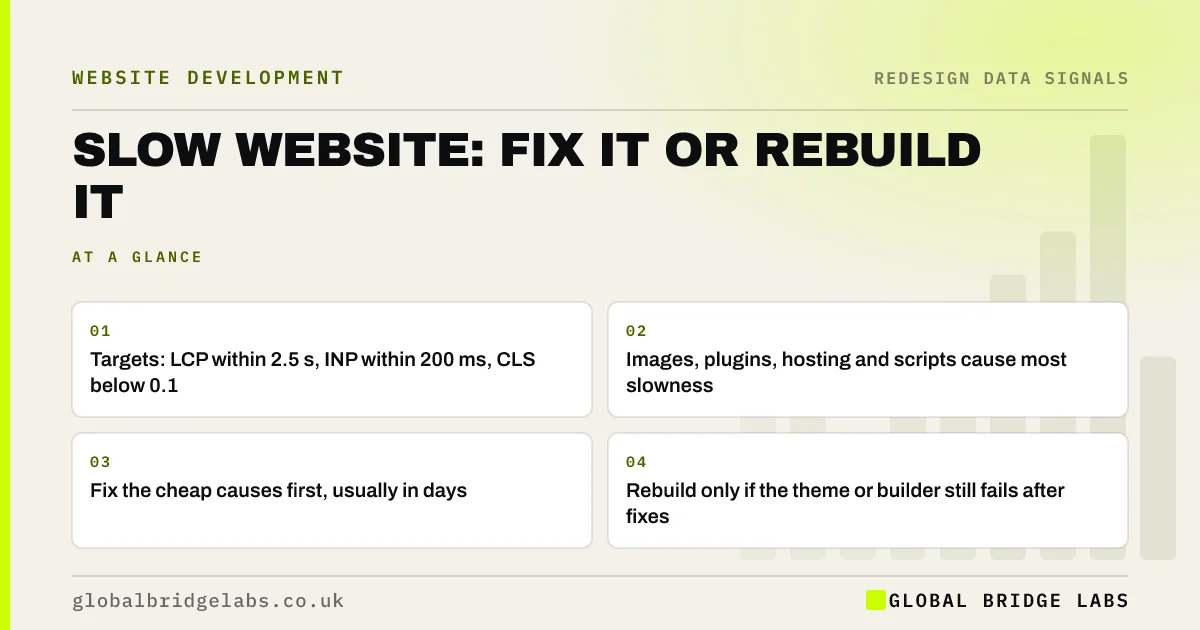
- Targets: LCP within 2.5 s, INP within 200 ms, CLS below 0.1.
- Images, plugins, hosting and scripts cause most slowness.
- Fix the cheap causes first, usually in days.
- Rebuild only if the theme or builder still fails after fixes.
Want to know if your slow site can be fixed? Send us the URL on WhatsApp.
Chat on WhatsApp →How do you know if your website is too slow?
A business website is too slow when key pages fail Google's Core Web Vitals on mobile: Largest Contentful Paint over 2.5 seconds, Interaction to Next Paint over 200 milliseconds, or Cumulative Layout Shift above 0.1, measured at the 75th percentile of real visits. PageSpeed Insights shows all three for free.
What usually makes a website slow?
The usual causes are fixable without replacing the site. In our audits of UK small business sites, images and third-party scripts account for most slowness.
- Uncompressed images, often several megabytes each.
- Too many plugins, each loading its own scripts and styles.
- Cheap shared hosting with slow server response.
- Chat widgets, trackers and embedded social feeds.
- Sliders and background videos above the fold.
What can be fixed in place?
Images, hosting, caching, plugin clean-up and script loading can all be improved on the existing site. These fixes typically cost a few hundred to a couple of thousand pounds in the UK market and often move a page from failing to passing on their own.
Want the cheap speed fixes listed for your site? Ask us on WhatsApp.
Chat on WhatsApp →When is slowness a rebuild signal?
When the theme or page builder is the bottleneck. Some builders load large amounts of code on every page whether it is used or not, and some older themes cannot be made to pass INP or LCP without being replaced. If key pages still fail after images, hosting and plugins are fixed, the foundation is the problem.
How do you test it properly?
Test the homepage and your top two service pages in PageSpeed Insights on mobile. Look at the field data, drawn from real Chrome users, where it is available, because lab scores alone can mislead. Record results before any change, then retest after each fix so you know what worked.
When is a fast rebuild not worth it?
When the site is slow but enquiries are healthy and the pages that matter pass. Chasing a perfect score on every page costs money without changing outcomes. Prioritise the templates that carry traffic and enquiries.
Does hosting make a big difference?
Often, yes. A slow server delays everything that follows, and cheap shared hosting is a common cause of slow response on small business sites. If the time to first byte is consistently slow in testing, better hosting may do more than any change to the site itself.
Managed hosting, typically around £20 to £100 a month in the UK, usually includes server caching, a content delivery network and support that can diagnose slow responses. Moving hosting is also far cheaper and less risky than a rebuild, so it belongs early in the list of fixes, after images and before any talk of starting again.
- Check server response time in PageSpeed Insights diagnostics.
- Enable server and page caching.
- Use a content delivery network for images and files.
- Consider managed hosting before a rebuild.
What does this look like in practice?
A pattern we see: an owner is quoted for a rebuild because the site is slow. The audit finds a homepage slider of five full-size photographs and a chat widget loading before content. Compressing images, removing the slider and deferring the widget takes the homepage from failing to passing, and the rebuild is shelved.
When the same fixes leave pages still failing because of a heavy builder, the rebuild case is then proven rather than assumed.
Slow website checklist
Work through these in order.
- Test key pages on mobile in PageSpeed Insights and record results.
- Compress and resize images; serve modern formats.
- Remove unused plugins and third-party scripts.
- Check hosting response time; upgrade if slow.
- Retest after each fix.
- Consider a rebuild only if key pages still fail.
Next step
If your site is slow, we will test it with you in 30 minutes, list the fixes in order of impact, and tell you honestly whether a rebuild is needed.
Message us on WhatsApp for a speed diagnosis, or book a 30-minute consultation.
Chat on WhatsApp →Sources and further reading
- Understanding Core Web Vitals and Google search results · Google Search Central
- Web Vitals: essential metrics for a healthy site · web.dev (Google)
- PageSpeed Insights · Google
Frequently asked questions
Why is my website so slow?
Usually uncompressed images, too many plugins, cheap shared hosting, third-party scripts such as chat widgets, and sliders or videos above the fold. Less often, the theme or page builder is so heavy that pages cannot pass Core Web Vitals whatever else you fix.
Can a slow website be fixed without rebuilding?
Usually, yes. Image compression, plugin clean-up, better hosting, caching and deferring scripts fix most slow small business sites. Rebuild only when key pages still fail Core Web Vitals after those fixes because the theme or builder is the bottleneck. Test on mobile before and after each fix.
How fast should a business website load?
Aim for Google's Core Web Vitals: Largest Contentful Paint within 2.5 seconds, Interaction to Next Paint within 200 milliseconds and Cumulative Layout Shift below 0.1, measured at the 75th percentile of real mobile visits. Check field data, not only lab scores, where it is available.
Does website speed affect enquiries?
Yes. Slow pages lose visitors before they read the message, especially on mobile data, and Core Web Vitals form part of Google's page experience signals. Faster key pages usually mean more visitors reach the enquiry route. Mobile visitors on slower connections feel the difference most.
Written by

Global Bridge Labs (GBL) is a UK–Sri Lanka partner for social media, websites and BPO. Everything here comes from client delivery, not theory.