
On this page
- 01Key takeaways
- 02What is value stream mapping?
- 03How is it different from a normal process map?
- 04How do you map an admin process?
- 05What does a worked example show?
- 06What do you do with the map?
- 07When is mapping not worth the effort?
- 08What does this look like in practice?
- 09Value stream mapping checklist
- 10Next step
- 11Sources and further reading
- 12Frequently asked questions
Key takeaways
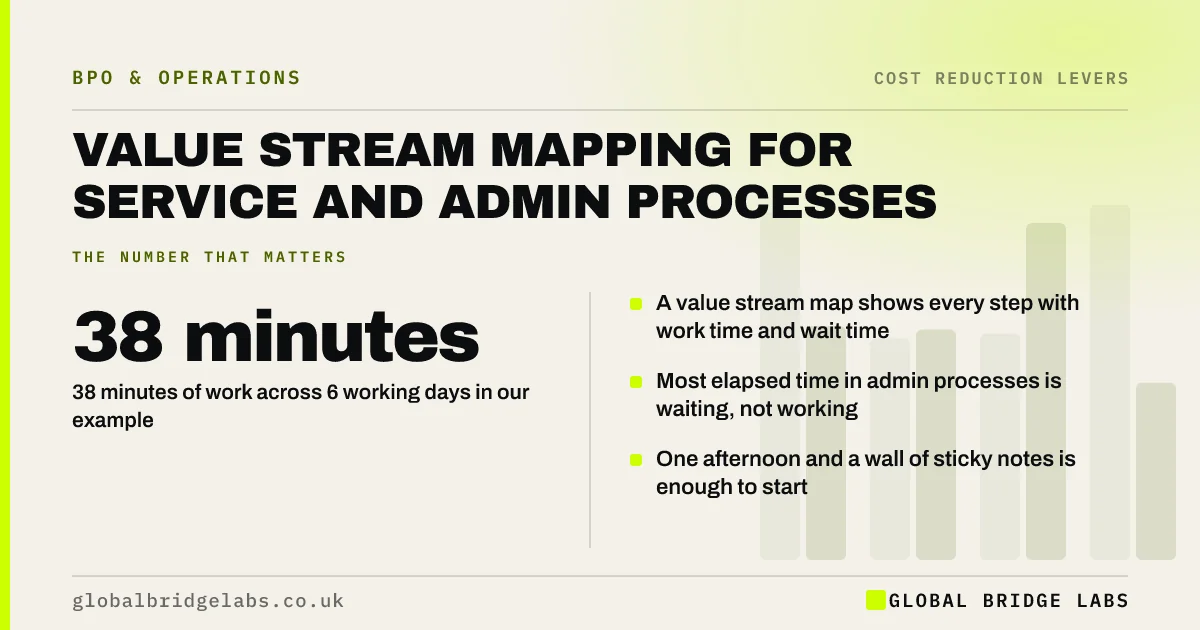
Value stream mapping for services is a way of drawing every step an item passes through, with the working time and the waiting time for each. Its main finding is nearly always the same: the work takes minutes and the process takes days. In our example, 38 minutes of work is spread across six working days.
- A value stream map shows every step with work time and wait time.
- 38 minutes of work across 6 working days in our example.
- Most elapsed time in admin processes is waiting, not working.
- One afternoon and a wall of sticky notes is enough to start.
Want help mapping one process? Message us on WhatsApp with where it starts and ends.
Chat on WhatsApp →What is value stream mapping?
Value stream mapping is a lean method that charts the flow of work from request to delivery, recording for each step who does it, how long the work takes and how long the item waits before the next step. It makes delay and duplication visible so they can be removed.
How is it different from a normal process map?
A normal process map shows what happens. A value stream map also shows how long each part takes and how long nothing happens in between. That timing is the point. Two processes with identical steps can differ tenfold in elapsed time, and only the timed map shows why.
How do you map an admin process?
Map it with the people who do the work, in one session, following a single real item. Use the last completed case, not the ideal one. Write each step on a note with two numbers: touch time, the minutes of real work, and wait time, how long the item sat before the step began.
- 1. Choose a process and define its start and end.
- 2. Gather everyone who touches it.
- 3. Walk one recent case step by step.
- 4. Record touch time and wait time for each step.
- 5. Add up both and calculate the ratio.
- 6. Circle the three longest waits.
What does a worked example show?
Take an illustrative supplier invoice. It is opened (2 minutes), waits a day, is matched to an order (8 minutes), waits two days for a manager's approval (3 minutes), waits a day, is entered into the accounts system (10 minutes), waits two days for the payment run, and is paid and filed (15 minutes).
Touch time is 38 minutes. Elapsed time is six working days, or about 2,700 working minutes at 7.5 hours a day. The process efficiency ratio is roughly 1.4%. Nearly all the delay sits in two places: approval and the payment run. Neither is a staffing problem.
- Touch time: 38 minutes.
- Elapsed time: 6 working days.
- Process efficiency: about 1.4%.
- Largest waits: approval and the payment run.
- Three-way matching: stop paying invoices you should not
- Month-end close: how to finish faster with less effort
Want this worked through for one of your processes? Send us the steps on WhatsApp.
Chat on WhatsApp →What do you do with the map?
Use the map to remove waits before you touch the work. Approvals can have thresholds so small items pass without one. Batches can run more often. Steps done by different people can be combined. Only then decide whether the remaining touch time should be automated, kept or moved to a managed team.
When is mapping not worth the effort?
Mapping is not worth it for a task one person does from start to finish in one sitting, or for work that happens a few times a year. It pays where several people or systems are involved and customers or suppliers feel the delay. It also fails if the map describes the official process instead of what really happened last week.
What does this look like in practice?
A pattern we see when teams map a slow process together: each person is surprised by what the others do. A step added years ago to catch one error is still performed on every item. The map gives the group permission to ask whether it is needed, which nobody could do alone.
Value stream mapping checklist
Check these before and after the session.
- Start and end points are agreed.
- Everyone who touches the process is present.
- A real recent case is used.
- Touch time and wait time are recorded per step.
- The three longest waits are identified.
- One change is agreed with an owner and a date.
- The process is re-timed after 30 days.
Next step
Tell us which process your customers or suppliers complain is slow. We will help you map it, find the waits and decide what to change first.
Message us on WhatsApp to map a process together, or book a 30-minute consultation.
Chat on WhatsApp →Sources and further reading
- Labour productivity · Office for National Statistics
- The Sourcing and Consultancy Playbooks · Cabinet Office
Frequently asked questions
What is a value stream map used for?
A value stream map is used to find delay and waste in a process. It records each step with the time spent working and the time spent waiting, so a team can see where an item sits idle. It is most useful for processes that cross several people or systems.
Can value stream mapping be used outside manufacturing?
Yes. It is widely used for services, administration, finance and healthcare. The item flowing through the process is a request, a document or a case instead of a physical part. The method is the same: follow the item and time every step and wait.
What is process efficiency?
Process efficiency is touch time divided by total elapsed time. If an invoice needs 38 minutes of work but takes six working days to complete, efficiency is about 1.4%. Low figures are normal in office work, and they show how much delay can be removed without anyone working faster.
How long does a mapping session take?
A single admin process can usually be mapped in two to three hours with the people who do the work. Complex processes with many branches may need a second session. The preparation is small: a wall, sticky notes and one recent real case.
Written by

Global Bridge Labs (GBL) is a UK–Sri Lanka partner for social media, websites and BPO. Everything here comes from client delivery, not theory.


