On this page
- 01Key takeaways
- 02What is website security?
- 03Why are small business websites targeted?
- 04What are the essential security measures?
- 05What is Cyber Essentials and do you need it?
- 06What should you do if your website is hacked?
- 07When is extra security worth paying for?
- 08What does this look like in practice?
- 09Website security checklist
- 10Next step
- 11Sources and further reading
- 12Frequently asked questions
Key takeaways
Website security for a small business comes down to a few habits done consistently: keep software updated, take and test backups, protect logins with strong passwords and two-factor authentication, use HTTPS, and remove what you do not use. Most small business sites are compromised through outdated plugins and weak passwords, not sophisticated attacks.
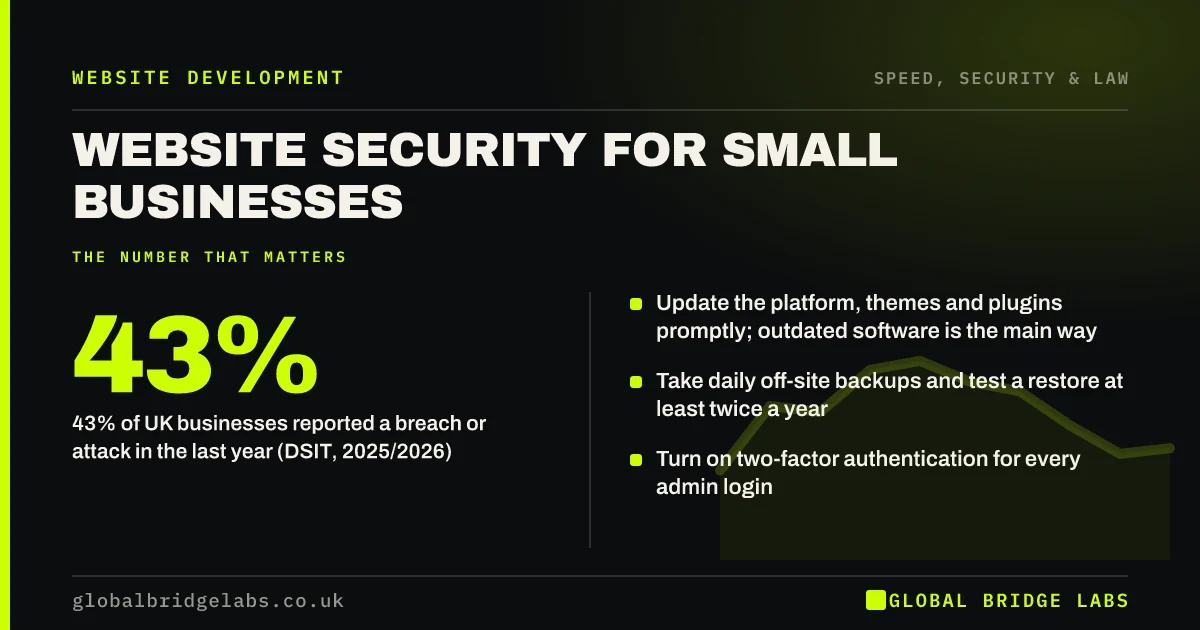
- 43% of UK businesses reported a breach or attack in the last year (DSIT, 2025/2026).
- Update the platform, themes and plugins promptly; outdated software is the main way in.
- Take daily off-site backups and test a restore at least twice a year.
- Turn on two-factor authentication for every admin login.
- Delete unused plugins, themes and admin accounts.
Want a quick security check of your site? Message us on WhatsApp with the URL and platform.
Chat on WhatsApp →What is website security?
Website security is the set of practices and controls that protect a website, its data and its visitors from unauthorised access, defacement, malware and data theft, and that allow the site to be recovered quickly if something goes wrong.
For a small business it is less about expensive tools and more about routine. The National Cyber Security Centre's Small Business Guide focuses on the same basics: backups, protection from malware, secure devices, strong passwords and avoiding phishing.
Why are small business websites targeted?
Most attacks on small business websites are automated. Bots scan the internet for sites running known vulnerable versions of popular software and exploit them in bulk. Nobody chose your site specifically, which is why being small is no protection.
The consequences are real: a hacked site may redirect visitors to scams, send spam, be flagged by Google as dangerous, or leak enquiry data, which can create obligations under UK GDPR. The Cyber Security Breaches Survey 2025/2026 found 43% of UK businesses reported a breach or attack, with phishing the most common.
What are the essential security measures?
These measures prevent the large majority of small business website compromises. None requires specialist skill, only consistency.
- Updates: apply platform, theme and plugin updates promptly, ideally automatically.
- Backups: daily, stored off the server, with a tested restore process.
- Logins: unique strong passwords, two-factor authentication, no shared admin accounts.
- Least privilege: give each person only the access they need, and remove leavers promptly.
- HTTPS: an SSL certificate on every page, with HTTP redirected.
- Clean-up: delete unused plugins, themes, test sites and old admin users.
- Monitoring: uptime alerts and malware scanning from your host or a security service.
What is Cyber Essentials and do you need it?
Cyber Essentials is a UK government-backed certification scheme, run through the NCSC, that covers five technical controls: firewalls, secure configuration, user access control, malware protection and security update management.
It covers your whole IT set-up, not just the website. You need it if you bid for certain public sector contracts, and many larger clients ask for it from suppliers. Even if you do not certify, the five controls are a sensible baseline.
Want a plain-English view of where your website stands on the five controls? Message us on WhatsApp.
Chat on WhatsApp →What should you do if your website is hacked?
Act quickly and in order. Take the site offline or into maintenance mode if it is harming visitors, change all passwords, and contact your host. Restore from a clean backup taken before the compromise, then update everything and find how the attacker got in.
If personal data may have been accessed, assess whether you must report it to the Information Commissioner's Office, which is required within 72 hours for breaches likely to risk people's rights. Check Google Search Console for security warnings and request a review once the site is clean.
When is extra security worth paying for?
Extra measures such as a web application firewall, professional monitoring and penetration testing are worth paying for when the site takes payments, stores customer accounts, handles health or financial data, or is critical to revenue.
The trade-off is cost against exposure. A simple brochure site with good hosting, updates and backups needs little more. An e-commerce site or a client portal needs considerably more.
What does this look like in practice?
A pattern we see in audits: a WordPress site with dozens of plugins, several deactivated but still installed and years out of date, an admin account shared by three people with a simple password, and backups stored only on the same server.
Removing unused plugins, enabling automatic updates, creating individual accounts with two-factor authentication and moving backups off-site takes an afternoon. It closes the doors that automated attacks most often use.
Website security checklist
Finish these this week, then review quarterly.
- Update the platform, themes and plugins.
- Delete anything unused.
- Give each person their own login with two-factor authentication.
- Confirm daily off-site backups and test a restore.
- Force HTTPS on every page.
- Set up uptime and malware monitoring.
- Write down who to call if the site is hacked.
Next step
If you are not sure when your site was last updated or backed up, we will check it with you in 30 minutes and give you a short list of fixes.
Message us on WhatsApp for a website security check, or book a 30-minute consultation.
Chat on WhatsApp →Sources and further reading
- Small Business Guide: cyber security · National Cyber Security Centre
- Cyber Essentials overview · National Cyber Security Centre
- Cyber security breaches survey 2025/2026 · DSIT and Home Office
Frequently asked questions
How do I make my small business website secure?
Keep the platform, themes and plugins updated, take daily off-site backups and test restoring them, use strong unique passwords with two-factor authentication, force HTTPS, remove unused software and accounts, and set up monitoring. These basics prevent most attacks on small business websites.
Why would hackers target a small business website?
Most attacks are automated. Bots scan for websites running outdated, vulnerable software and exploit them in bulk to send spam, host scams or steal data. Your site does not need to be important to be targeted. It only needs a known weakness that has not been fixed.
What should I do if my website has been hacked?
Contact your host, change all passwords, restore a clean backup from before the attack, update everything and find the entry point. If personal data may have been exposed, assess whether to report it to the ICO within 72 hours, and check Search Console for security warnings.
Do I need Cyber Essentials for my website?
Not by law, but it is required for some public sector contracts and requested by many larger clients. Cyber Essentials covers your whole IT set-up through five controls, including secure configuration and security updates. Those controls are a sensible baseline even if you do not certify.
Written by

Global Bridge Labs (GBL) is a UK–Sri Lanka partner for social media, websites and BPO. Everything here comes from client delivery, not theory.