On this page
- 01Key takeaways
- 02What counts as the back office?
- 03Which back-office work grows with volume?
- 04How do you scale it in three steps?
- 05What does back-office capacity cost?
- 06Which controls stay in-house?
- 07When is the back office not the problem?
- 08What does this look like in practice?
- 09Back-office scaling checklist
- 10Next step
- 11Sources and further reading
- 12Frequently asked questions
Key takeaways
To scale back-office operations, treat admin as a production line. Identify the processes that grow with every order, measure the minutes each one takes, remove steps, then move the remaining volume to a managed team working in your systems. The office then grows by hours bought, not desks added.
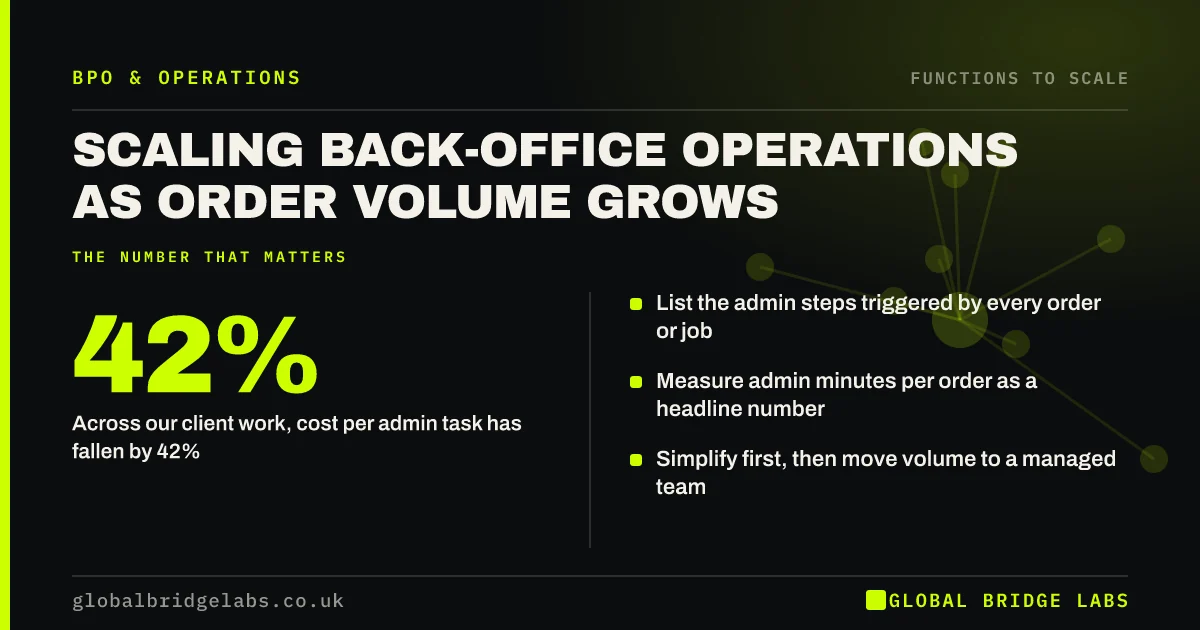
- List the admin steps triggered by every order or job.
- Measure admin minutes per order as a headline number.
- Simplify first, then move volume to a managed team.
- Across our client work, cost per admin task has fallen by 42%.
Admin growing as fast as sales? Message us on WhatsApp with your order volumes.
Chat on WhatsApp →What counts as the back office?
The back office is the work customers do not see but that every order depends on: entering and checking orders, scheduling, updating records, invoicing, reconciling payments, handling paperwork and producing reports. It is distinct from the front office, which deals with customers directly.
Which back-office work grows with volume?
Back-office work that is triggered once per order grows in line with sales. If each order needs ten minutes of entry, five of scheduling and five of invoicing, a thousand orders a month means more than 330 hours of admin. That is two full-time roles, created by growth and rarely planned for.
- Order entry and checking.
- Scheduling and dispatch paperwork.
- Record and CRM updates.
- Invoicing and payment matching.
- Supplier bills and purchase orders.
How do you scale it in three steps?
Scale the back office by simplifying, standardising and then shifting. Simplify by removing duplicate entry and unnecessary approvals. Standardise by writing each process down with its exceptions. Shift the standard volume to a managed team, keeping exceptions and approvals with your own staff.
- 1. Simplify: cut re-keying and needless checks.
- 2. Standardise: one written way of doing each task.
- 3. Shift: move routine volume to managed capacity.
What does back-office capacity cost?
As indicative market ranges, a managed offshore back-office team costs UK businesses £9–£18 per hour and an onshore provider £20–£35 per hour. A £30,000 administrator costs about £19.81 per worked hour once employer costs and holiday are included. The comparison should be made on cost per completed task, not hourly rate alone.
Across our client work, back-office cost per task has fallen by 42% once the process was written down and run by a managed team.
Want to discuss your requirements and likely admin hours? Send us your volumes on WhatsApp.
Chat on WhatsApp →Which controls stay in-house?
Approvals, exceptions and anything involving money leaving the business stay in-house. A named person signs off payments, credit notes and price overrides. The managed team prepares, your team approves. Access to systems should be limited to what each task needs, with a data processing contract in place.
When is the back office not the problem?
The back office is not the problem if admin time per order is low and stable but delivery or sales are stretched. It is also the wrong place to start if the systems are so poor that any team would struggle. In that case fix the system or the form first, then look at capacity.
What does this look like in practice?
A pattern we see in UK wholesalers and field-service firms: orders arrive by email, are typed into one system, then typed again into accounts. Volume doubles and the office works late. Removing the second entry and handing the first to a managed team usually frees the office staff for customer queries and exceptions.
Back-office scaling checklist
Use these steps in order.
- List the admin steps triggered by one order.
- Time each step across twenty orders.
- Calculate admin minutes per order.
- Remove duplicate entry and needless approvals.
- Write the standard process and its exceptions.
- Decide which steps need in-house approval.
- Move routine volume and track cost per task.
Next step
Send us the admin steps behind a typical order and your monthly volume. We will estimate the hours involved and outline how they could be handled without adding desks.
Message us on WhatsApp for a back-office review, or book a 30-minute consultation.
Chat on WhatsApp →Sources and further reading
- National Minimum Wage and National Living Wage rates · GOV.UK
- Rates and thresholds for employers 2026 to 2027 · HM Revenue & Customs
- Contracts and liabilities between controllers and processors · Information Commissioner's Office
Frequently asked questions
How do you scale back-office operations?
Scale back-office operations by listing the admin tasks each order creates, simplifying them, writing a standard process, and moving routine volume to a managed team or automation. Keep approvals and exceptions with your own staff. Track admin minutes and cost per order to confirm it is working.
What back-office tasks can a small business outsource?
Common choices are order entry, data entry, scheduling paperwork, CRM updates, invoicing, payment matching, supplier bill entry and routine reporting. They are rules-based and measurable. Decisions involving money, pricing or exceptions are usually prepared by the provider and approved in-house.
How do I measure back-office efficiency?
Measure admin time and cost per order or per job, the error or rework rate, and turnaround time for key tasks such as invoicing. Track them monthly. Efficiency is improving if cost per order falls or holds steady while volume rises and errors do not increase.
Is automation or outsourcing better for back-office work?
Use both. Automate steps that are fully rules-based, such as confirmations, reminders and data transfer between systems. Outsource work that needs a person to read, check or decide within rules. Automating first often reduces the hours you then need to buy.
Written by

Global Bridge Labs (GBL) is a UK–Sri Lanka partner for social media, websites and BPO. Everything here comes from client delivery, not theory.