On this page
Key takeaways
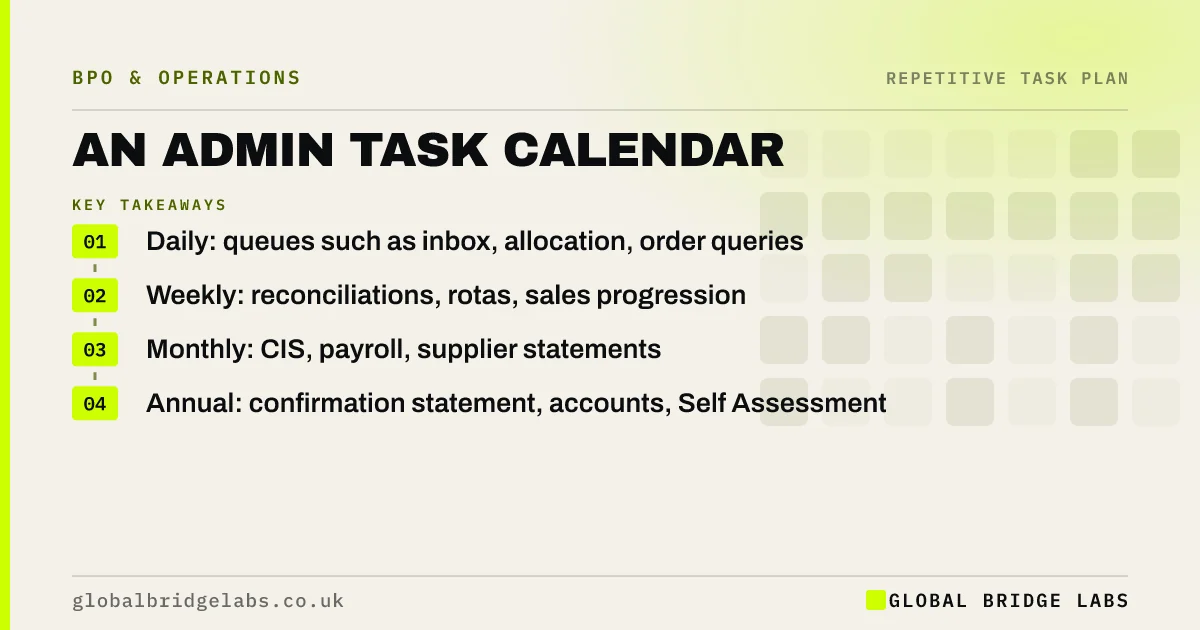
An admin task calendar puts every recurring routine and deadline in one place: daily queues, weekly checks, monthly returns, quarterly updates and annual filings. Each entry has an owner and a reminder. It turns admin that depends on memory into a schedule anyone can follow, and it is the natural map for deciding what to hand over.
- Daily: queues such as inbox, allocation, order queries.
- Weekly: reconciliations, rotas, sales progression.
- Monthly: CIS, payroll, supplier statements.
- Annual: confirmation statement, accounts, Self Assessment.
Want help building your admin calendar? Message us on WhatsApp with your sector.
Chat on WhatsApp →What goes in an admin task calendar?
Every task that recurs on a schedule, with its frequency, owner, deadline and reminder. Include legal and contractual deadlines alongside routines, because the routines are what make the deadlines easy.
- Daily: cash allocation, order and order status queues, post.
- Weekly: timesheets, rotas, price monitoring, payouts.
- Monthly: CIS return, supplier statements, fixed assets.
- Quarterly: VAT and MTD updates, specification reviews.
- Annual: confirmation statement, accounts, Self Assessment, renewals.
How do you build one?
Start from the task inventory, add every statutory and contractual deadline, and give each entry an owner and a reminder lead time. Use a shared calendar or task tool rather than personal reminders, so the calendar survives holidays and staff changes.
What does a calendar reveal?
In an illustrative example, a 12-person firm's calendar shows 40 recurring routines, 25 of them falling to two people, with month-end and year-end clashes. These are example figures. Seeing the load by week shows where cover or handover would help most.
Send us your calendar or task list on WhatsApp and we will help you spot the pinch points.
Chat on WhatsApp →When is a calendar not enough?
A calendar shows when things are due, not whether they are done well. Pair it with a written method and a done standard for each routine, and a weekly check that nothing is overdue. For deadlines with penalties, add a second reminder to a different person.
What does this look like in practice?
A pattern we see: a key deadline is missed because the only reminder was in the inbox of someone who left. A shared calendar owned by the routine ends that risk.
Admin calendar checklist
Check your calendar against these points.
- Every recurring task included.
- Every legal deadline included.
- An owner and cover for each entry.
- Reminder lead times set.
- Weekly overdue check.
Next step
Send us your sector and main routines. We will help you build an admin calendar and say plainly which entries a team could take on.
Message us on WhatsApp about your admin calendar, or book a 30-minute consultation.
Chat on WhatsApp →Sources and further reading
Frequently asked questions
What should be on a small business admin calendar?
Every recurring routine, such as daily queues, weekly reconciliations and monthly returns, plus legal and contractual deadlines such as VAT and MTD updates, CIS returns, the confirmation statement, annual accounts, Self Assessment and contract renewals, each with an owner and a reminder.
How do you avoid missing compliance deadlines?
Keep every deadline in one shared calendar rather than personal reminders, give each an owner and a second reminder to someone else, and run a weekly check of anything due or overdue. Build the routine work into the calendar too, so deadlines are never a scramble.
Can an outsourced team work from an admin calendar?
Yes. A shared admin calendar is one of the best ways to brief an outsourced team, because it shows exactly what is due and when. Each entry should link to the written method, and deadlines with penalties should keep an in-house owner as a second check.
Written by

Global Bridge Labs (GBL) is a UK–Sri Lanka partner for social media, websites and BPO. Everything here comes from client delivery, not theory.