On this page
- 01Key takeaways
- 02What does Making Tax Digital require?
- 03Which record-keeping tasks repeat every week?
- 04What does the routine take?
- 05What should stay with you or your accountant?
- 06What does this look like in practice?
- 07MTD routine checklist
- 08Next step
- 09Sources and further reading
- 10Frequently asked questions
Key takeaways
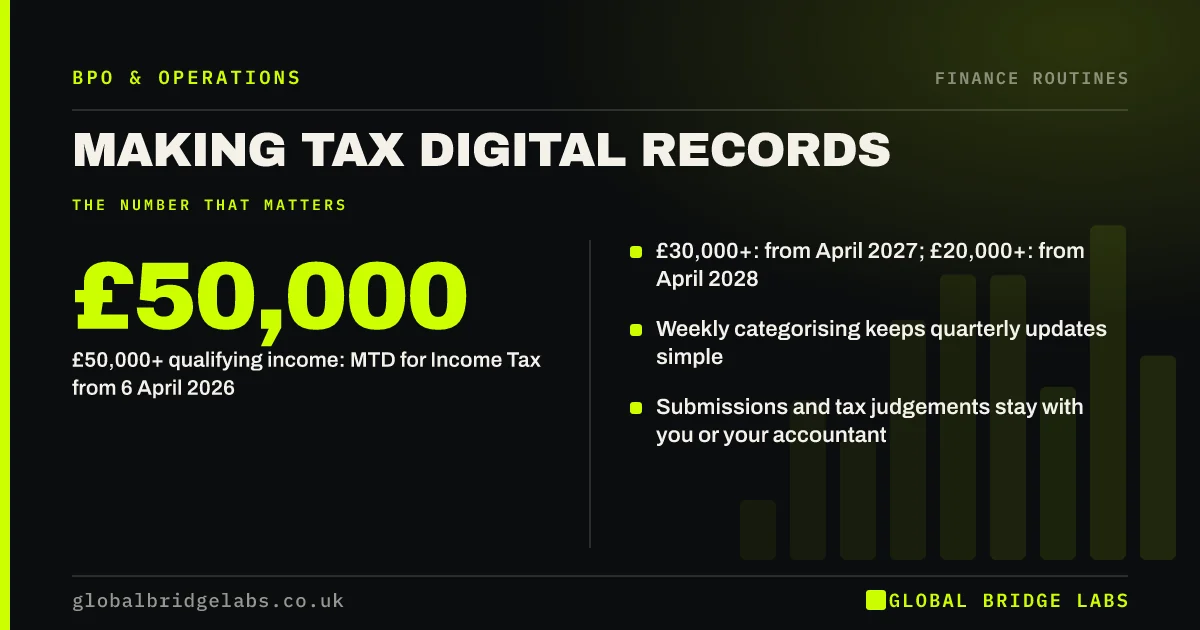
Making Tax Digital (MTD) requires digital records and regular updates to HMRC. It already applies to VAT-registered businesses, and MTD for Income Tax applies to sole traders and landlords with qualifying income over £50,000 from 6 April 2026, over £30,000 from April 2027 and over £20,000 from April 2028. A weekly record-keeping routine makes the updates routine too.
- £50,000+ qualifying income: MTD for Income Tax from 6 April 2026.
- £30,000+: from April 2027; £20,000+: from April 2028.
- Weekly categorising keeps quarterly updates simple.
- Submissions and tax judgements stay with you or your accountant.
Want a weekly routine that keeps your MTD records ready? Message us on WhatsApp.
Chat on WhatsApp →What does Making Tax Digital require?
MTD requires businesses in scope to keep records digitally in compatible software and send updates to HMRC from that software. For Income Tax, HMRC's guidance sets thresholds based on qualifying income from self-employment and property. Check HMRC's eligibility guidance for your own position, as exemptions and details change.
Which record-keeping tasks repeat every week?
The repetitive part of MTD is getting every transaction into the software correctly: matching bank feed lines, attaching receipts, categorising income and expenses, and flagging items your accountant needs to decide. Done weekly, each session takes minutes; left for the quarter, it becomes a day of searching.
- Match bank feed transactions.
- Attach receipts and invoices.
- Categorise income and expenses.
- Flag unusual items for your accountant.
What does the routine take?
In an illustrative example, a landlord with 12 properties and 150 transactions a month needs about 2 hours a week to keep records current, against a two-day catch-up each quarter. These are example figures. The weekly version also leaves time to fix missing receipts while they can still be found.
Send us your monthly transaction count on WhatsApp and we will estimate the routine with you.
Chat on WhatsApp →What should stay with you or your accountant?
Tax judgements, such as whether an expense is allowable or how to treat a mixed-use cost, should stay with your accountant. Submissions to HMRC are your responsibility, made through your software or your agent. A support team can prepare and categorise, but should not decide tax treatment.
What does this look like in practice?
A pattern we see: owners new to quarterly updates do all the categorising in the last week of the quarter. Moving to a weekly routine, in-house or with a team, turns each update into a short review.
MTD routine checklist
Use these points to set up the routine.
- Check HMRC eligibility for your income.
- Use MTD-compatible software.
- Categorise transactions weekly.
- Attach receipts as you go.
- Agree a review with your accountant before each update.
Next step
Send us your transaction volumes and the software you use. We will suggest a weekly routine and say plainly which parts a team could take on.
Message us on WhatsApp about MTD record keeping, or book a 30-minute consultation.
Chat on WhatsApp →Sources and further reading
- Check if you're eligible for Making Tax Digital for Income Tax · HM Revenue & Customs
- Making Tax Digital for VAT · HM Revenue & Customs
- Business records if you're self-employed · GOV.UK
Frequently asked questions
Who needs to use Making Tax Digital for Income Tax?
According to HMRC, sole traders and landlords with qualifying income over £50,000 must use MTD for Income Tax from 6 April 2026, over £30,000 from April 2027 and over £20,000 from April 2028. Check HMRC's eligibility guidance for exemptions and your own position.
What records do you need for Making Tax Digital?
You need digital records of your business income and expenses kept in MTD-compatible software, with updates sent to HMRC from that software. In practice that means matching bank transactions, categorising them correctly and keeping supporting receipts and invoices.
Can someone else keep my MTD records?
Yes. A bookkeeper or support team can categorise transactions and attach receipts in your software, and an agent such as your accountant can submit updates for you. You remain responsible for the accuracy of the records and the submissions.
Written by

Global Bridge Labs (GBL) is a UK–Sri Lanka partner for social media, websites and BPO. Everything here comes from client delivery, not theory.