
On this page
- 01Key takeaways
- 02Why should you take one complaint seriously?
- 03What should you ask the customer?
- 04How do you reproduce the problem?
- 05What are the likely causes?
- 06What if you cannot reproduce it?
- 07What does this look like in practice?
- 08Slow website complaint checklist
- 09Next step
- 10Sources and further reading
- 11Frequently asked questions
Key takeaways
When a customer says your website is slow, treat it as a gift. For each person who mentions it, many more left without saying anything. Do not start by testing the homepage on your office computer and concluding it is fine. Ask four questions, reproduce what they did on a similar device, check real-visitor data, and reply to tell them what you found.
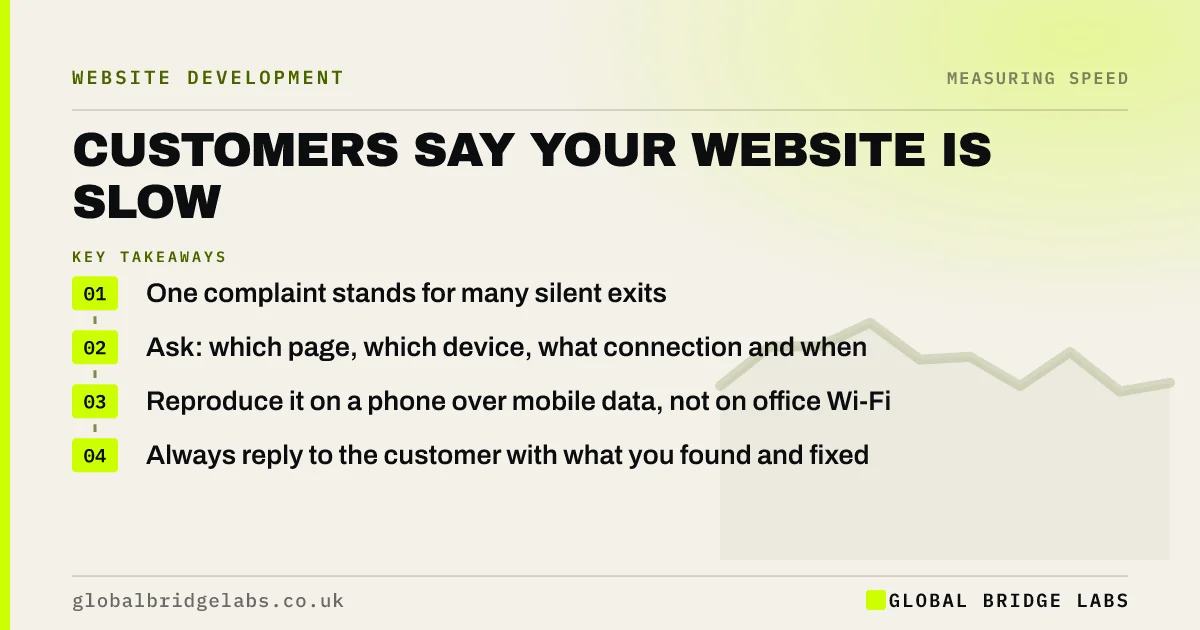
- One complaint stands for many silent exits.
- Ask: which page, which device, what connection and when.
- Reproduce it on a phone over mobile data, not on office Wi-Fi.
- Always reply to the customer with what you found and fixed.
Had a complaint and cannot reproduce it? Send us the details on WhatsApp.
Chat on WhatsApp →Why should you take one complaint seriously?
Because complaining takes effort, and most visitors do not make it. A person who meets a slow page from a search result simply goes back. The customers who tell you are usually existing ones who had a reason to persist: an order to place, a booking to change.
That makes their report specific and valuable. They can tell you the page, the moment and the device, which no analytics report will.
What should you ask the customer?
Ask four short questions, and thank them for raising it.
- Which page or step was slow?
- Were you on a phone, tablet or computer?
- Were you on Wi-Fi or mobile data?
- Roughly when did it happen?
- What happened: blank screen, nothing after a tap, or an error?
How do you reproduce the problem?
Reproduce the customer's conditions, not your own. Use a phone if they did, switch off Wi-Fi, open a private window and go to the same page by the same route. If they were logged in, log in. If they were ordering, add the same sort of items.
- 1. Repeat the exact journey on a similar device.
- 2. Check the page's field data in PageSpeed Insights.
- 3. Look at uptime and hosting records for the time they gave.
- 4. Check what changed on the site in the days before.
- 5. Watch session recordings for that page if you have them.
- How to test website speed the way customers feel it
- Your website on slow mobile data: the test most firms skip
Want us to reproduce a customer's journey on a range of devices? Ask us on WhatsApp.
Chat on WhatsApp →What are the likely causes?
The answers to the four questions usually point at the cause.
- One page only: a large image, video or embed on that page.
- Phones only: heavy scripts or unoptimised images for mobile.
- A step after a tap: form, booking, search or checkout processing.
- A particular time: a traffic peak, a backup running or a hosting problem.
- Logged-in pages: account areas that were never tested.
- Recently started: a new plugin, tag or update.
What if you cannot reproduce it?
Sometimes the cause is on the customer's side: a weak signal, an old phone or a browser extension. Do not assume that first. If field data for the page is poor, or more than one person has mentioned it, the problem is yours even if you cannot see it today.
If the data is good and nobody else has reported it, note it, set up monitoring for that page and tell the customer honestly that you could not find the cause but are watching for it.
What does this look like in practice?
A pattern we see with trade customers: a regular mentions on the phone that the site is slow, the office checks the homepage and finds nothing wrong, and the matter is dropped. The customer was talking about the order history page, on a phone, in a van.
Asking which page and which device would have found a list loading two years of orders at once. Global Bridge Labs (GBL) treats customer reports as the starting point of a speed review, because they locate the problem faster than any tool.
Slow website complaint checklist
- Thank the customer and ask the four questions.
- Repeat their journey on a similar device and connection.
- Check field data, uptime and recent changes.
- Fix or escalate with the evidence.
- Reply to the customer with what you found.
- Log the complaint so patterns show.
Next step
A customer has done your testing for you. The least it deserves is a proper look. We can investigate the report and tell you whether it is a one-off or a symptom.
Message us on WhatsApp with the complaint and we will trace it, or book a 30-minute consultation.
Chat on WhatsApp →Sources and further reading
- User research · GOV.UK Service Manual
- PageSpeed Insights · Google
- About Microsoft Clarity (heatmaps and session recordings) · Microsoft
- About PageSpeed Insights · Google for Developers
Frequently asked questions
What should I do if customers say my website is slow?
Ask which page, which device, what connection and when. Reproduce the journey on a similar device over mobile data. Check the page's field data, uptime records and recent site changes. Fix what you find and reply to the customer.
Why is my website slow for customers but fast for me?
Your browser has parts of the site stored and you are probably on fast Wi-Fi with a good device. A first-time visitor on a mid-range phone and mobile data downloads everything and processes it more slowly. Test in a private window on a phone.
Why is my website slow only at certain times?
Time-related slowness usually points to the server: traffic peaks, scheduled backups, or a busy shared host. Compare the times customers mention with your traffic and hosting records, and check server response time at those hours.
Should I reply to a customer who complains about website speed?
Yes. Thank them, say what you found and what you changed, or that you are monitoring it. A customer who sees their report acted on is more likely to stay, and more likely to tell you next time something is wrong.
Written by

Global Bridge Labs (GBL) is a UK–Sri Lanka partner for social media, websites and BPO. Everything here comes from client delivery, not theory.


