On this page
- 01Key takeaways
- 02What is an on-site survey?
- 03Which questions work best?
- 04Where and when should surveys appear?
- 05How do you turn answers into fixes?
- 06What are the limits and rules?
- 07What does this look like in practice?
- 08On-site survey checklist
- 09Next step
- 10Sources and further reading
- 11Frequently asked questions
Key takeaways
On-site surveys ask visitors one short question while they are on your site, such as 'What stopped you getting in touch today?'. Analytics shows where people leave. Surveys show why. A few dozen answers often reveal the missing price, doubt or question that no amount of data would, and they cost almost nothing.
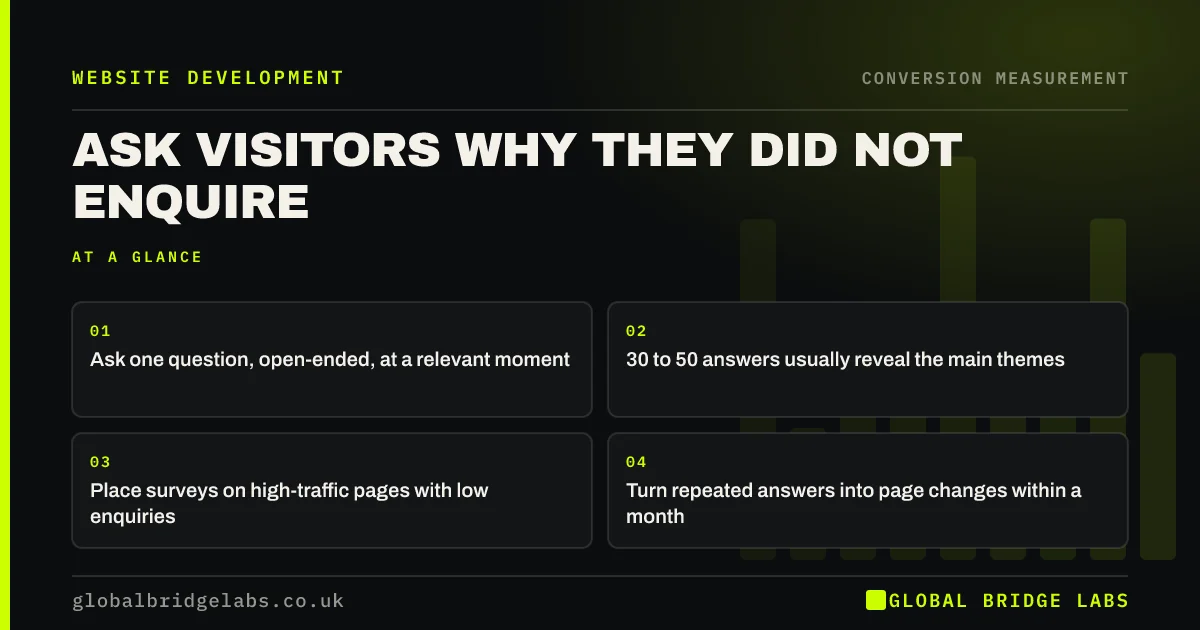
- Ask one question, open-ended, at a relevant moment.
- 30 to 50 answers usually reveal the main themes.
- Place surveys on high-traffic pages with low enquiries.
- Turn repeated answers into page changes within a month.
Want the right survey question for your site? Message us on WhatsApp.
Chat on WhatsApp →What is an on-site survey?
An on-site survey is a small prompt on a web page that asks visitors a short question and collects their answer. Unlike a long email survey, it catches people in the moment, while they are deciding. For small businesses it is one of the cheapest forms of user research available.
Which questions work best?
Open questions about decisions work best. Keep to one per survey.
- 'What, if anything, is stopping you getting in touch today?'
- 'What information is missing from this page?'
- 'What nearly stopped you enquiring?' (on the thank-you page)
- 'Where else are you looking?' (to learn your real competitors)
- 'What made you choose us?' (after booking or buying)
Send us your busiest low-enquiry page on WhatsApp and we will suggest the question.
Chat on WhatsApp →Where and when should surveys appear?
Place surveys on pages with plenty of traffic but few enquiries, such as a pricing page or top service page. Show them after the visitor has spent some time or scrolled most of the page, as a small corner prompt rather than a blocking pop-up. The thank-you page is also valuable, because new customers can tell you what nearly stopped them.
How do you turn answers into fixes?
Collect 30 to 50 answers, then group them into themes such as price, trust, fit, process and timing. The two or three most repeated themes become your fix list. If visitors ask about price, add ranges. If they doubt quality, add proof. Re-run the survey after the change to see if the theme fades.
What are the limits and rules?
Surveys capture what people say, not always what they do, so combine them with analytics. Response rates are low, and people who answer may not represent everyone. If the survey tool sets cookies or collects personal data, follow UK GDPR and the ICO's cookie guidance, and do not ask for personal details you do not need.
What does this look like in practice?
A UK wedding catering company asked pricing page visitors what was stopping them getting in touch. Over three weeks, most answers mentioned a minimum guest number that was not on the site, or asked whether dietary requirements cost extra. Adding both to the pricing page raised enquiries from that page and cut the number of unsuitable ones.
On-site survey checklist
- Pick one high-traffic, low-enquiry page.
- Ask one open question about what is stopping them.
- Show it after scrolling or time on page, not on arrival.
- Collect 30 to 50 answers.
- Group answers into themes and fix the top two or three.
- Follow UK GDPR and cookie rules.
Next step
Your visitors will tell you what your website is missing if you ask. We can help you choose the question, set up the survey and turn the answers into changes.
Message us on WhatsApp to set up an on-site survey, or book a 30-minute consultation.
Chat on WhatsApp →Sources and further reading
- User research · GOV.UK Service Manual
- Cookies and similar technologies under PECR · Information Commissioner's Office
- About Microsoft Clarity (heatmaps and session recordings) · Microsoft
Frequently asked questions
What questions should I ask on a website survey?
One short, open question about the visitor's decision, such as 'What is stopping you getting in touch today?' or 'What information is missing from this page?'. Ask new customers what nearly stopped them. Keep to one question per survey, and change it once the answers stop telling you anything new.
How many survey responses do I need?
For spotting themes, 30 to 50 answers usually reveal the main issues. You are looking for repeated concerns, not statistical precision. Re-run the survey after changes to see whether themes fade. Group answers into themes such as price, trust, fit, process and timing, and fix the top two or three.
Are on-site surveys annoying for visitors?
Not if they are short, polite and non-blocking. Use a small corner prompt shown after the visitor has read most of the page, ask one question and make it easy to dismiss. Show it once per visitor only, and never on arrival.
Do website surveys need cookie consent?
If the survey tool sets non-essential cookies or collects personal data, UK rules on consent and data protection apply. Check your tool's settings, follow the ICO's cookie guidance and avoid collecting personal details you do not need. Anonymous answers are usually enough.
Written by

Global Bridge Labs (GBL) is a UK–Sri Lanka partner for social media, websites and BPO. Everything here comes from client delivery, not theory.