On this page
- 01Short answer
- 02What does website speed actually mean?
- 03Why is my website slow?
- 04How do you test website speed properly?
- 05What are the fixes, in priority order?
- 06What does speed do for enquiries?
- 07When is more speed not worth the cost?
- 08What does this look like in practice?
- 09Website speed checklist
- 10Next step
- 11Sources and further reading
- 12Frequently asked questions
Short answer
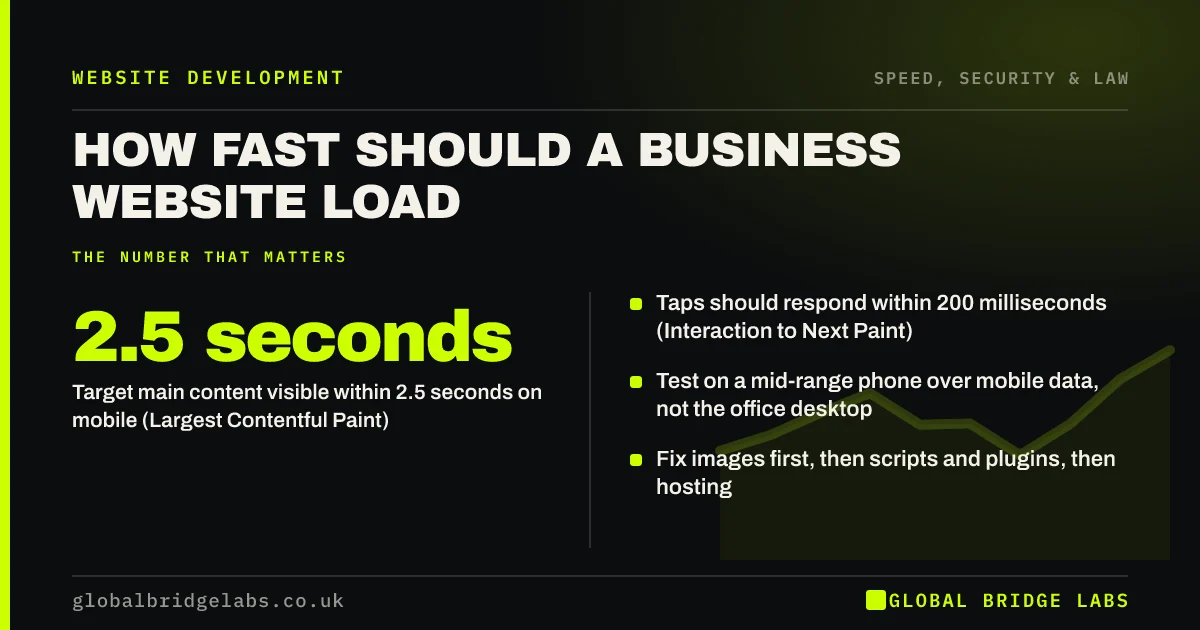
A business website should show its main content within 2.5 seconds on a typical mobile connection, respond to taps within 200 milliseconds, and not shift around as it loads. Those are Google's Core Web Vitals thresholds. Most slow small business sites are slow for the same few reasons: large images, too many plugins and scripts, and cheap hosting.
- Target main content visible within 2.5 seconds on mobile (Largest Contentful Paint).
- Taps should respond within 200 milliseconds (Interaction to Next Paint).
- Test on a mid-range phone over mobile data, not the office desktop.
- Fix images first, then scripts and plugins, then hosting.
Want to know how fast your site really is for customers? Send us the URL on WhatsApp.
Chat on WhatsApp →What does website speed actually mean?
Website speed is how quickly a page becomes visible, usable and stable for a real visitor on their device and connection, rather than a single load-time number.
That is why Google measures three separate things. A page can show text quickly but freeze when tapped, or load fully but jump around as adverts and fonts arrive. Each of those feels slow to a visitor, even if a stopwatch says otherwise.
Why is my website slow?
Small business sites are usually slow for accumulated reasons rather than one big fault. Each plugin, widget and image was added for a good reason, and nobody checked the total.
- Images uploaded straight from a camera or stock site at several megabytes.
- Page builders and themes loading code for features you do not use.
- Third-party scripts: chat, reviews, maps, analytics, social feeds and ad pixels.
- Shared hosting with slow server response and no caching.
- Web fonts loaded in several weights from external services.
How do you test website speed properly?
Use PageSpeed Insights on your homepage and top service pages, looking at the mobile results. Where it shows field data from real Chrome users, that is what Google uses. Where it does not, use the lab data as a guide.
Then test on a real phone, not a new flagship, over 4G rather than office Wi-Fi. Open the page, time how long before you can read the headline and tap the button, and scroll to see whether anything jumps.
What are the fixes, in priority order?
Fix in order of impact and effort. The first two usually deliver most of the gain on a typical small business site.
- 1. Images: resize to the displayed size, convert to WebP or AVIF, lazy-load below the fold.
- 2. Scripts: remove unused plugins and widgets, defer non-essential scripts.
- 3. Caching: enable page caching and browser caching.
- 4. Hosting: move to hosting with fast server response and a content delivery network.
- 5. Fonts: limit weights, host them yourself and use font-display swap.
Want a speed fix list for your site ranked by effort? Message us on WhatsApp.
Chat on WhatsApp →What does speed do for enquiries?
Faster pages keep more visitors long enough to read the offer, which is the precondition for any enquiry. The effect is largest on mobile and on paid traffic, where visitors have the least patience and you are paying for every click.
Speed also shapes how the business is judged. A page that stalls or jumps feels unreliable, and visitors transfer that impression to the service itself. For a trades firm or a clinic, a site that works smoothly on a phone is quiet evidence that the business is organised, which is exactly what a first-time buyer is trying to judge.
Speed is not a substitute for clarity or proof. A fast page with a vague headline still converts poorly. Treat speed as removing a leak, then work on the message.
When is more speed not worth the cost?
Once key pages pass Core Web Vitals on mobile, further speed work usually has diminishing returns. Moving from 2.2 to 1.8 seconds matters far less than moving from 6 to 2.5.
Some features are worth a small speed cost, such as a booking widget that produces most of your bookings. Measure what each script earns before removing it.
What does this look like in practice?
A pattern in hospitality and e-commerce: a homepage gallery of 20 full-resolution photographs, each several megabytes, loaded at once on mobile. The page takes many seconds to show anything on 4G.
Resizing and converting the images, and loading those below the first screen only when needed, cuts the page weight dramatically with no visible loss of quality. It is typically the single biggest speed gain available.
Website speed checklist
Run this on your five most visited pages.
- Test in PageSpeed Insights on mobile.
- Test on a mid-range phone over 4G.
- Resize and compress every large image.
- Remove unused plugins and widgets.
- Defer non-essential scripts.
- Enable caching.
- Review hosting response time.
Next step
If your site feels slow on a phone, we will find the main causes with you in 30 minutes and tell you which fixes will make the biggest difference.
Message us on WhatsApp for a website speed check, or book a 30-minute consultation.
Chat on WhatsApp →Sources and further reading
- Understanding Core Web Vitals and Google search results · Google Search Central
- Optimise Largest Contentful Paint · web.dev (Google)
- Web Vitals: essential metrics for a healthy site · web.dev (Google)
Frequently asked questions
How fast should my website load?
The main content should appear within 2.5 seconds on a typical mobile connection, the page should respond to taps within 200 milliseconds, and the layout should not jump. Those are Google's Core Web Vitals thresholds, measured across real visits at the 75th percentile.
Why is my website so slow on mobile?
Usually oversized images, too many plugins and third-party scripts, and slow hosting. Mobile devices have less processing power and slower connections than office computers, so heavy pages that feel fine on desktop can take many seconds to become usable on a phone.
How can I test my website speed for free?
Use Google's PageSpeed Insights for individual pages and the Core Web Vitals report in Google Search Console for the whole site. Both are free. Then check the site yourself on a mid-range phone over mobile data, which reflects what most customers actually experience.
Does website speed affect SEO?
Yes, modestly. Core Web Vitals are part of Google's page experience signals, but relevance and content quality matter far more for rankings. Speed has a larger effect on conversion, because visitors who leave before the page loads can never enquire, however well it ranks.
Written by

Global Bridge Labs (GBL) is a UK–Sri Lanka partner for social media, websites and BPO. Everything here comes from client delivery, not theory.