On this page
- 01Short answer
- 02What is a website launch checklist?
- 03What should you check before launch?
- 04What should you check on launch day?
- 05What should you check after launch?
- 06What about legal and security checks?
- 07When should you delay a launch?
- 08What does this look like in practice?
- 09Launch checklist summary
- 10Next step
- 11Sources and further reading
- 12Frequently asked questions
Short answer
A website launch checklist makes sure nothing that matters breaks on go-live: content is complete and accurate, every enquiry route works and is tracked, search engines can index the site, redirects are in place, pages are fast on mobile, legal pages are live and security is set. Check before, during and for 30 days after launch.
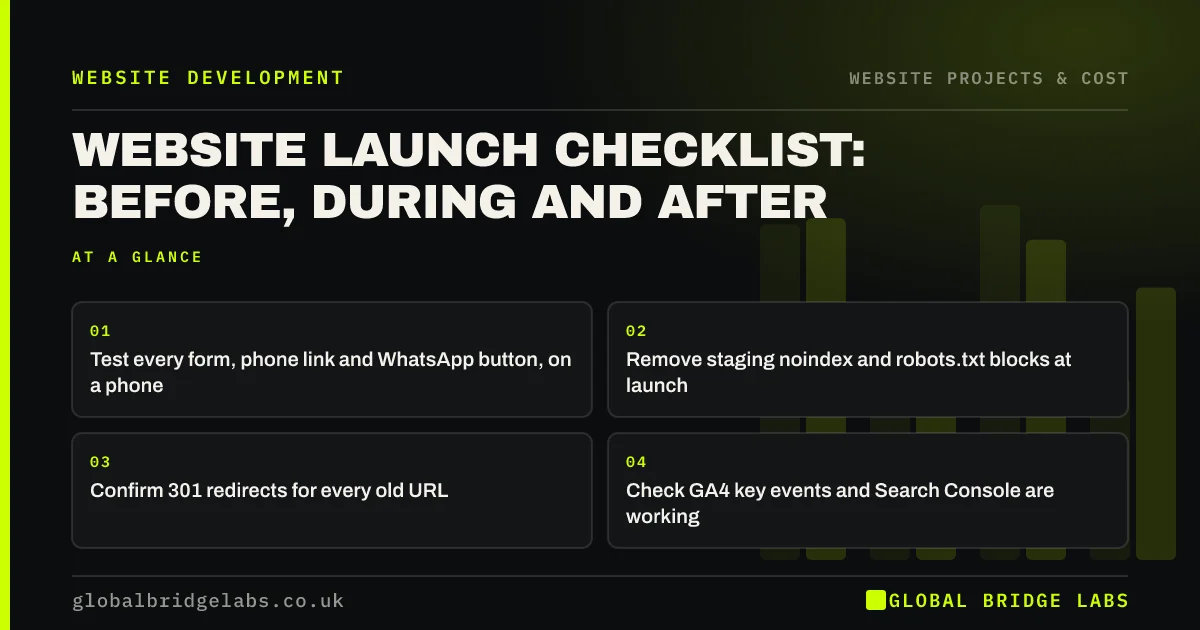
- Test every form, phone link and WhatsApp button, on a phone.
- Remove staging noindex and robots.txt blocks at launch.
- Confirm 301 redirects for every old URL.
- Check GA4 key events and Search Console are working.
- Monitor enquiries and indexing daily for the first week.
Launching soon? Message us on WhatsApp and we will run the pre-launch checks with you.
Chat on WhatsApp →What is a website launch checklist?
A website launch checklist is a structured list of checks carried out before, during and after a website goes live, to confirm that content, functionality, tracking, search visibility, performance, security and legal requirements are all in place.
Launches are where small mistakes become expensive. A form that fails on launch day, or a leftover noindex tag, can cost weeks of enquiries before anyone notices.
Assign each check to a named person and record when it was done. A checklist that everyone assumes someone else has completed is how the obvious things get missed. The person who answers enquiries should always be the one who confirms test messages have arrived.
What should you check before launch?
Work through these on the staging site, ideally with someone who did not build it.
- Content: spelling, prices, phone numbers, addresses and team details correct.
- Links: no broken internal links or placeholder text.
- Forms: every form submits, arrives, and shows a confirmation.
- Mobile: every key page tested on a real phone.
- Speed: key pages checked in PageSpeed Insights.
- Accessibility: W3C Easy Checks passed on key pages.
- SEO: unique titles and descriptions, one H1 per page, structured data tested.
- Redirects: map complete and tested for an existing site.
What should you check on launch day?
Launch early in the week, during working hours, with the people who can fix things available.
- Point the domain, confirm HTTPS works on every version of the address.
- Remove noindex tags and robots.txt blocks from staging.
- Test a sample of old URLs for correct redirects.
- Submit the XML sitemap in Search Console and Bing Webmaster Tools.
- Confirm GA4 is recording visits and key events.
- Send a test enquiry through every route.
- Check the cookie banner blocks non-essential tags until consent.
Want someone to run the launch-day checks alongside you? Message us on WhatsApp.
Chat on WhatsApp →What should you check after launch?
The first 30 days show whether the launch worked. Check Search Console daily for the first week for indexing errors and not found pages, then weekly. Compare enquiries with the previous month and investigate any drop immediately.
Update your Google Business Profile, social profiles and email signatures with any new URLs. Ask a few customers to try the site and tell you what confused them.
What about legal and security checks?
Before launch, confirm company details are in the footer, the privacy notice reflects the new site's forms and tools, and the cookie banner works. Remove test accounts, set strong passwords with two-factor authentication for admin users, and confirm backups are running on the live server.
These are easy to skip in the rush of launch and harder to fix once customers are using the site.
When should you delay a launch?
Delay if enquiry routes are untested, redirects are incomplete for a site with existing traffic, or legal pages are missing. A launch a week late costs little. A launch that breaks enquiries or loses rankings can cost months.
The trade-off is momentum. If the new site is better in every other way, fix the blockers and launch rather than waiting for perfection. Minor content improvements can follow.
What does this look like in practice?
A pattern after launches we are asked to rescue: the new site looks excellent, but enquiries dropped to almost nothing after go-live because the form's email notifications were still pointed at the staging environment.
A test enquiry through every route on launch day, received by the people who answer enquiries, would have caught it within minutes.
Launch checklist summary
Before, during and after.
- Before: content, links, forms, mobile, speed, accessibility, SEO, redirects.
- Launch day: HTTPS, remove staging blocks, test redirects, submit sitemap.
- Launch day: confirm tracking and test every enquiry route.
- Launch day: confirm cookie consent and legal pages.
- After: daily Search Console checks for a week.
- After: compare enquiries with last month.
- After: update profiles and links elsewhere.
Next step
If you are close to launching a new website, we will run the pre-launch checks with you in 30 minutes and flag anything that should block go-live.
Message us on WhatsApp for a pre-launch check, or book a 30-minute consultation.
Chat on WhatsApp →Sources and further reading
- Google Search Console · Google
- Site moves with URL changes · Google Search Central
- Easy checks: a first review of web accessibility · W3C Web Accessibility Initiative
- Cookies and similar technologies under PECR · Information Commissioner's Office
Frequently asked questions
What should I check before launching a website?
Check content accuracy, broken links, every form and enquiry route, mobile usability, page speed, basic accessibility, titles and descriptions, structured data, redirects from any old site, legal pages, cookie consent, analytics key events and security settings such as admin passwords and backups.
What is the best day to launch a website?
Early in the week, during working hours, when the people who can fix problems are available. Avoid Fridays and holiday periods, because issues found at the weekend may go unfixed for days while enquiries are lost and search engines crawl broken pages.
What should I do after my website goes live?
Submit the sitemap, check Search Console daily for the first week, test every enquiry route again, confirm analytics is recording key events, compare enquiries with the previous month, update links in your Google Business Profile and social profiles, and fix issues quickly.
Why is my new website not showing on Google?
Common causes are a noindex tag or robots.txt block left over from staging, a sitemap not yet submitted, or Google not having crawled the new pages. Check Search Console's URL inspection tool, remove any blocks, submit the sitemap and request indexing for key pages.
Written by

Global Bridge Labs (GBL) is a UK–Sri Lanka partner for social media, websites and BPO. Everything here comes from client delivery, not theory.