On this page
- 01Short answer
- 02What is Google Search Console?
- 03How do you set up Search Console?
- 04Which reports matter for a small business?
- 05How do you use the Performance report to win more enquiries?
- 06Why are some pages not indexed?
- 07When is Search Console data misleading?
- 08What does this look like in practice?
- 09Monthly Search Console checklist
- 10Next step
- 11Sources and further reading
- 12Frequently asked questions
Short answer
Google Search Console is a free Google tool that shows how your website performs in Google Search: which searches bring impressions and clicks, which pages are indexed, and what technical problems exist. Every business website should have it set up. Five reports cover almost everything a small business needs.
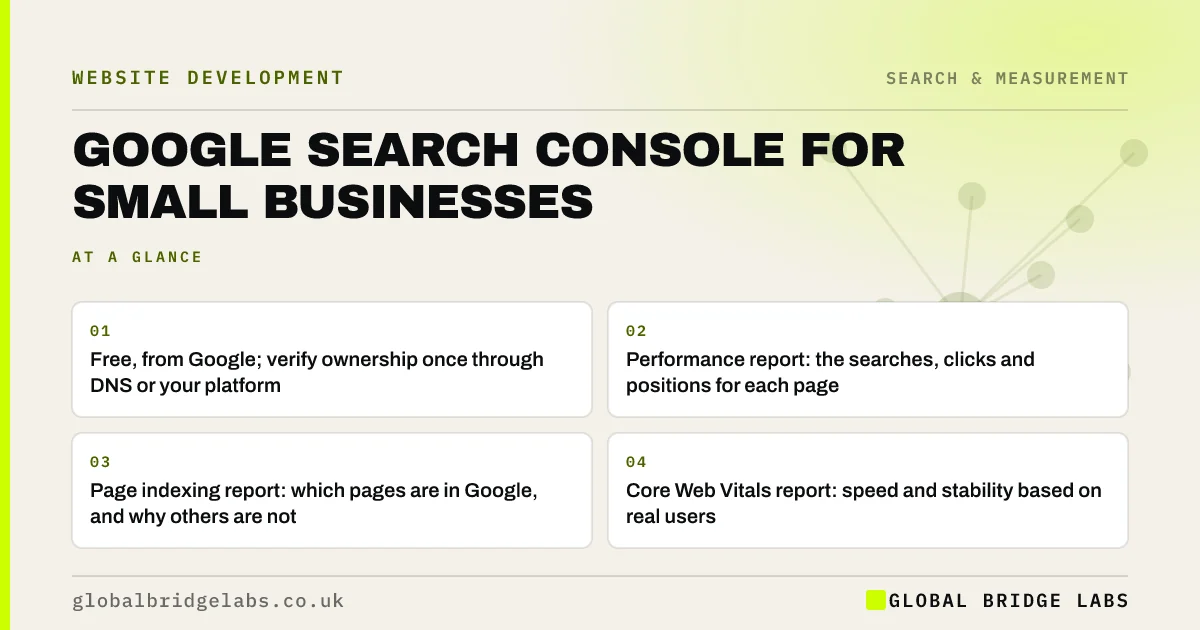
- Free, from Google; verify ownership once through DNS or your platform.
- Performance report: the searches, clicks and positions for each page.
- Page indexing report: which pages are in Google, and why others are not.
- Core Web Vitals report: speed and stability based on real users.
- Submit your sitemap and check monthly for security or manual action alerts.
Not sure whether Search Console is set up on your site? Message us on WhatsApp and we will check with you.
Chat on WhatsApp →What is Google Search Console?
Google Search Console is a free service from Google that helps website owners monitor and troubleshoot their site's presence in Google Search, including search performance, indexing status, page experience and security issues.
It differs from Google Analytics. Analytics shows what visitors do on your site. Search Console shows what happens in Google before they arrive: which searches you appear for and how often people click.
How do you set up Search Console?
Add a Domain property, which covers every version of your site, and verify it by adding a DNS record at your domain registrar. Some platforms offer simpler verification through their settings. Make sure the account belongs to the business, not to a former developer or agency.
Then submit your XML sitemap, usually found at /sitemap.xml, and give access to anyone who needs it with the lowest permission level that works.
Which reports matter for a small business?
Search Console has many reports. These five cover almost everything a small business needs to act on.
- Performance: queries, pages, clicks, impressions, click-through rate and average position.
- Page indexing: indexed pages and the reasons others are excluded.
- URL inspection: check whether a specific page is indexed and request indexing.
- Core Web Vitals: mobile and desktop page experience from real users.
- Security issues and manual actions: alerts that need immediate attention.
How do you use the Performance report to win more enquiries?
Filter to the last three months and sort queries by impressions. Look for searches with many impressions but few clicks: your page appears but people do not choose it, so improve the title and description. Look for searches where you rank in positions 5 to 15: a better page could move them onto page one.
Also look for searches you did not expect. They reveal the words buyers really use, which should shape headings, service pages and FAQs.
Want your Performance report turned into a list of page improvements? Message us on WhatsApp.
Chat on WhatsApp →Why are some pages not indexed?
The Page indexing report gives a reason for each excluded page. Some are intentional, such as redirects or pages marked noindex. Others need action: Crawled, currently not indexed often means Google did not find the page valuable enough, and Discovered, currently not indexed can indicate crawling or quality issues.
For important pages, improve the content, add internal links from strong pages, and request indexing through URL inspection. Do not panic about every excluded URL: many are duplicates or parameters that should not be indexed.
When is Search Console data misleading?
Average position is an average across all searches and locations, so it can move without any real change in visibility. Search Console also filters out some very rare queries for privacy, so query totals do not add up to page totals.
The trade-off is precision against direction. Use Search Console for trends and opportunities, not exact counts, and pair it with analytics and enquiry tracking to judge commercial impact.
What does this look like in practice?
A pattern in small businesses: Search Console verified by a previous agency, nobody in the business with access, and a key service page excluded from the index for months because of a stray noindex tag left from development.
Recovering access, removing the tag and requesting indexing takes an hour. A monthly look at the Page indexing report would have caught it on day one.
Monthly Search Console checklist
Fifteen minutes, once a month.
- Check for security issues and manual actions.
- Review Page indexing for new errors.
- Check Core Web Vitals for regressions.
- Find high-impression, low-click queries.
- Find queries ranking in positions 5 to 15.
- Inspect and request indexing for new key pages.
- Note new queries that suggest content or FAQs.
Next step
If you have never logged into Search Console, or cannot find who has, we will get you set up and walk through your reports with you in 30 minutes.
Message us on WhatsApp for a Search Console walkthrough, or book a 30-minute consultation.
Chat on WhatsApp →Sources and further reading
- Google Search Console · Google
- SEO Starter Guide · Google Search Central
- Understanding Core Web Vitals and Google search results · Google Search Central
Frequently asked questions
Is Google Search Console free?
Yes. Google Search Console is completely free. You need a Google account and must verify that you own or manage the website, usually by adding a DNS record at your domain registrar or through your website platform's settings. It is one of the most useful free tools a business can use.
What is the difference between Search Console and Google Analytics?
Search Console shows how your site performs in Google Search before people arrive: impressions, clicks, positions and indexing. Google Analytics shows what visitors do once they are on your site, from any source. Use both together to connect search visibility with enquiries.
Why is my page not showing on Google?
Check the page in Search Console's URL inspection tool. It may not be indexed yet, blocked by a noindex tag or robots.txt, treated as a duplicate, or judged not valuable enough. Fix any technical block, strengthen the content and internal links, then request indexing.
How often should I check Search Console?
Once a month is enough for most small businesses: check security issues, indexing errors, Core Web Vitals and performance trends. Also check after launching new pages, redesigning the site or changing URLs, when indexing problems are most likely to appear.
Written by

Global Bridge Labs (GBL) is a UK–Sri Lanka partner for social media, websites and BPO. Everything here comes from client delivery, not theory.