On this page
- 01Key takeaways
- 02What does an unsupported CMS mean?
- 03How do you check whether your platform is supported?
- 04What are the risks of staying on it?
- 05Can an unsupported site be patched instead?
- 06How do you move safely?
- 07What does moving typically cost?
- 08What should you ask a supplier before migrating?
- 09What does this look like in practice?
- 10Unsupported platform checklist
- 11Next step
- 12Sources and further reading
- 13Frequently asked questions
Key takeaways
An unsupported CMS, theme or framework no longer receives security fixes, so every new vulnerability stays open for good. That is one of the clearest rebuild signals there is. Plan the move within months, not years: secure backups now, map every URL, and migrate to a supported platform with redirects in place.
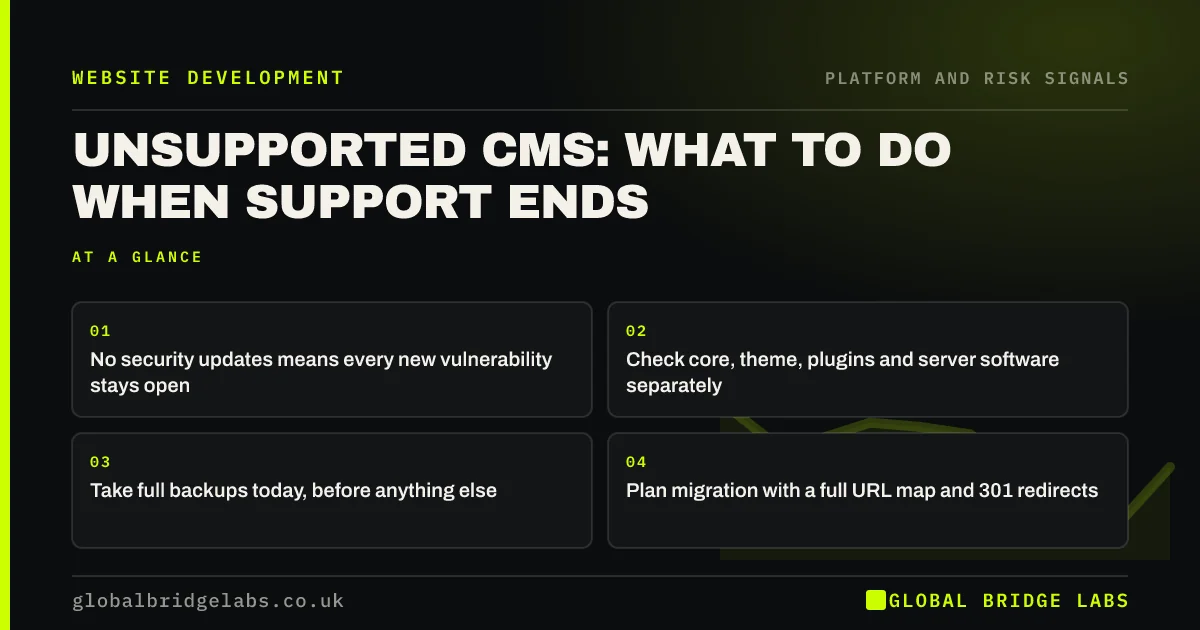
- No security updates means every new vulnerability stays open.
- Check core, theme, plugins and server software separately.
- Take full backups today, before anything else.
- Plan migration with a full URL map and 301 redirects.
Think your platform is unsupported? Send us the URL on WhatsApp.
Chat on WhatsApp →What does an unsupported CMS mean?
An unsupported CMS is a content management system, theme or framework whose developer no longer releases updates or security fixes. The site keeps working, but newly discovered vulnerabilities are never patched, and compatibility with modern browsers, servers and plugins gradually breaks.
How do you check whether your platform is supported?
Check each layer separately, because any one of them can be the weak point.
- CMS core: is your version still receiving security releases?
- Theme: when was it last updated, and is the developer still active?
- Plugins or extensions: any abandoned or removed from the directory?
- Server software: is the PHP or runtime version still supported?
- Proprietary builders: is the supplier still trading and updating it?
- Outdated PHP version: what it means for your website
- Outdated WordPress plugins: when they mean a rebuild
Want each layer checked for you? Ask us on WhatsApp.
Chat on WhatsApp →What are the risks of staying on it?
Security is the main one. The NCSC's Small Business Guide lists keeping software updated as a basic control, because attackers routinely scan for known vulnerabilities in old software. A compromised site can serve malware, trigger browser warnings, leak form data and require an expensive clean-up.
There is a compliance angle too: UK GDPR requires appropriate security for personal data, which includes enquiry form submissions stored on the site.
Can an unsupported site be patched instead?
Sometimes, for a short time. A developer can harden the server, add a web application firewall and remove unused features. That buys months, not years, and costs money that does not go into the replacement. Treat it as a bridge while the rebuild is planned.
How do you move safely?
Follow a site migration process. Google's guidance on site moves stresses mapping old URLs to new ones and using 301 redirects. Keep content that ranks, rebuild the templates on a supported platform, and test forms and tracking before switching.
- Take and test full backups of files and database.
- Crawl the site and export every URL.
- Pull 12 months of Search Console data to see which pages matter.
- Rebuild on a supported platform, keeping URLs where possible.
- Redirect every changed URL and monitor after launch.
What does moving typically cost?
A rebuild on a new platform typically costs £5,000 to £20,000 or more in the UK market for a small business site, depending on size, content and integrations. A small brochure site can cost less. Plan maintenance afterwards so the new platform does not become unsupported in turn.
What should you ask a supplier before migrating?
Ask how they will protect what already works. A good supplier will talk about the URL map, redirects, content migration, tracking and testing before they talk about design. If the first conversation is only about how the new site will look, the migration risk has not been considered.
Ask as well how the new platform will be kept supported: who applies updates, how often, what it costs, and what happens when the next version of the software is released. The aim is to avoid being back in the same position in five years.
- How will you map and redirect every URL?
- How will content and images be migrated?
- How will tracking and forms be tested?
- Who keeps the new platform updated, and at what cost?
What does this look like in practice?
A pattern in UK SMEs: a site built on a theme that was abandoned several years ago, with the owner unable to update WordPress because the theme breaks. The site is effectively frozen. Rebuilding on a supported theme with the same URLs and content restores updates without losing search visibility.
Unsupported platform checklist
Act on these this month.
- Record CMS, theme, plugin and PHP versions.
- Check each against its support status.
- Take and test a full backup.
- Add temporary hardening if a rebuild is months away.
- Crawl and export every URL.
- Plan and budget the migration.
Next step
If your platform is out of support, we will check each layer with you in 30 minutes and outline a safe migration plan.
Message us on WhatsApp for a platform support check, or book a 30-minute consultation.
Chat on WhatsApp →Sources and further reading
- Small Business Guide: cyber security · National Cyber Security Centre
- Site moves with URL changes · Google Search Central
- Supported PHP versions and end-of-life dates · The PHP Group
Frequently asked questions
What happens if my website platform is no longer supported?
The site keeps working, but security vulnerabilities discovered after support ends are never patched, and compatibility with browsers, servers and plugins slowly breaks. The risk of compromise grows every month, which makes an unsupported platform a strong rebuild signal. Plan the move within months rather than years.
How do I know if my website theme is abandoned?
Check when it was last updated and whether the developer still sells or supports it. A theme that has not been updated for a year or more, or that breaks when you update WordPress or PHP, should be treated as unsupported.
Is it safe to keep using an old CMS?
Not for long. Without security updates, known vulnerabilities stay open and are routinely targeted. Temporary hardening can reduce risk while you plan a move, but migrating to a supported platform is the lasting fix. Take full backups while you plan the move.
Will moving to a new CMS affect my Google rankings?
It can if URLs change without redirects or content is lost. Keep URLs where possible, map and 301-redirect any that change, carry across content that ranks, and monitor Search Console after launch. Careful migrations usually preserve rankings. Keep the old site backed up until the new one is stable.
Written by

Global Bridge Labs (GBL) is a UK–Sri Lanka partner for social media, websites and BPO. Everything here comes from client delivery, not theory.