On this page
- 01Key takeaways
- 02Why do outdated plugins matter?
- 03How do you update plugins safely?
- 04How do you spot an abandoned plugin?
- 05How many plugins is too many?
- 06When do plugins mean a rebuild?
- 07When is updating enough?
- 08What is a staging site and do you need one?
- 09What does this look like in practice?
- 10Plugin review checklist
- 11Next step
- 12Sources and further reading
- 13Frequently asked questions
Key takeaways
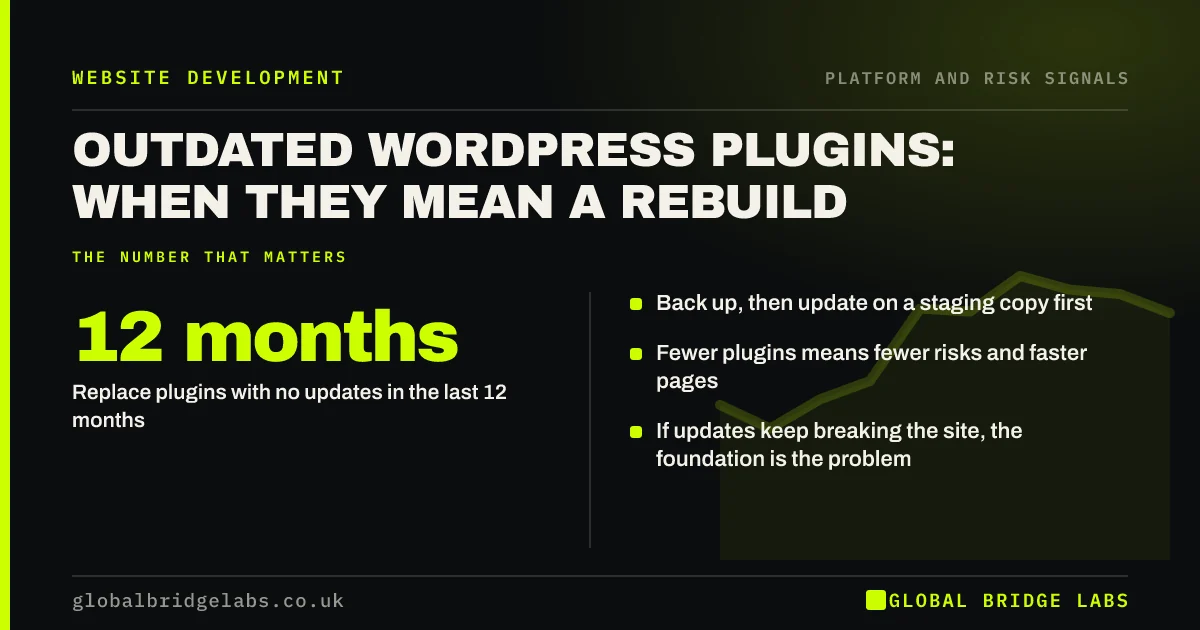
Outdated WordPress plugins are usually fixed by updating them, after a backup, on a staging copy. They become a rebuild signal when key plugins are abandoned, updates break the site, or the site relies on so many plugins that nobody can update it safely. Aim for fewer plugins, all actively maintained.
- Back up, then update on a staging copy first.
- Replace plugins with no updates in the last 12 months.
- Fewer plugins means fewer risks and faster pages.
- If updates keep breaking the site, the foundation is the problem.
Worried about your plugins? Send us a screenshot of the list on WhatsApp.
Chat on WhatsApp →Why do outdated plugins matter?
WordPress plugins add code to your site, and outdated plugins are one of the most common routes for attackers into small business websites. Updates often contain security fixes, so a plugin left unpatched keeps a known hole open. WordPress's own documentation recommends keeping core, themes and plugins updated.
How do you update plugins safely?
Treat updates as a routine, not an emergency.
- Take a full backup and confirm it can be restored.
- Update on a staging copy first if you have one.
- Update one plugin at a time and check key pages and forms.
- Keep a note of versions and dates.
- Schedule updates monthly, and security fixes immediately.
Want updates handled on a care plan? Ask us on WhatsApp.
Chat on WhatsApp →How do you spot an abandoned plugin?
Check its page in the WordPress plugin directory for the last update date and compatibility with your WordPress version. A plugin with no updates for 12 months or more, or one removed from the directory, should be replaced with a maintained alternative or removed.
How many plugins is too many?
There is no fixed number, but every plugin adds maintenance, risk and often speed cost. Many small business sites run 30 or more, several doing the same job. Remove anything unused, combine overlapping plugins and replace simple features with a few lines of theme code where sensible.
When do plugins mean a rebuild?
When the site is held together by them. If core features depend on abandoned plugins with no replacement, if every update breaks layouts, or if the site cannot update WordPress or PHP because of plugin conflicts, patching becomes a cycle with no end. A rebuild on a leaner foundation breaks that cycle.
When is updating enough?
When plugins update cleanly and the site works afterwards. Most sites with outdated plugins simply lack a maintenance routine. Setting one up, typically around £50 to £150 a month on a UK basic care plan, is far cheaper than a rebuild.
What is a staging site and do you need one?
A staging site is a private copy of your website where updates and changes can be tested before they reach the live site. Many managed hosts include one-click staging. For any site that takes enquiries or payments, it is the simplest way to avoid breaking the live site during updates.
The routine is straightforward: copy live to staging, apply updates there, check key pages, forms and checkout, then apply the same updates to live. If something breaks on staging, the live site is untouched while the problem is fixed or the plugin is replaced.
- Check whether your host offers one-click staging.
- Copy live to staging before each update round.
- Test pages, forms and checkout on staging.
- Apply the same updates to live afterwards.
What does this look like in practice?
A pattern in UK small business sites: 40 plugins, a dozen not updated in years, three separate form plugins and two caching plugins fighting each other. Removing duplicates and abandoned plugins, then updating the rest on staging, often leaves a faster, safer site without a rebuild.
Plugin review checklist
Run this quarterly.
- Back up the site and test the restore.
- List every plugin with its last update date.
- Remove unused and duplicate plugins.
- Replace plugins not updated in 12 months.
- Update the rest on staging, one at a time.
- Set a monthly update routine.
Next step
If you are not sure whether your plugins are a risk, we will review the list with you in 30 minutes and tell you whether updates will do or the site needs rebuilding.
Message us on WhatsApp for a plugin review, or book a 30-minute consultation.
Chat on WhatsApp →Sources and further reading
- Updating WordPress · WordPress.org
- Small Business Guide: cyber security · National Cyber Security Centre
- Supported PHP versions and end-of-life dates · The PHP Group
Frequently asked questions
Are outdated WordPress plugins dangerous?
They can be. Updates often fix security vulnerabilities, and attackers scan for sites running known vulnerable versions. Keeping plugins updated, removing unused ones and replacing abandoned ones are basic steps in keeping a WordPress site secure. Check update status at least monthly.
How often should I update WordPress plugins?
Check for updates at least monthly and apply security updates as soon as they are released. Always back up first and test on a staging copy when possible, especially for plugins that control forms, e-commerce or layout. Keep a record of versions and dates.
What should I do with a plugin that is no longer updated?
Replace it with a maintained alternative, or remove it if the feature is not essential. A plugin with no updates for 12 months or more, or one removed from the WordPress directory, should be treated as a risk. Test any replacement on staging before going live.
Why does updating plugins break my website?
Usually conflicts between plugins, a theme that relies on old plugin behaviour, or custom changes made directly to plugin files. Updating on a staging copy first catches these. If updates break the site repeatedly, the site's foundation may need rebuilding.
Written by

Global Bridge Labs (GBL) is a UK–Sri Lanka partner for social media, websites and BPO. Everything here comes from client delivery, not theory.