On this page
- 01Key takeaways
- 02Why do system integrations fail?
- 03What does a daily integration check involve?
- 04Which integration work can be outsourced?
- 05When is integration monitoring overkill?
- 06What does this look like in practice?
- 07Integration monitoring checklist
- 08Next step
- 09Sources and further reading
- 10Frequently asked questions
Key takeaways
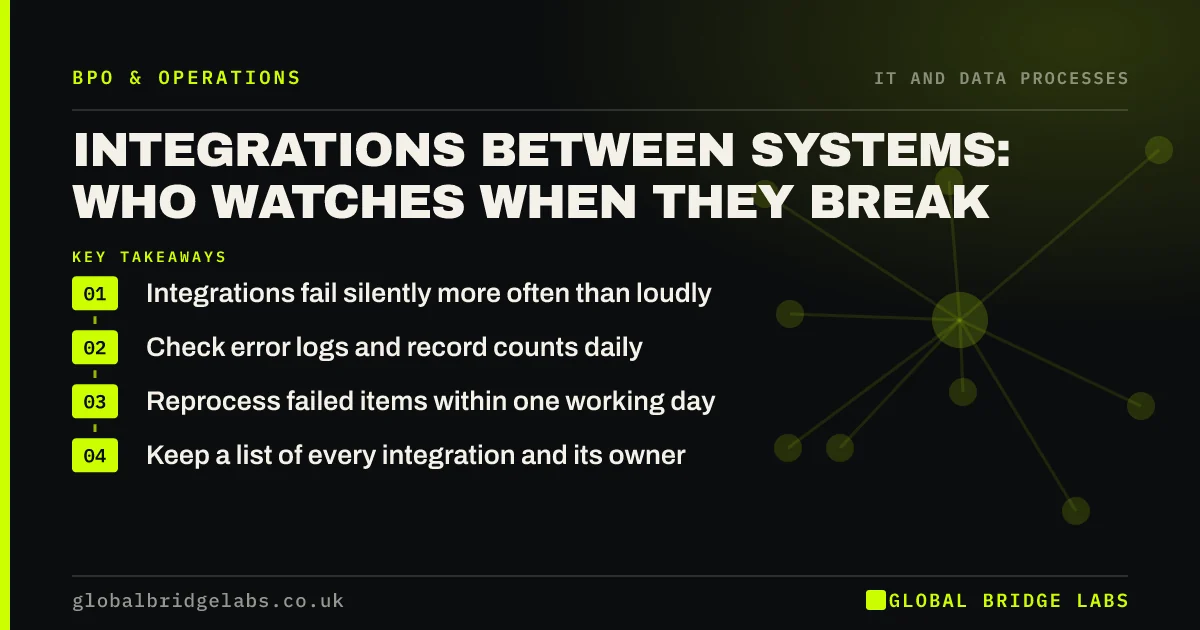
Integration monitoring small business owners rarely plan for: the links between your website, CRM, accounts and other apps fail silently, and nobody notices until orders or enquiries go missing. A daily check of error logs and record counts, run by a managed team, catches most failures within a day. Changing the integrations themselves needs a developer.
- Integrations fail silently more often than loudly.
- Check error logs and record counts daily.
- Reprocess failed items within one working day.
- Keep a list of every integration and its owner.
Worried about data going missing between systems? Message us on WhatsApp.
Chat on WhatsApp →Why do system integrations fail?
A password changes, an app updates its fields, a connection hits a usage limit, or someone adds a new form field. The integration stops or skips records, often without telling anyone. Website enquiries that never reach the CRM and invoices that never reach the accounts are the usual result.
What does a daily integration check involve?
Reviewing the error log or failed task list for each integration, comparing record counts on each side, for example web enquiries against CRM leads, reprocessing failed items, and logging anything that needs a developer. It takes 15 to 30 minutes a day for most SMEs.
- Review error logs for every integration.
- Compare record counts on each side.
- Reprocess failed items.
- Log issues that need a developer.
Which integration work can be outsourced?
The monitoring and recovery: daily checks, reprocessing, alerting and keeping the integration list current. Building new integrations, changing logic and fixing broken connections at code level need a developer, either your own or your software supplier.
- IT processes to outsource in a small business
- Workflow automation for small businesses: where to start
Want an integration list template? Message us on WhatsApp.
Chat on WhatsApp →When is integration monitoring overkill?
When you have one or two simple integrations and low volumes, a weekly check by a staff member may be enough. Daily monitoring pays off when integrations carry orders, payments or enquiries, where a day of silent failure costs real money.
What does this look like in practice?
A pattern we see: a web form change breaks the link to the CRM and enquiries vanish for weeks before anyone asks why leads have dried up. A daily count comparison catches it the next morning.
Integration monitoring checklist
Set these up once.
- List every integration, its purpose and owner.
- Note where each one logs errors.
- Choose a daily count to compare.
- Agree who reprocesses failures.
- Agree who fixes broken connections.
Next step
Tell us which systems are connected in your business. We will help you list the integrations and suggest a daily check routine.
Message us on WhatsApp, or book a 30-minute consultation.
Chat on WhatsApp →Sources and further reading
- Small organisations guide to cyber security · National Cyber Security Centre
- Principle (d): Accuracy · Information Commissioner's Office
Frequently asked questions
Why do integrations between business apps stop working?
Common causes are changed passwords or permissions, app updates that rename or add fields, usage limits on connection tools, and changes to forms or data formats. Many failures are silent, so records are skipped without anyone being alerted.
How do you monitor business system integrations?
Check each integration's error log or failed task list daily, compare record counts on both sides, reprocess failed items and log issues that need a developer. Keep a list of every integration with its purpose and owner so nothing is forgotten.
Can integration monitoring be outsourced?
Yes. Daily checks, reprocessing of failed items and alerting can be handled by a managed team. Building or changing integrations and fixing connections at code level need a developer, either in-house or from your software supplier.
Written by

Global Bridge Labs (GBL) is a UK–Sri Lanka partner for social media, websites and BPO. Everything here comes from client delivery, not theory.