On this page
- 01Key takeaways
- 02What is a website conversion path?
- 03Why start from entry pages, not the homepage?
- 04How do you design a path step by step?
- 05What are dead ends and how do you fix them?
- 06What about visitors who are not ready?
- 07When should a path be longer?
- 08What does this look like in practice?
- 09Conversion path checklist
- 10Next step
- 11Sources and further reading
- 12Frequently asked questions
Key takeaways
A website conversion path is the route a visitor takes from the page they land on to the enquiry, booking or purchase. Good websites have pages. High-converting websites have paths: every entry page leads, in as few steps as possible, to a next step that fits the visitor's stage, with no dead ends on the way.
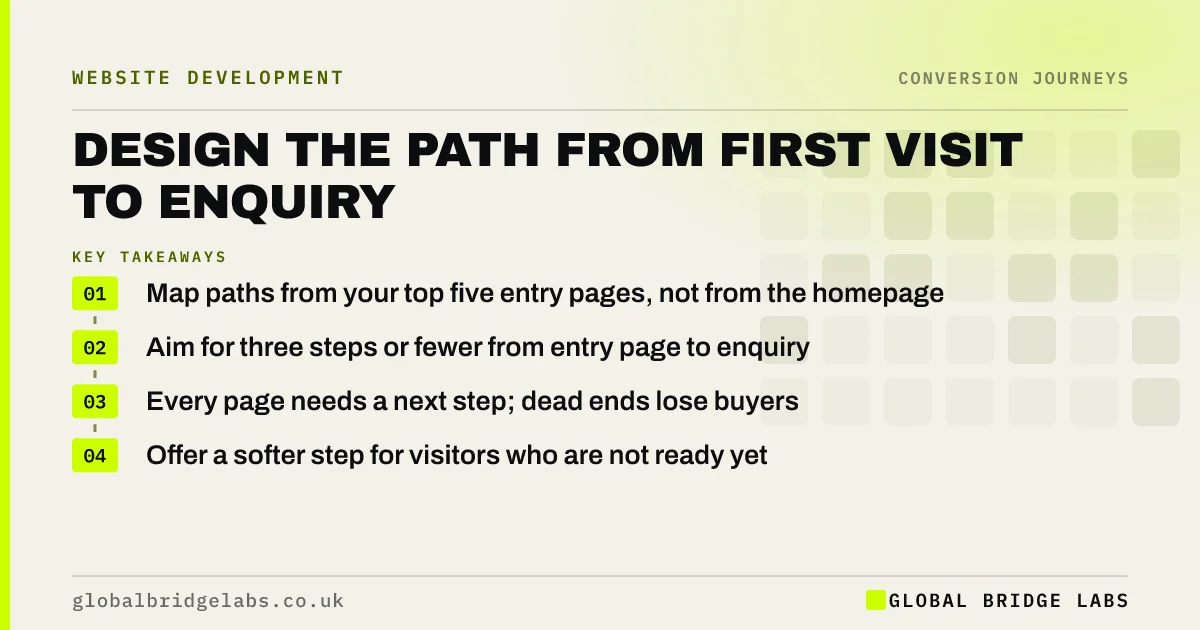
- Map paths from your top five entry pages, not from the homepage.
- Aim for three steps or fewer from entry page to enquiry.
- Every page needs a next step; dead ends lose buyers.
- Offer a softer step for visitors who are not ready yet.
Want your conversion paths mapped? Message us on WhatsApp.
Chat on WhatsApp →What is a website conversion path?
A conversion path is the sequence of pages and actions between a visitor's entry point and the conversion. For a service business it might run: search result, service page, pricing section, enquiry form, thank-you page. Designing the path means deciding what each step must answer and what the next step is, so visitors are carried forward rather than left to find their own way.
Why start from entry pages, not the homepage?
Most visitors do not arrive on the homepage. Search, ads, social posts and emails send them to service pages, blog posts and landing pages. In Google Analytics 4, the landing page report usually shows that the homepage is only one of several important entry points. Design paths from where people actually arrive.
How do you design a path step by step?
Take each top entry page and write the path a buyer should follow. At each step, list the question the visitor has and check the page answers it, then define the one next step. Remove any step that does not answer a question.
- 1. List your top five entry pages from GA4.
- 2. For each, write the visitor's intent and main question.
- 3. Define the ideal next step from that page.
- 4. Check the next step is visible without hunting.
- 5. Count steps to enquiry; aim for three or fewer.
- 6. Walk the path yourself on a phone.
Send us your top five entry pages on WhatsApp and we will sketch the paths.
Chat on WhatsApp →What are dead ends and how do you fix them?
A dead end is any page with no obvious next step. Blog posts that end without a link, gallery pages with no enquiry option, and pricing pages that stop at the table are common examples. Every page should end with a next step that fits: a related service page, a checklist, a consultation or a quote.
What about visitors who are not ready?
Many visitors need more time. Give them a softer step so the path does not end: a price guide, a checklist sent over WhatsApp or email, a short call, or a case study relevant to their situation. These keep the conversation going without asking for commitment they are not ready to give.
When should a path be longer?
High-value, complex purchases need more steps, because buyers need more information before committing. A £40,000 extension or a multi-year outsourcing contract will not be decided on one page. The aim is not the shortest possible path but a path with no wasted steps and no dead ends.
What does this look like in practice?
A UK accountancy firm's most visited page was a blog post on self-assessment deadlines. It ended with no link. We added a short box at the end offering a fixed-fee tax return service with a price, and a two-field callback form. That post became one of the firm's steadier sources of new-client enquiries each January.
Conversion path checklist
- Map paths from your top five entry pages.
- Write the visitor's question at each step.
- Give every page one clear next step.
- Remove dead ends, especially on blog and gallery pages.
- Offer a softer step for visitors not ready to enquire.
- Walk each path on a phone every quarter.
Next step
A website with good pages and no paths makes visitors do the work. We can map the paths from your busiest pages and show where buyers get stranded.
Message us on WhatsApp for a conversion path review, or book a 30-minute consultation.
Chat on WhatsApp →Sources and further reading
- About key events · Google Analytics Help
- Engagement rate and bounce rate · Google Analytics Help
- Question pages pattern · GOV.UK Design System
Frequently asked questions
What is a conversion path on a website?
A conversion path is the route from the page a visitor lands on to the action you want, such as an enquiry or purchase. It includes the pages visited and the steps taken. Designing it means making sure each step answers the visitor's question and leads clearly to the next.
How many steps should a conversion path have?
As few as the decision allows. For most service enquiries, three steps or fewer from entry page to completed enquiry works well. High-value purchases may need more, but every step should answer a real question. Walk each path yourself on a phone to count the steps honestly.
What is a dead end on a website?
A page with no obvious next step, such as a blog post, gallery or pricing table that simply ends. Visitors who reach it either go back or leave. Every page should end with a next step that fits the visitor's stage.
How do I find my website's main entry pages?
In Google Analytics 4, use the landing page report to see which pages start the most sessions, and segment by channel. Your homepage is usually one of several important entry points, not the only one. Design paths from each of the top five, because many buyers never see the homepage at all.
Written by

Global Bridge Labs (GBL) is a UK–Sri Lanka partner for social media, websites and BPO. Everything here comes from client delivery, not theory.