On this page
- 01Key takeaways
- 02What is the difference between multi-step and single-step forms?
- 03When do multi-step forms convert better?
- 04When do single-step forms convert better?
- 05How do you build a good multi-step form?
- 06What are the risks of multi-step forms?
- 07What does this look like in practice?
- 08Form format checklist
- 09Next step
- 10Sources and further reading
- 11Frequently asked questions
Key takeaways
Multi-step forms often get more completions than single-step forms when you need more than four or five pieces of information, because they start with easy questions and show progress. Single-step forms are better when you need only a few fields. The deciding factor is how much you ask, not the format itself.
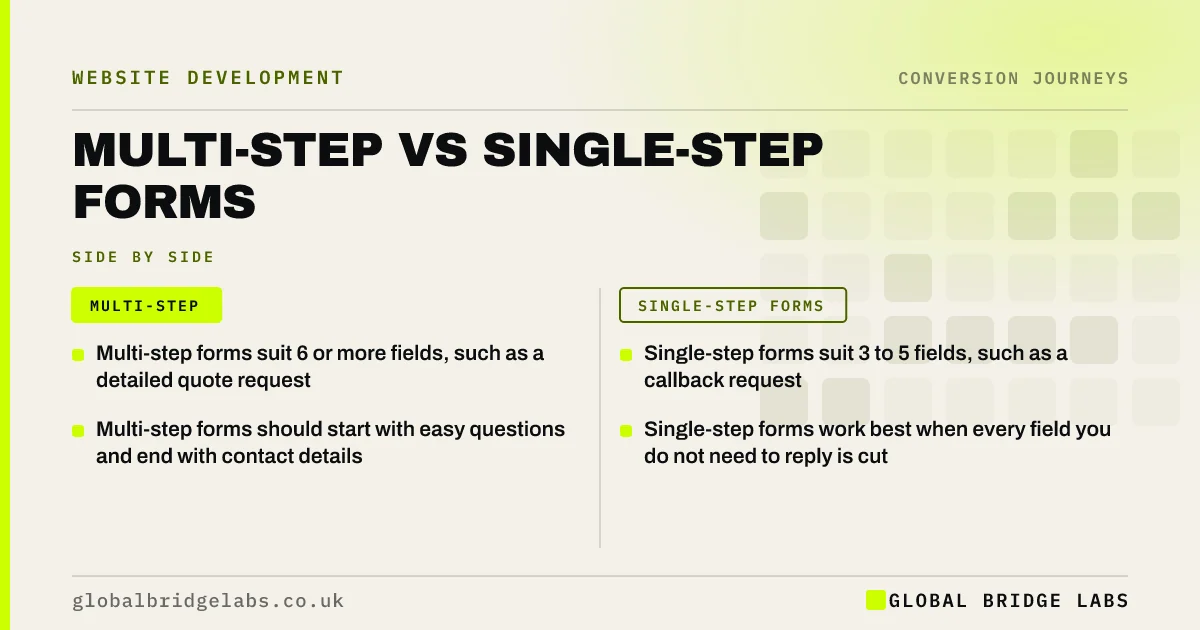
- Multi-step forms suit 6 or more fields, such as a detailed quote request.
- Single-step forms suit 3 to 5 fields, such as a callback request.
- Multi-step forms should start with easy questions and end with contact details.
- Single-step forms work best when every field you do not need to reply is cut.
Want a view on which form suits your enquiries? Message us on WhatsApp.
Chat on WhatsApp →What is the difference between multi-step and single-step forms?
A single-step form shows every field on one screen. A multi-step form splits the same questions across several short screens, with a progress indicator. Both can collect identical information. The difference is how the effort feels to the visitor.
When do multi-step forms convert better?
Multi-step forms tend to convert better when you genuinely need detail to quote, such as property type, size, budget and timescale. Breaking the questions up makes each step feel easy, and starting with simple multiple-choice questions draws visitors in before asking for contact details. GOV.UK's 'one thing per page' approach to forms rests on the same idea.
When do single-step forms convert better?
Single-step forms convert better when you only need a few details. A callback request with name, phone and a short message is quicker on one screen. Splitting three fields over three steps adds taps and loading for no benefit. Most small businesses need less information on first contact than they think.
How do you build a good multi-step form?
Keep each step short, start easy and save contact details for last.
- Step 1: one easy multiple-choice question (what do you need?).
- Steps 2 to 3: details needed to quote, mostly tap-to-select.
- Final step: name and phone or email.
- Show progress (step 2 of 4).
- Let visitors go back without losing answers.
- Track each step as an event to see where people drop out.
Want your quote form rebuilt as a multi-step form? Ask us on WhatsApp.
Chat on WhatsApp →What are the risks of multi-step forms?
Multi-step forms can hide how long the form is, which frustrates visitors if it turns out to be long. They can also break on some devices, lose data if a step fails, and be harder to make accessible. Test them on several phones, follow WCAG 2.2, and make sure partial answers are not lost.
What does this look like in practice?
A UK window and door company used a 12-field single-page quote form that many visitors started and few finished. We rebuilt it as four steps: product type, number of windows, postcode, then contact details. Completions rose noticeably in the first month, and the sales team received the same detail they needed to quote.
Form format checklist
- Count the fields you truly need on first contact.
- Use single-step for 3 to 5 fields.
- Use multi-step for 6 or more fields.
- Start with easy questions; end with contact details.
- Show progress and allow going back.
- Track each step and test on several phones.
Next step
The right form format depends on what you need to ask. We can help you decide, cut unnecessary fields and build a form that completes well on mobile.
Message us on WhatsApp for a form review, or book a 30-minute consultation.
Chat on WhatsApp →Sources and further reading
- Structuring forms · GOV.UK Service Manual
- Question pages pattern · GOV.UK Design System
- Web Content Accessibility Guidelines (WCAG) 2.2 · W3C
Frequently asked questions
Are multi-step forms better than single-step forms?
Often when you need more than four or five pieces of information, because each step feels easy and progress encourages completion. For short forms of three to five fields, a single step is usually quicker and converts as well or better.
How many steps should a multi-step form have?
Usually three to five, each with one to three questions. Start with easy multiple-choice questions and put contact details on the last step. Show progress so visitors know how much is left. Let visitors go back without losing their answers, and track each step so you can see where people drop out.
Should contact details come first or last in a form?
In multi-step forms, last. Visitors who have already answered easy questions are more likely to finish. In short single-step forms, order matters less, but keep the fields to the minimum needed to reply. Test the order if you have enough traffic, and watch completed enquiries rather than form starts.
How do I track multi-step form drop-off?
Send an event to Google Analytics 4 when each step is completed, and mark the final submission as a key event. Comparing step counts shows exactly where visitors abandon the form. Fix the step with the biggest drop first, then check the numbers again after a few weeks.
Written by

Global Bridge Labs (GBL) is a UK–Sri Lanka partner for social media, websites and BPO. Everything here comes from client delivery, not theory.