
On this page
- 01Key takeaways
- 02Will a new homepage hurt your rankings?
- 03What should you record before you change anything?
- 04What must stay the same?
- 05What should you check after launch?
- 06What if rankings do fall?
- 07When is some ranking loss acceptable?
- 08What does this look like in practice?
- 09Homepage SEO change checklist
- 10Next step
- 11Sources and further reading
- 12Frequently asked questions
Key takeaways
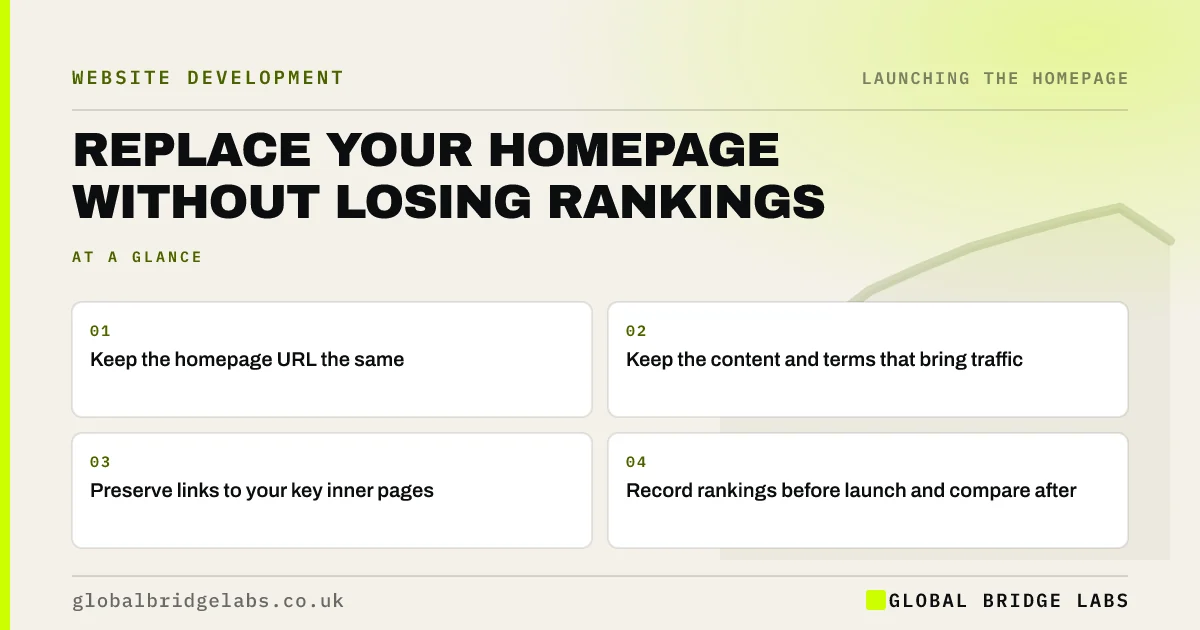
To change your homepage without losing SEO, keep the same URL, carry over the content and headings that rank, preserve internal links to key pages, and check titles, canonical tags and indexing. Record your current rankings first. A new design rarely causes a drop by itself; removing what search engines relied on does.
- Keep the homepage URL the same.
- Keep the content and terms that bring traffic.
- Preserve links to your key inner pages.
- Record rankings before launch and compare after.
Replacing a homepage that ranks? Message us on WhatsApp first.
Chat on WhatsApp →Will a new homepage hurt your rankings?
It can, if the change removes content, internal links or technical signals that search engines used. It will often have little effect if the page keeps its URL and topic. Some movement in the first few weeks is normal. A design change is not the risk; a content or structure change is.
What should you record before you change anything?
Export the Search Console queries for your homepage, the pages it links to, its title and meta description, its structured data and current rankings for your main terms. Save a full copy of the page. You can then compare like with like, rather than relying on memory after launch.
What must stay the same?
Keep the URL, the main topic, the key terms in natural language and your links to important pages. If a section brings in valuable queries, keep its substance, even if you rewrite it. Keep structured data and hreflang if you use them. Treat cutting text as a decision with a cost.
- The homepage URL and canonical tag.
- Content that answers queries you rank for.
- Internal links to key pages.
- Structured data.
- Title tag, unless you have a reason to change it.
What should you check after launch?
Check that the page is indexable, that canonical tags are correct, that no staging blocks remain and that images and scripts load. Inspect the URL in Search Console. Compare clicks and rankings after two to four weeks, allowing for seasonality, and look at branded and non-branded queries separately.
What if rankings do fall?
First check for technical errors and any removed content. Compare queries before and after to see what was lost, then restore the substance where it matters. Allow a few weeks if nothing is broken. Do not roll back in a panic, as repeated changes make the cause harder to find.
When is some ranking loss acceptable?
It can be acceptable when your old page ranked for terms that brought the wrong visitors. If enquiries rise while broad traffic falls, the change has worked. Judge the result by qualified leads and revenue, not by a traffic graph. Search traffic that never buys has little value.
What does this look like in practice?
A pattern we see: an old, wordy homepage is replaced with a sleek one holding a fraction of the text, and traffic falls because the page no longer covers the services it used to rank for. Adding those topics back as well-structured sections usually recovers most of it, without losing the new design.
Homepage SEO change checklist
- Export Search Console queries.
- Save a full copy of the old page.
- Keep the URL.
- Keep content that brings traffic.
- Keep key internal links.
- Check indexing after launch.
- Compare after two to four weeks.
Next step
Export your homepage's top queries from Search Console today. Any new version of the page must still answer the ones that bring you buyers.
Message us on WhatsApp for help with a safe homepage change, or book a 30-minute consultation.
Chat on WhatsApp →Sources and further reading
- Performance report (Search results) · Search Console Help
- Influencing your title links in search results · Google Search Central
- Site moves with URL changes · Google Search Central
- Creating helpful, reliable, people-first content · Google Search Central
Frequently asked questions
Will changing my homepage affect SEO?
It can. Keeping the URL, main topic, key content and internal links limits the risk. Changing only the design usually has less effect than changing content or structure. Some fluctuation in the first weeks is normal.
How long does SEO take to recover after a homepage change?
Minor fluctuation often settles in a few weeks. If something important was removed, recovery depends on restoring it. Check for technical errors first, and compare queries before and after, in order to identify what has changed.
Should I change my homepage title when redesigning?
Only if you have a reason. Keep it if it is performing well, and test any change on its own. Changing several things at once makes it harder to find out what affected your results.
Written by

Global Bridge Labs (GBL) is a UK–Sri Lanka partner for social media, websites and BPO. Everything here comes from client delivery, not theory.


