On this page
- 01Key takeaways
- 02Why do tools matter when you outsource?
- 03Which tools does an outsourced support team need?
- 04Which tools does a back-office team need?
- 05Where should procedures live?
- 06Which security tools are essential?
- 07What do the tools cost?
- 08What if your tools are not ready?
- 09What does this look like in practice?
- 10Checklist: prepare your tools
- 11Next step
- 12Sources and further reading
- 13Frequently asked questions
Key takeaways
Tools for outsourced teams should keep the work, the data and the knowledge inside your systems. Most SMEs need six things: a helpdesk or shared inbox, a CRM, a cloud phone system, a knowledge base, a password manager with multi-factor authentication, and a simple reporting view. Many already have most of them.
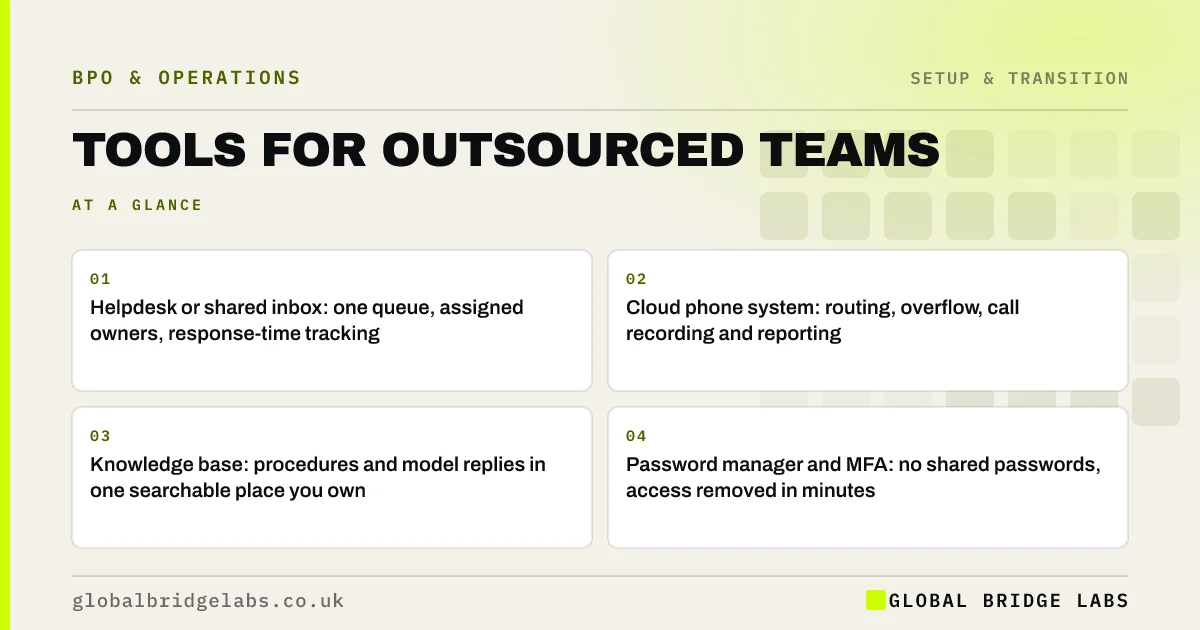
- Helpdesk or shared inbox: one queue, assigned owners, response-time tracking.
- Cloud phone system: routing, overflow, call recording and reporting.
- Knowledge base: procedures and model replies in one searchable place you own.
- Password manager and MFA: no shared passwords, access removed in minutes.
- Budget for per-user licences when the team joins.
Not sure your tools are ready for an outsourced team? Message us on WhatsApp with what you use now.
Chat on WhatsApp →Why do tools matter when you outsource?
Tools decide whether an outsourced team works inside your business or alongside it. When the team uses your helpdesk, CRM and phone system, every conversation and record stays in one place, you can see the work at any time, and changing provider does not mean losing history.
Tools also make business process outsourcing (BPO) measurable. Service levels, volumes and quality all come from system data, not from someone's impression.
Which tools does an outsourced support team need?
A support team needs a single queue for every channel, so nothing is missed or answered twice, and a way to see customer history.
- Helpdesk or shared inbox covering email, chat and social messages.
- WhatsApp Business Platform connected to the shared inbox.
- Cloud phone system with routing, overflow and recording.
- CRM or order system access for customer and order history.
- Canned responses and macros drawn from your model replies.
Which tools does a back-office team need?
A back-office team needs access to the systems where the work lands, with permissions limited to the task.
- Accounting software with limited roles, such as invoicing without payment rights.
- CRM with create and edit rights but restricted export.
- Document storage with folder-level permissions.
- Task or workflow tool to track work in progress and backlog.
Where should procedures live?
Procedures should live in a knowledge base or shared drive that you own, not in the provider's systems. That way they stay yours if you change provider or bring the work back in-house, and your own staff can use them too. Link model replies directly into the helpdesk so the team uses the current version.
Which security tools are essential?
Every team member needs an individual login with multi-factor authentication. A password manager lets you share access to tools without revealing passwords, and remove it in minutes when someone leaves. Use role-based permissions so each person sees only what their work needs, and keep activity logs switched on.
The National Cyber Security Centre's Small Business Guide and the Cyber Essentials scheme are good UK baselines. The DSIT Cyber Security Breaches Survey 2025/2026 found 43% of UK businesses reported a breach or attack in the previous year, most commonly phishing.
What do the tools cost?
Most business tools charge per user per month, so adding an outsourced team adds licences. Check your plans before go-live: some tools allow light or agent-only seats at lower cost. Include licence costs when comparing outsourcing with hiring; a new employee needs the same licences.
As indicative market ranges, managed offshore BPO costs around £9–£18 per hour and typically covers the team's own equipment and connectivity, while licences for your systems sit with you.
Want a costed plan including the licences you would need? Send us your current tool list on WhatsApp and we will discuss your requirements.
Chat on WhatsApp →What if your tools are not ready?
If your business runs on one shared email password, a personal WhatsApp and spreadsheets, fix the basics first: individual accounts, a shared inbox and a password manager. That is worth doing whether or not you outsource, and it is often the first step a good provider will suggest.
What does this look like in practice?
Global Bridge Labs (GBL) teams work inside the client's own systems rather than on copies of their data, with role-based and logged access. The process is written down in a place the client controls, so quality does not depend on one person and the knowledge stays with the business.
Checklist: prepare your tools
Work through these before go-live.
- List every system the team will need.
- Check per-user licence costs and plan types.
- Create individual accounts with MFA.
- Set role-based permissions and restrict exports.
- Set up a password manager for shared tools.
- Move procedures into a knowledge base you own.
- Confirm reporting for volumes and service levels.
Next step
Send us your tool list and we will tell you what is ready, what needs changing, and what it would cost to set up an outsourced team properly. 30 minutes, no pitch.
Message us on WhatsApp with your tool list, or book a 30-minute consultation.
Chat on WhatsApp →Sources and further reading
- Small Business Guide: cyber security · National Cyber Security Centre
- Cyber Essentials overview · National Cyber Security Centre
- Cyber security breaches survey 2025/2026 · DSIT and Home Office
Frequently asked questions
What software does an outsourced team need?
Typically a helpdesk or shared inbox, a CRM, a cloud phone system, a knowledge base for procedures, a password manager with multi-factor authentication, and access to any finance or order systems the work touches. Most SMEs already have several of these and add user licences.
Should the outsourced team use our tools or theirs?
Your tools, wherever possible. That keeps data, history and procedures in systems you control, lets you see the work, and makes changing provider or bringing work back in-house straightforward. The provider may add its own quality and workforce tools on top.
How do I share passwords safely with an outsourced team?
Do not share passwords directly. Give each person an individual account with multi-factor authentication, and use a password manager for any tool that cannot support individual accounts. That way access can be removed in minutes and activity can be traced to a person.
Do I need a helpdesk to outsource customer support?
For more than a trickle of contacts, yes, or at least a proper shared inbox. A helpdesk gives one queue, assignment, response-time tracking and history. Outsourcing support through a single shared email login makes quality, security and reporting almost impossible.
Written by

Global Bridge Labs (GBL) is a UK–Sri Lanka partner for social media, websites and BPO. Everything here comes from client delivery, not theory.