On this page
- 01Key takeaways
- 02What is team capacity?
- 03How do you calculate available hours?
- 04How do you measure the work arriving?
- 05What utilisation rate means you need help?
- 06Why measure capacity by process rather than by person?
- 07How does capacity measurement support an outsourcing decision?
- 08What are the limits of capacity measurement?
- 09What does a simple capacity sheet look like?
- 10What does this look like in practice?
- 11Capacity measurement checklist
- 12Next step
- 13Sources and further reading
- 14Frequently asked questions
Key takeaways
How to measure team capacity: compare the hours your team has available each week with the hours of work arriving, after taking out holidays, meetings and interruptions. Track it for 8 to 12 weeks. When work arriving consistently exceeds about 85% of available hours, add capacity through outsourcing, hiring or a process fix.
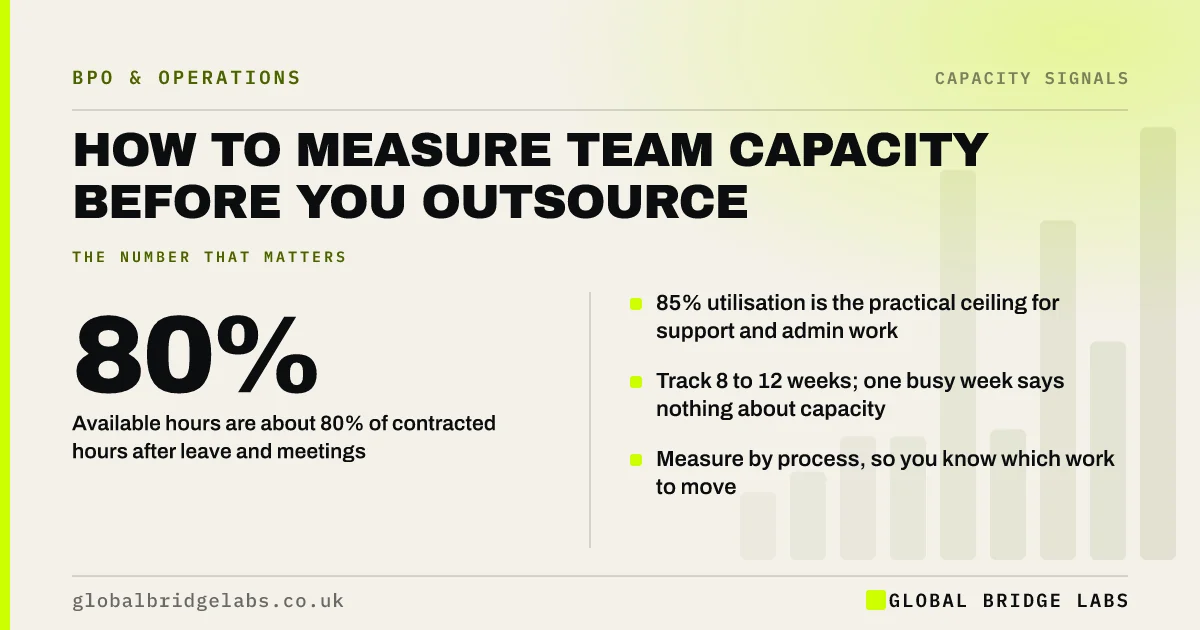
- Available hours are about 80% of contracted hours after leave and meetings.
- 85% utilisation is the practical ceiling for support and admin work.
- Track 8 to 12 weeks; one busy week says nothing about capacity.
- Measure by process, so you know which work to move.
Want a simple capacity sheet? Message us on WhatsApp and ask for the capacity template.
Chat on WhatsApp →What is team capacity?
Team capacity is the number of productive hours a team can give to its core work in a week, after holidays, sickness, meetings and interruptions. It is always lower than contracted hours. Knowing it lets you see, in numbers, when the work arriving is more than the team can handle.
How do you calculate available hours?
Start with contracted hours and take out the time not available for core work. A full-time employee on 37.5 hours a week with 28 days of statutory holiday has about 33 hours a week on average. Take out meetings, training and breaks between tasks, and 28 to 30 productive hours is typical.
- Contracted hours per week, per person.
- Minus average holiday: 5.6 weeks a year under UK law.
- Minus average sickness and training.
- Minus regular meetings and admin about the work.
- Result: productive hours available for the process.
How do you measure the work arriving?
Count work items by type each week and multiply by the average handling time. For example, 400 emails at 6 minutes each is 40 hours. Time a sample of 20 to 30 items of each type to get a realistic average, because estimates are usually low. Include the rework and chasing each item creates.
What utilisation rate means you need help?
Utilisation is work arriving divided by productive hours available. For support and admin work, 75% to 85% is healthy. Above 85%, queues grow quickly because there is no slack for busy hours. If utilisation stays above 90% for more than a month, customers and staff will feel it soon.
- Under 70%: spare capacity; look for work to bring in-house.
- 70% to 85%: healthy; monitor monthly.
- 85% to 95%: at capacity; plan extra help now.
- Above 95%: overloaded; add capacity urgently.
Send us your utilisation numbers on WhatsApp and we will tell you what they mean for your team.
Chat on WhatsApp →Why measure capacity by process rather than by person?
Because you add capacity to processes, not to people. Knowing that the team is 110% loaded does not tell you what to move. Knowing that inbox handling takes 40 hours a week and invoicing 12 tells you exactly what an outsourced seat would take on, and what it would cost.
How does capacity measurement support an outsourcing decision?
It sizes the gap and the scope. If the team is short by 15 hours a week of inbox work, you need a part-time seat, not a team. It also gives you a baseline: once the work is outsourced, you can see whether the in-house team's utilisation has fallen to a healthy level and whether customers are served faster.
What are the limits of capacity measurement?
It measures volume, not difficulty or quality. A team can be within capacity and still make errors because the process is unclear. It also misses the load on key people, such as the one person who handles all escalations. Use it with the backlog trend and a quality check, not on its own.
What does a simple capacity sheet look like?
A capacity sheet needs one row per process and a handful of columns. Update the volume column weekly and the handling time every quarter. The utilisation column is the one to watch: it tells you which process will break first and roughly how many hours of help it needs.
- Process name and who does it today.
- Weekly volume and average handling time in minutes.
- Hours of work per week: volume multiplied by handling time.
- Productive hours available for that process.
- Utilisation: work hours divided by available hours.
- Gap in hours when utilisation is above 85%.
What does this look like in practice?
A pattern we see in UK e-commerce brands: the team feels overloaded but cannot say by how much. Two weeks of counting shows 60 hours of email and 15 hours of returns admin a week, against 58 productive hours. That clear 17-hour gap becomes the scope for a part-time outsourced seat.
Capacity measurement checklist
Build your capacity sheet with these steps.
- List each person's contracted hours.
- Take out holiday, sickness, training and meetings.
- Count weekly work items by type.
- Time 20 to 30 items of each type.
- Calculate utilisation by process.
- Track for 8 to 12 weeks and act above 85%.
Next step
Send us your capacity numbers or ask for our template. We will help you size the gap and decide how to fill it.
Message us on WhatsApp for the capacity template, or book a 30-minute consultation.
Chat on WhatsApp →Sources and further reading
- Holiday entitlement · GOV.UK
- Maximum weekly working hours · GOV.UK
- National Minimum Wage and National Living Wage rates · GOV.UK
Frequently asked questions
How do you calculate team capacity?
Take each person's contracted hours, subtract holiday, sickness, training and meetings to get productive hours, then compare with the hours of work arriving, calculated as items multiplied by average handling time. Utilisation above about 85% for several weeks means the team needs extra capacity.
What is a good capacity utilisation rate?
For support and admin teams, 75% to 85% is healthy. It leaves slack for busy hours and interruptions. Consistently above 85% means queues will grow; above 95% means the team is overloaded and errors and turnover are likely to follow.
How many productive hours does a full-time employee have?
Typically 28 to 30 hours a week on core work. A 37.5-hour week becomes about 33 hours after 28 days of statutory holiday, and meetings, training and breaks between tasks take more. Plan capacity on productive hours, not contracted hours.
Written by

Global Bridge Labs (GBL) is a UK–Sri Lanka partner for social media, websites and BPO. Everything here comes from client delivery, not theory.