On this page
- 01Key takeaways
- 02How should a website show holiday opening hours?
- 03Which dates need planning each year?
- 04Why must Google match your website?
- 05What should you say about urgent enquiries?
- 06What about delivery and order cut-offs?
- 07When can a banner make things worse?
- 08What does this look like in practice?
- 09Holiday hours checklist
- 10Next step
- 11Sources and further reading
- 12Frequently asked questions
Key takeaways
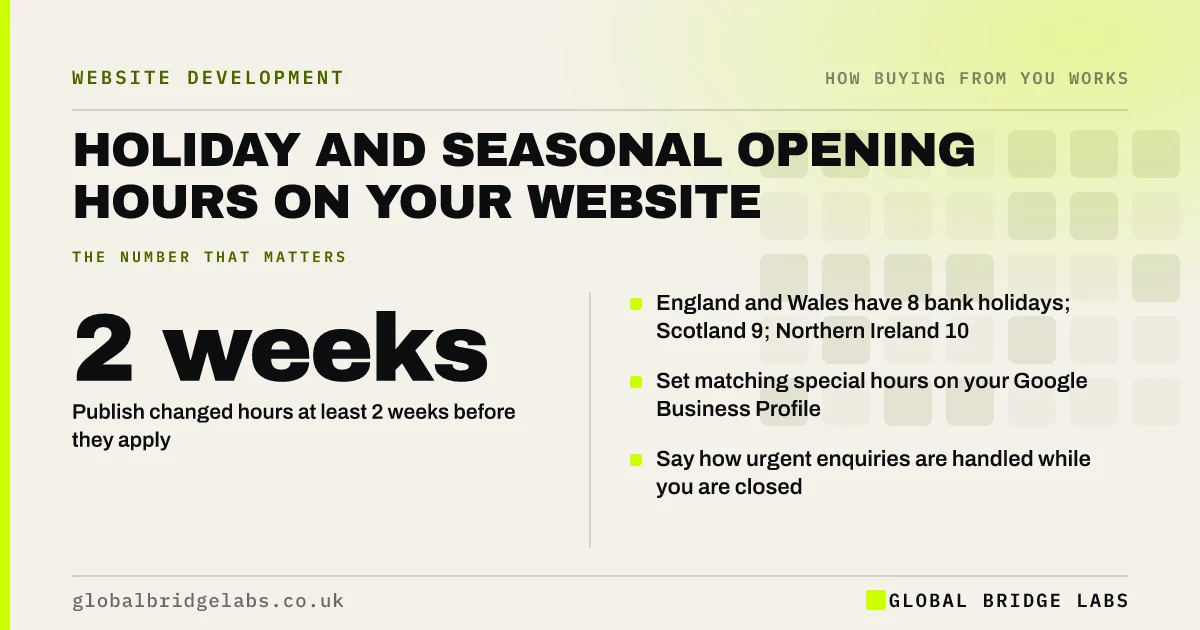
Show holiday and seasonal hours on your website at least two weeks before they apply, in the same place as your normal hours, and set matching special hours on your Google Business Profile. England and Wales have 8 bank holidays a year, Scotland 9 and Northern Ireland 10, so a short yearly routine prevents wasted journeys and missed calls.
- Publish changed hours at least 2 weeks before they apply.
- England and Wales have 8 bank holidays; Scotland 9; Northern Ireland 10.
- Set matching special hours on your Google Business Profile.
- Say how urgent enquiries are handled while you are closed.
Want a yearly hours routine? Message us on WhatsApp.
Chat on WhatsApp →How should a website show holiday opening hours?
Show holiday hours next to your normal hours, as dated exceptions: 'Closed 25 and 26 December; open 10am to 2pm on 27 December.' Add a short banner on the homepage only for the closure period. Global Bridge Labs (GBL) recommends publishing at least two weeks ahead, so people planning visits or orders see it in time.
Which dates need planning each year?
Plan for bank holidays, Christmas and New Year, your own shutdowns and any seasonal hours. GOV.UK lists bank holidays for each nation: 8 in England and Wales, 9 in Scotland and 10 in Northern Ireland. Businesses serving more than one nation should note the differences, such as Scotland's 2 January.
Why must Google match your website?
Many people see your hours on Google before they reach your site. Google Business Profile lets you set special hours for specific dates, and buyers trust whichever source they see first. If Google says open and your door is locked, the website warning will not help them.
What should you say about urgent enquiries?
Say what happens to enquiries while you are closed: when you will reply, whether there is an emergency line, and where to go for urgent help. 'Messages received over Christmas will be answered from 2 January' is enough for most firms. Trades and care services may need an emergency number.
What about delivery and order cut-offs?
Online sellers should publish last order dates for pre-holiday delivery and when dispatch resumes. Under the Consumer Rights Act 2015, goods must be delivered within 30 days unless you agree otherwise, so if holidays stretch delivery, say so before the order.
When can a banner make things worse?
A banner makes things worse when it stays up after the dates pass, contradicts the hours shown lower down or covers the page on a phone. Set a reminder to remove it, and keep the dated exceptions in the hours section, not only in the banner.
What does this look like in practice?
A pattern we see every January: customers arrive at a closed shop or phone an unanswered line because Google showed normal hours over Christmas. A simple calendar routine, updating the website and Google special hours together in early December, prevents it.
Holiday hours checklist
- List this year's bank holidays and closures.
- Add dated exceptions beside normal hours.
- Set Google special hours for the same dates.
- Say how urgent enquiries are handled.
- Publish order cut-offs if you sell online.
- Remove banners after the dates pass.
Next step
Put a reminder in your calendar for the first working day of each month with a bank holiday: update the website and Google hours together.
Message us on WhatsApp for a website and Google hours check, with no pitch.
Chat on WhatsApp →Sources and further reading
- UK bank holidays · GOV.UK
- Google Business Profile Help · Google
- Consumer Rights Act 2015 · legislation.gov.uk
Frequently asked questions
How do I show Christmas opening hours on my website?
List the changed dates beside your normal hours, for example 'Closed 25 and 26 December', and add a short homepage banner during the period. Set the same dates as special hours on your Google Business Profile, and say when messages will be answered.
How far in advance should I post holiday hours?
Publish them at least two weeks before they apply, and earlier for Christmas if customers plan orders or visits. Update Google special hours at the same time so both sources agree.
Do I need to update Google as well as my website?
Yes. Many customers see Google's hours first, especially on maps. Set special hours for each holiday date in your Google Business Profile so they match the website. Otherwise people may turn up or call while you are closed.
Written by

Global Bridge Labs (GBL) is a UK–Sri Lanka partner for social media, websites and BPO. Everything here comes from client delivery, not theory.