On this page
- 01Key takeaways
- 02Should your website show an emergency contact number?
- 03What details should go with the number?
- 04What if you do not offer emergency cover?
- 05How do you avoid over-promising?
- 06Where should emergency details appear?
- 07When should emergency details stay low-key?
- 08What does this look like in practice?
- 09Emergency contact checklist
- 10Next step
- 11Sources and further reading
- 12Frequently asked questions
Key takeaways
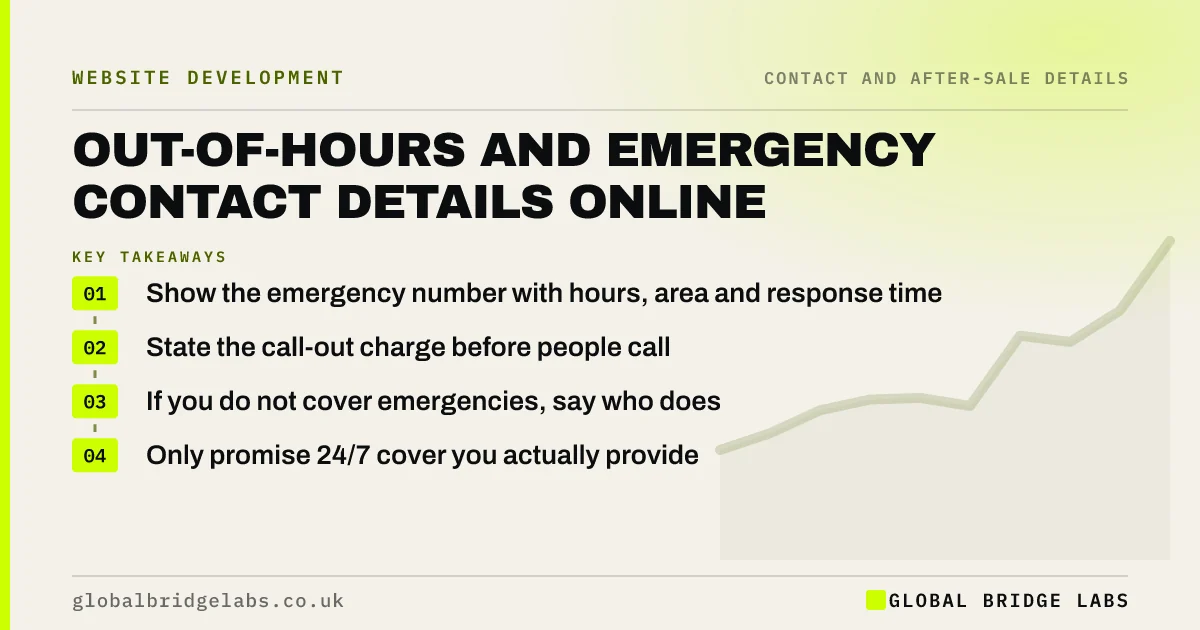
If you offer an emergency or out-of-hours service, show the number prominently with the hours it covers, typical response times, the area and any call-out charge. If you do not, say so and point to who can help, such as a gas emergency line. Unclear emergency information costs trust when customers need you most.
- Show the emergency number with hours, area and response time.
- State the call-out charge before people call.
- If you do not cover emergencies, say who does.
- Only promise 24/7 cover you actually provide.
Want your emergency information reviewed? Message us on WhatsApp.
Chat on WhatsApp →Should your website show an emergency contact number?
Yes, if you provide an emergency or out-of-hours service. Show the number where a panicking customer will see it first, usually the header on mobile, with the hours, area, typical response time and charges. Global Bridge Labs (GBL) sees emergency details drive urgent calls for trades, IT support and property services.
What details should go with the number?
Give the hours covered, the area, what counts as an emergency, the typical response time and the call-out charge or price guidance. Customers in a crisis are vulnerable to surprise bills, so stating charges up front builds trust and reduces disputes.
What if you do not offer emergency cover?
Say so clearly, and point to who can help. For example, a heating engineer might link to the national gas emergency number for a suspected leak. This avoids customers waiting for a reply that will not come and shows you care about their safety.
How do you avoid over-promising?
Only advertise '24/7' if someone really answers at 3am on a bank holiday. If cover is limited, describe it exactly: 'Emergency line 7am to 10pm, seven days'. The CMA's guidance on unfair commercial practices covers misleading claims about service availability.
Where should emergency details appear?
Put the emergency number in the mobile header, on the contact page, on relevant service pages and on your Google Business Profile. Keep the hours consistent everywhere. Add it to your voicemail message and out-of-office email replies.
When should emergency details stay low-key?
Keep them low-key when emergencies are a small part of your work and you do not want to attract only urgent jobs. A line on the contact page for existing customers may be enough. Make it prominent only if you want and can handle that work.
What does this look like in practice?
A pattern we see in trades: '24-hour emergency service' appears in the footer, but evening calls go to voicemail. Rewriting it to state the real hours and the call-out charge sets honest expectations, and the calls that arrive are from customers who accept the terms.
Emergency contact checklist
- State the hours covered.
- Define what counts as an emergency.
- Give the area and response time.
- Show call-out charges.
- Point to other help if you do not cover it.
- Match Google and voicemail messages.
Next step
Call your own emergency number at 9pm this week. If it does not do what the website says, change one or the other.
Message us on WhatsApp for an emergency information check, with no pitch.
Chat on WhatsApp →Sources and further reading
- Unfair commercial practices guidance (CMA207) · Competition and Markets Authority
- Google Business Profile Help · Google
Frequently asked questions
Should I put a 24-hour number on my website?
Only if someone answers it 24 hours a day. If cover is limited, state the real hours. Advertising cover you do not provide can mislead customers in urgent situations and may breach consumer protection law.
Should I show emergency call-out charges on my website?
Yes. People in an emergency are vulnerable to unexpected bills. Showing the call-out charge or a price guide before they call builds trust and reduces disputes afterwards. Prices for consumers must include VAT.
What if I do not offer emergency services?
Say so clearly and point customers to who can help, such as a national emergency line or a partner firm. It saves them waiting for a reply that will not come, and it shows you care about their situation even when you cannot help.
Written by

Global Bridge Labs (GBL) is a UK–Sri Lanka partner for social media, websites and BPO. Everything here comes from client delivery, not theory.