
On this page
- 01Key takeaways
- 02Why show Google reviews on your website?
- 03What are the options for displaying them?
- 04What do the rules allow?
- 05Where should reviews go?
- 06When do reviews on your site not help?
- 07What does this look like in practice?
- 08Google reviews display checklist
- 09Next step
- 10Sources and further reading
- 11Frequently asked questions
Key takeaways
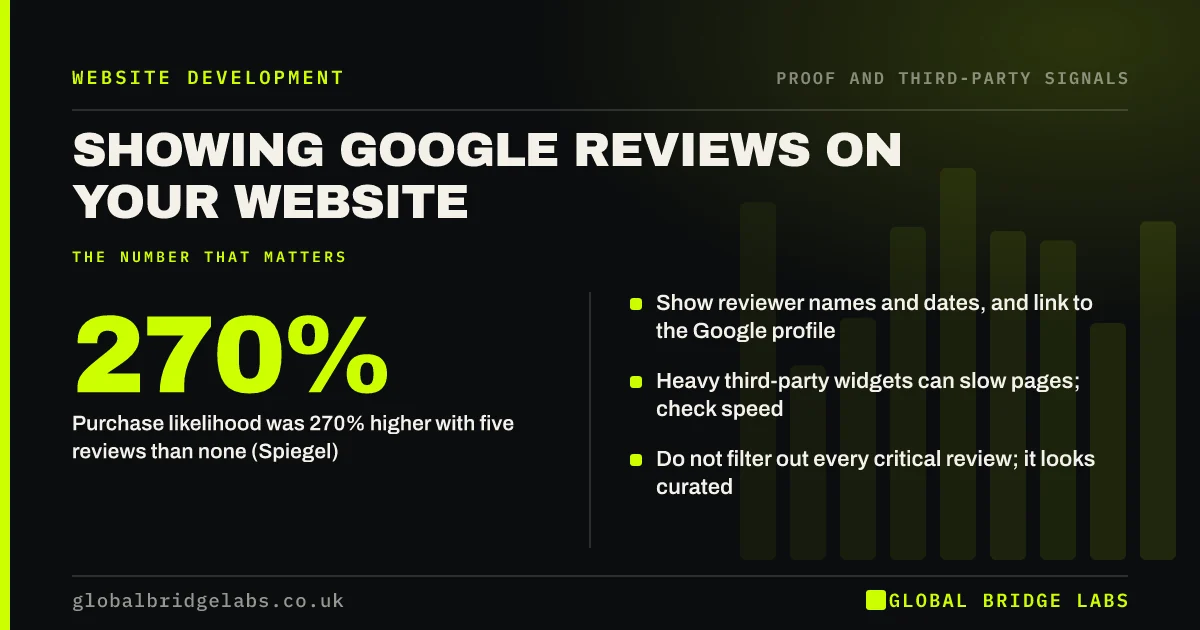
Showing Google reviews on your website turns your reputation into on-page proof. Use a lightweight widget or quote selected reviews with the reviewer's name and date, and always link to your Google profile so visitors can check. Spiegel Research Center found purchase likelihood was 270% higher for products with five reviews than with none.
- Purchase likelihood was 270% higher with five reviews than none (Spiegel).
- Show reviewer names and dates, and link to the Google profile.
- Heavy third-party widgets can slow pages; check speed.
- Do not filter out every critical review; it looks curated.
Want your reviews shown without slowing the site? Message us on WhatsApp.
Chat on WhatsApp →Why show Google reviews on your website?
Most buyers check reviews before contacting a business, and many do it on Google. Showing reviews on your site saves them the trip and puts proof next to the decision. Research from Northwestern University's Spiegel Research Center found displaying reviews raised purchase likelihood substantially, with the biggest jump from no reviews to the first few.
What are the options for displaying them?
There are three common approaches, each with trade-offs.
- Widget: shows live reviews automatically; can add scripts that slow the page.
- Quoted reviews: copy selected reviews as text with name, date and star rating; fast, needs updating.
- Rating badge: shows your average and count with a link; light and simple.
What do the rules allow?
Quote reviews accurately and do not edit their meaning. UK law under the Digital Markets, Competition and Consumers Act 2024 bans fake reviews and publishing reviews in a misleading way, such as hiding negative ones while implying a full picture. Google's policies prohibit fake or incentivised reviews and selectively asking only happy customers.
- Fake reviews law in the UK: what businesses must know
- Should you show negative reviews on your website?
Want your review display checked for speed and compliance? Message us on WhatsApp and we will discuss your requirements.
Chat on WhatsApp →Where should reviews go?
Put an overall rating and two or three short reviews near the top of the homepage, then relevant reviews on each service page, beside the contact form and on pricing pages. Match reviews to the page: a review mentioning boiler repairs belongs on the boiler repair page.
When do reviews on your site not help?
They help less if you have very few reviews, if they are years old or if your rating is poor. Fix the review flow first by asking every satisfied customer. Reviews will not help either if they are impossible to verify, such as anonymous quotes with no link to an independent platform.
What does this look like in practice?
A pattern we see: a business installs a review carousel that loads several scripts and slows the homepage noticeably on phones. Replacing it with three quoted reviews, the star average and a 'Read all reviews on Google' link keeps the proof and restores speed.
Google reviews display checklist
- Show rating, count and a link to your Google profile.
- Quote reviews accurately with name and date.
- Match reviews to the service on each page.
- Check widgets do not slow the page.
- Refresh quoted reviews every quarter.
Next step
Pick your three best recent Google reviews and add them, with names and dates, to your homepage this week.
Message us on WhatsApp for a proof and credibility review, or book a 30-minute consultation.
Chat on WhatsApp →Sources and further reading
- How online reviews influence sales · Spiegel Research Center, Northwestern University
- Maps user-generated content policy: prohibited and restricted content · Google
- Digital Markets, Competition and Consumers Act 2024, Schedule 20 (banned practices, including fake reviews) · legislation.gov.uk
Frequently asked questions
Can I put Google reviews on my website?
Yes. You can quote reviews accurately with the reviewer's name and date, use a widget that pulls them in, or show your rating with a link. Do not edit their meaning and do not present a selection as if it were all your reviews.
Do review widgets slow down a website?
Some do, because they load third-party scripts and fonts. Test page speed before and after adding one. Quoting reviews as text with a link to your Google profile is the fastest option.
Will Google reviews on my site show stars in search results?
Usually not. Since 2019, Google does not show review stars for reviews a local business or organisation displays about itself. Your Google Business Profile shows your rating in local results instead.
Written by

Global Bridge Labs (GBL) is a UK–Sri Lanka partner for social media, websites and BPO. Everything here comes from client delivery, not theory.


