On this page
- 01Short answer
- 02What is GA4?
- 03Why do most small business GA4 setups miss the point?
- 04How do you set up GA4 step by step?
- 05How should GA4 work with cookie consent?
- 06Which GA4 reports should you actually use?
- 07When is GA4 more than you need?
- 08What does this look like in practice?
- 09GA4 checklist
- 10Next step
- 11Sources and further reading
- 12Frequently asked questions
Short answer
A good GA4 setup for a small business website does four things: records every enquiry as a key event, keeps traffic sources clean with UTM tags, respects cookie consent, and produces a simple monthly view of enquiries by channel. Most of the default reports can be ignored once those are in place.
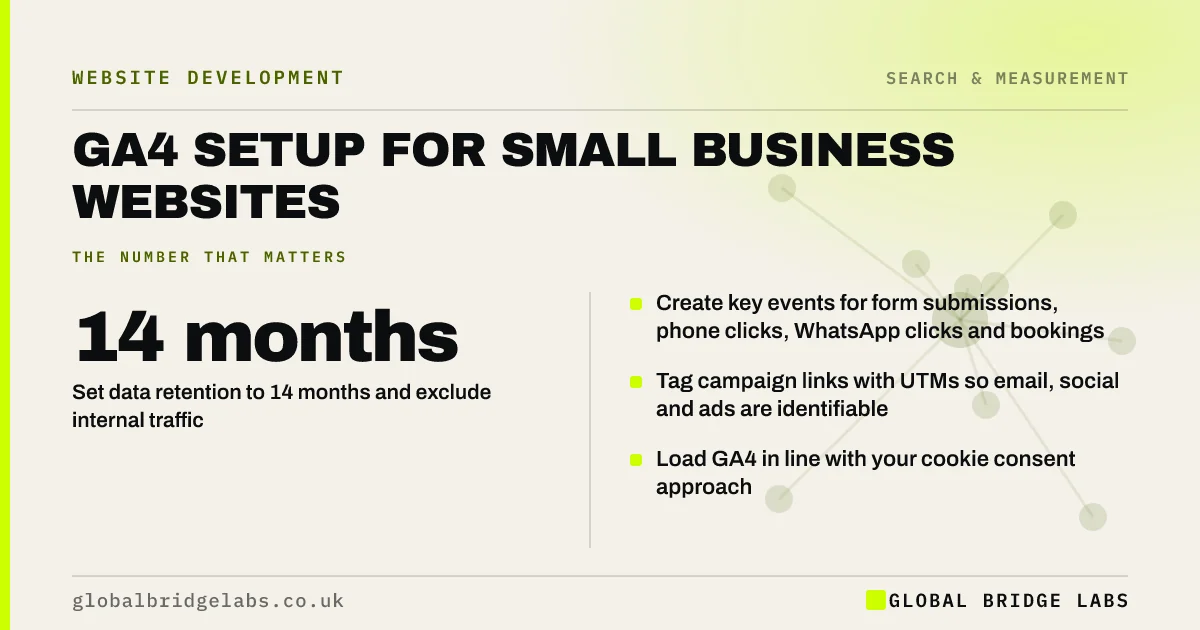
- Create key events for form submissions, phone clicks, WhatsApp clicks and bookings.
- Tag campaign links with UTMs so email, social and ads are identifiable.
- Set data retention to 14 months and exclude internal traffic.
- Load GA4 in line with your cookie consent approach.
- Link GA4 with Search Console and Google Ads if you use them.
Want GA4 checked or set up to track enquiries properly? Message us on WhatsApp.
Chat on WhatsApp →What is GA4?
Google Analytics 4 (GA4) is Google's current web and app analytics platform. It records visits and interactions as events, and lets businesses mark important events, such as enquiries or purchases, as key events so they can be measured and attributed to traffic sources.
GA4 replaced Universal Analytics, which stopped processing data in July 2023. If your reports still refer to goals or conversions from the old system, the set-up needs attention.
Why do most small business GA4 setups miss the point?
Most are installed and left on defaults. They record page views and sessions, but not enquiries, so the business can see how many people arrived and nothing about what they did.
GA4's enhanced measurement tracks some interactions automatically, such as scrolls and outbound clicks, but its form tracking is unreliable for many form tools, and phone and WhatsApp clicks need specific configuration.
- No key events configured.
- Staff visits inflating traffic.
- Campaign links with no UTMs, so traffic appears as direct.
- Data retention left at two months, limiting explorations.
- Nobody in the business with admin access.
How do you set up GA4 step by step?
This order gets a small business to useful data in an afternoon.
- 1. Create the property in a Google account owned by the business.
- 2. Install the tag directly or through Google Tag Manager.
- 3. Set data retention to 14 months in Admin.
- 4. Define internal traffic by IP and filter it out.
- 5. Create events for form submissions, phone link clicks, WhatsApp clicks and bookings.
- 6. Mark those events as key events.
- 7. Link Search Console and Google Ads.
- 8. Test every event with DebugView before relying on it.
How should GA4 work with cookie consent?
Under PECR, analytics cookies have historically required consent in the UK. The Data (Use and Access) Act 2025 introduces exemptions for some low-risk analytics, being brought into force in stages, so check the ICO's current guidance.
In practice, configure GA4 to respect your consent banner, using Google's Consent Mode where appropriate. Expect some visitors not to be counted, and judge trends rather than absolute numbers.
Want GA4 and your cookie banner configured to work together? Message us on WhatsApp.
Chat on WhatsApp →Which GA4 reports should you actually use?
For a monthly review, three views are enough: Traffic acquisition by session default channel group with key events, Landing pages with key events, and key events broken down by event name.
Save these as a simple dashboard or Looker Studio report and review them on the same day each month. Record the numbers alongside actual enquiries received, so you can spot tracking gaps.
Ignore most of the rest until a question requires it. Demographic reports, engagement time and user paths are interesting, but they rarely change a decision for a small business. The discipline of looking at the same three views every month is what turns analytics into action.
When is GA4 more than you need?
For a very small site, GA4's complexity can outweigh its value. Simpler privacy-focused analytics tools may provide enough, especially if they avoid cookies. The trade-off is integration: GA4 links with Google Ads and Search Console, which matters if you advertise.
Whatever tool you choose, the principle is the same: measure enquiries by source, not just visits.
What does this look like in practice?
A pattern in audits: GA4 installed twice, once by the theme and once by a plugin, doubling every page view, with no key events and a property owned by a former contractor.
Removing the duplicate, transferring ownership, adding key events for forms, calls and WhatsApp, and excluding internal traffic turns the data from misleading to useful. For the first time, the business can see which channels produce enquiries.
GA4 checklist
Confirm each item, then review monthly.
- Own the property in a business account.
- Install the tag once only.
- Set retention to 14 months.
- Exclude internal traffic.
- Create and mark key events.
- Test events in DebugView.
- Link Search Console and Ads.
- Respect consent settings.
- Save a monthly report view.
Next step
If your analytics shows visits but not enquiries, we will check your GA4 set-up with you in 30 minutes and list what to add.
Message us on WhatsApp for a GA4 review, or book a 30-minute consultation.
Chat on WhatsApp →Sources and further reading
- About key events · Google Analytics Help
- URL builders: collect campaign data with custom URLs · Google Analytics Help
- Cookies and similar technologies under PECR · Information Commissioner's Office
Frequently asked questions
How do I set up GA4 for my small business?
Create a GA4 property in a business-owned Google account, install the tag once, set data retention to 14 months, exclude internal traffic, create events for enquiries such as forms, calls and WhatsApp clicks, mark them as key events, link Search Console, and test everything in DebugView.
What are key events in GA4?
Key events are the actions you mark as important in Google Analytics 4, such as form submissions, phone clicks, bookings or purchases. They replaced the term conversions in GA4 and let you see which channels and pages produce valuable outcomes, not just visits.
Does GA4 need cookie consent in the UK?
Historically, yes, under PECR. The Data (Use and Access) Act 2025 introduces exemptions for some low-risk analytics, being brought into force in stages. Check the ICO's current guidance, configure GA4 to respect your consent banner and expect some visitors not to be counted.
Why does GA4 show different numbers from my enquiries?
Common causes are missing key events, visitors who decline cookies, duplicate tags, enquiries made by phone without tracked clicks, and spam form submissions. Compare GA4 key events with the enquiries you actually received each month to find and close the gaps in your tracking.
Written by

Global Bridge Labs (GBL) is a UK–Sri Lanka partner for social media, websites and BPO. Everything here comes from client delivery, not theory.