On this page
- 01Key takeaways
- 02What are micro-conversions?
- 03Which micro-conversions matter for a small business?
- 04Why do micro-conversions help low-traffic sites?
- 05How do you track micro-conversions in GA4?
- 06When do micro-conversions mislead?
- 07What does this look like in practice?
- 08Micro-conversion checklist
- 09Next step
- 10Sources and further reading
- 11Frequently asked questions
Key takeaways
Micro-conversions are small actions that show a visitor is moving towards an enquiry or purchase, such as viewing pricing, opening a form or watching a project video. Tracking five or six of them gives a low-traffic website enough signal to judge changes weeks before the enquiry numbers are reliable.
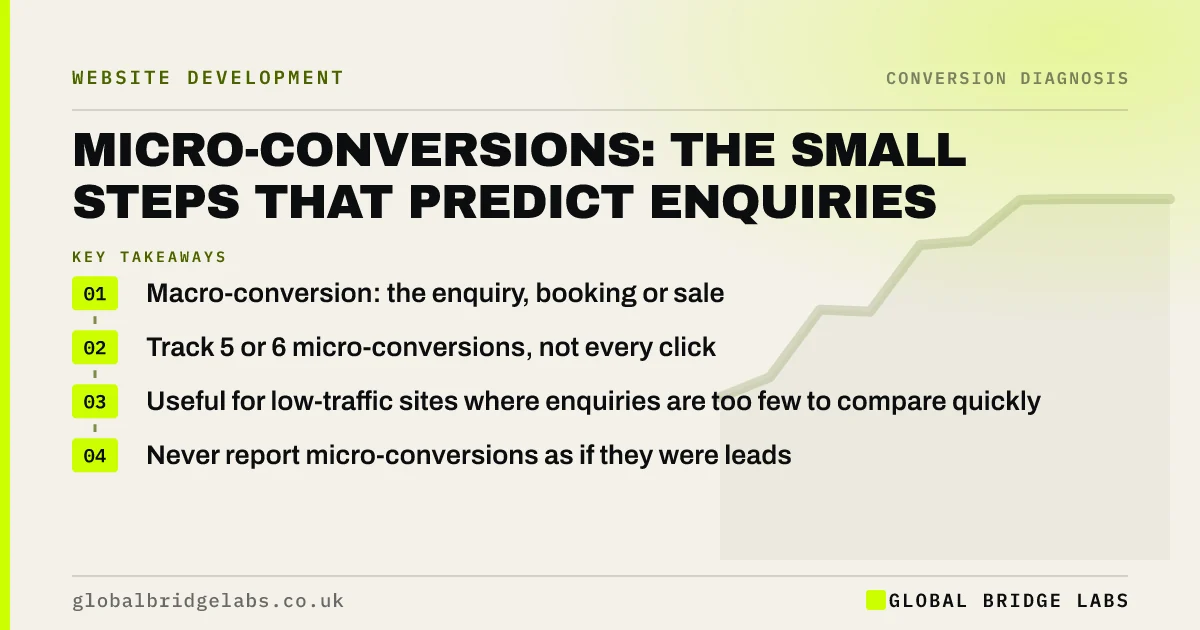
- Macro-conversion: the enquiry, booking or sale. Micro-conversion: a step towards it.
- Track 5 or 6 micro-conversions, not every click.
- Useful for low-traffic sites where enquiries are too few to compare quickly.
- Never report micro-conversions as if they were leads.
Want the right micro-conversions set up for your site? Message us on WhatsApp.
Chat on WhatsApp →What are micro-conversions?
A micro-conversion is a small, measurable action that tends to come before the main conversion. The main conversion, sometimes called the macro-conversion, is the enquiry, booking or purchase. Micro-conversions show interest building: a visitor who views the pricing page and opens the form is far closer to enquiring than one who reads a single blog post.
Which micro-conversions matter for a small business?
Choose actions that genuinely come before buying on your site. For most UK service businesses, these six are enough.
- Pricing or fees page viewed.
- Case study or project page viewed.
- Enquiry form started (first field touched).
- Phone number or WhatsApp link tapped.
- Quote calculator or checklist used.
- Service area or availability checked.
Why do micro-conversions help low-traffic sites?
A site producing 15 enquiries a month needs months to show whether a change helped, because small numbers swing naturally. The same site might see 200 form starts and 400 pricing page views, which move faster and more smoothly. If a new headline lifts pricing views and form starts, you have an early sign it is working.
How do you track micro-conversions in GA4?
Set up each micro-conversion as an event in Google Analytics 4, using enhanced measurement where possible (form interactions, outbound clicks) and Google Tag Manager for the rest. Mark only real enquiries, bookings and purchases as key events. Keep micro-conversions as ordinary events so reports do not blur the two.
Want micro-conversion tracking set up without cluttering your reports? Ask us on WhatsApp.
Chat on WhatsApp →When do micro-conversions mislead?
Micro-conversions mislead when they are treated as goals in themselves. A pop-up can raise form starts while lowering completed enquiries. A clickbait headline can raise page views while lowering quality. Always check that micro-conversion gains lead to more qualified enquiries over the following months.
What does this look like in practice?
A UK bespoke furniture maker received around ten enquiries a month, too few to judge a new product page layout quickly. We tracked gallery views, price guide views and form starts. The new layout lifted price guide views and form starts within three weeks, and enquiries confirmed the trend over the following two months.
Micro-conversion checklist
- List the actions that usually come before an enquiry on your site.
- Pick 5 or 6 and track each as a GA4 event.
- Keep key events for real enquiries, bookings and sales only.
- Review micro-conversions weekly after a change.
- Confirm gains with qualified enquiries over 2 to 3 months.
Next step
If your site has too few enquiries to judge changes quickly, micro-conversions give you earlier signals. We can choose the right ones and set them up with you.
Message us on WhatsApp for micro-conversion tracking, or book a 30-minute consultation.
Chat on WhatsApp →Sources and further reading
- About key events · Google Analytics Help
- Engagement rate and bounce rate · Google Analytics Help
- URL builders: collect campaign data with custom URLs · Google Analytics Help
Frequently asked questions
What is a micro-conversion?
A micro-conversion is a small action that tends to come before the main conversion, such as viewing a pricing page, starting a form or tapping a phone number. It signals growing interest and helps measure changes on sites with few enquiries.
What is the difference between macro and micro conversions?
A macro-conversion is the main business outcome: an enquiry, booking or sale. A micro-conversion is a step towards it. Macro-conversions show results; micro-conversions show direction earlier, especially when enquiry numbers are small. Track both, but report only macro-conversions as enquiries or sales so the numbers stay honest.
Should micro-conversions be key events in GA4?
Usually not. Mark only genuine enquiries, bookings and purchases as key events so conversion reports stay honest. Track micro-conversions as ordinary events and review them in explorations or custom reports. Mixing the two inflates conversion figures and makes it look as though the site produces more enquiries than it does.
How many micro-conversions should I track?
Five or six that genuinely come before buying on your site. Tracking every click creates noise and makes it harder to see what matters. Review the list once a year as your site and offer change. Drop any that never lead to enquiries.
Written by

Global Bridge Labs (GBL) is a UK–Sri Lanka partner for social media, websites and BPO. Everything here comes from client delivery, not theory.