On this page
- 01Key takeaways
- 02How do you know if a website redesign worked?
- 03What should you compare?
- 04When should you check?
- 05How do you account for seasonality?
- 06What if the results are mixed?
- 07What should you do after the review?
- 08How should the results be reported?
- 09What does this look like in practice?
- 10Post-launch review checklist
- 11Next step
- 12Sources and further reading
- 13Frequently asked questions
Key takeaways
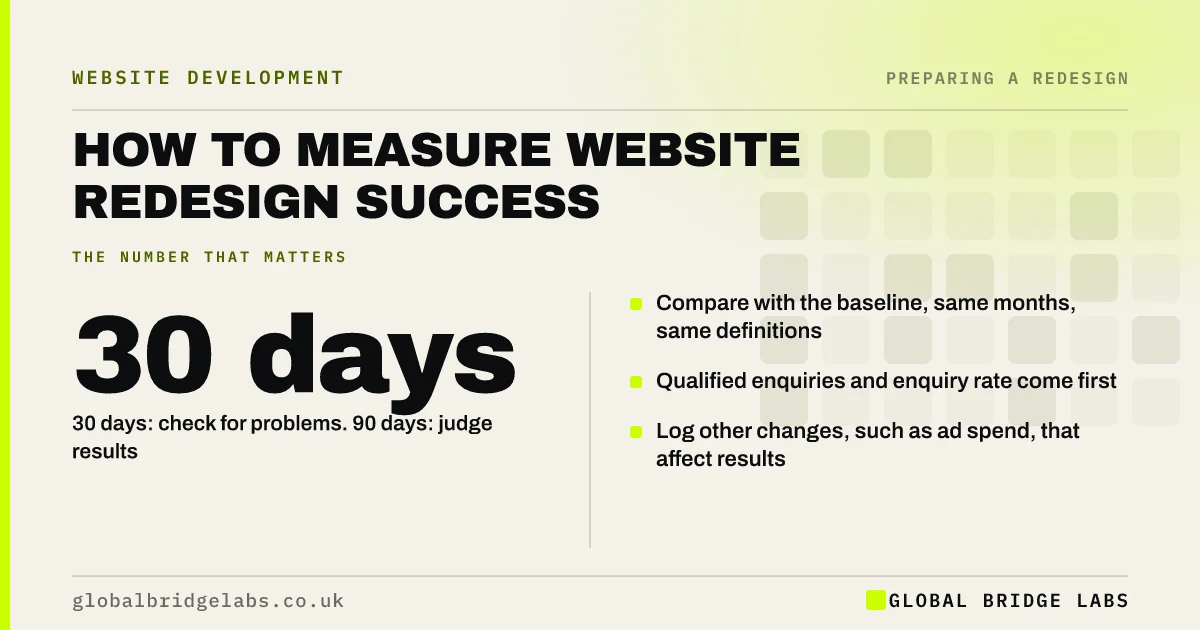
Measure redesign success against the goal and baseline you set before launch, comparing the same months year on year. Check at 30 days for problems and at 90 days for results. Qualified enquiries and enquiry rate are the core measures; traffic, speed and engagement explain the result.
- Compare with the baseline, same months, same definitions.
- 30 days: check for problems. 90 days: judge results.
- Qualified enquiries and enquiry rate come first.
- Log other changes, such as ad spend, that affect results.
Want your redesign results reviewed properly? Ask us on WhatsApp.
Chat on WhatsApp →How do you know if a website redesign worked?
A website redesign worked if it met its primary goal, usually more qualified enquiries or orders, against a baseline recorded before launch, after accounting for seasonality and other changes. Opinions about the new look do not count; the numbers set before the project do.
What should you compare?
Use the same metrics and definitions as the baseline.
- Qualified enquiries or orders per month.
- Enquiry rate on the top 5 landing pages.
- Share of enquiries worth quoting.
- Search clicks and impressions for core queries.
- Mobile Core Web Vitals on key templates.
No baseline saved? We can still reconstruct much of it with you on WhatsApp.
Chat on WhatsApp →When should you check?
At 30 days, look for problems: 404 errors, tracking gaps, falling search clicks, forms that fail. At 90 days, judge results against the goal. Search-related effects can take longer to settle, so review search metrics again at six months.
How do you account for seasonality?
Compare the post-launch months with the same months the previous year, not with the months just before launch. If demand changed, check Search Console impressions for your core queries: steady impressions with more enquiries suggest the site improved.
What if the results are mixed?
Break results down by page and device. Often some templates improved while one got worse, such as a new service page layout that converts less on mobile. Fix the weak areas with targeted changes rather than judging the whole redesign a success or failure.
What should you do after the review?
Write down what worked, what did not and what to change next, then move into a monthly improvement routine. The redesign is the start of a better site, not the end of the work.
How should the results be reported?
On one page: the goal, the baseline, the result, the difference and what will be done next. Lead with qualified enquiries, then the supporting measures, then any problems found and how they were fixed. Keep the same format at 30 days, 90 days and six months.
Share it with everyone who approved the budget. A clear report builds trust for the next investment, whether the redesign met its goal or not, because it shows the business measured the result honestly and learned from it.
- Goal, baseline, result and difference.
- Qualified enquiries first.
- Problems found and fixes made.
- Next actions, with owners and dates.
What does this look like in practice?
A pattern in UK healthcare: a clinic's redesign shows bookings up at 90 days year on year, but the breakdown reveals mobile bookings rose sharply while desktop fell slightly because a booking widget changed. Fixing the desktop widget completes the gain. Across our client work we have seen a 2.4x website enquiry rate where content, proof and tracking decisions drove the redesign.
Post-launch review checklist
Use at 30 and 90 days.
- Compare core metrics with the saved baseline.
- Use the same months year on year.
- Break results down by page and device.
- Check the change log for other factors.
- List fixes for weak areas.
- Start a monthly improvement routine.
Next step
If you have launched a new site and want to know whether it worked, we will run the 90-day review with you in 30 minutes.
Message us on WhatsApp for a redesign results review, or book a 30-minute consultation.
Chat on WhatsApp →Sources and further reading
- About key events · Google Analytics Help
- Performance report (Search results) · Search Console Help
- Understanding Core Web Vitals and Google search results · Google Search Central
Frequently asked questions
How do I measure the success of a website redesign?
Compare qualified enquiries, enquiry rate, search performance and mobile speed with the baseline recorded before launch, using the same months year on year. Judge the result against the primary goal set at the start of the project. Write up the result for future decisions.
When should I review a website redesign?
Check at 30 days for problems such as errors, tracking gaps or falling search clicks, and at 90 days for results against the goal. Review search metrics again at six months, as they can take longer to settle. Keep checking monthly after the 90-day review.
What if my new website is performing worse?
Check for redirects, removed content, indexing blocks and tracking problems first. Then break results down by page and device to find the weak area, and fix it directly. Most post-launch drops have specific, fixable causes. Compare against the baseline you saved.
What metrics matter most after a redesign?
Qualified enquiries or orders and enquiry rate on key pages matter most. Search clicks and impressions, Core Web Vitals and engagement help explain why results changed but are not the main measure of success. Report enquiries first to the rest of the business.
Written by

Global Bridge Labs (GBL) is a UK–Sri Lanka partner for social media, websites and BPO. Everything here comes from client delivery, not theory.