On this page
- 01Key takeaways
- 02Why does click-to-call matter?
- 03Where should the phone number appear?
- 04How do you track calls from the website?
- 05When do calls convert better than forms?
- 06What goes wrong with click-to-call?
- 07What does this look like in practice?
- 08Click-to-call checklist
- 09Next step
- 10Sources and further reading
- 11Frequently asked questions
Key takeaways
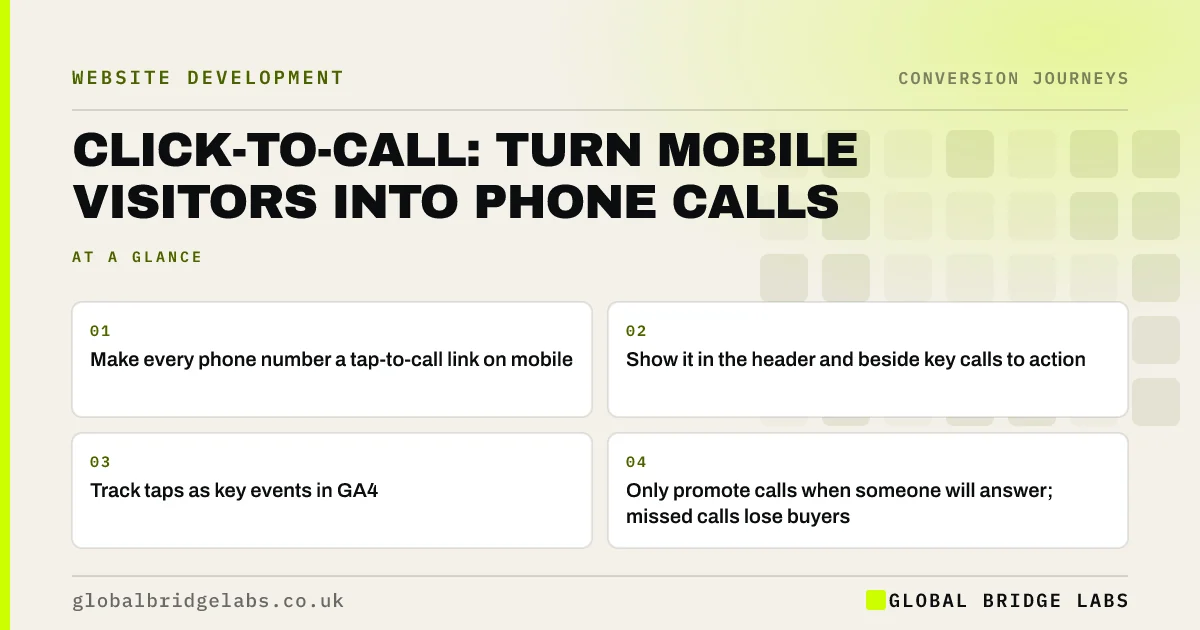
Click-to-call lets mobile visitors ring your business with one tap. For urgent services, local businesses and older buyers, calls often convert better than forms. A good website shows the number; a high-converting one makes it tappable, visible at the right moments, answered in hours and tracked as an enquiry.
- Make every phone number a tap-to-call link on mobile.
- Show it in the header and beside key calls to action.
- Track taps as key events in GA4.
- Only promote calls when someone will answer; missed calls lose buyers.
Want your click-to-call set up and tracked? Message us on WhatsApp.
Chat on WhatsApp →Why does click-to-call matter?
On a phone, typing a number from a web page is awkward, and many visitors will not bother. A tappable number removes that friction. For urgent needs, such as a burst pipe, a locked door or a sick pet, calling is the natural action. For considered services, a call lets buyers ask questions a form cannot answer.
Where should the phone number appear?
Show the number where buyers look when they are ready: the header on every page, beside the main call to action, on the contact page and in a sticky bar on mobile for businesses that rely on calls.
- Header, as a tappable number or 'Call' button.
- Beside the primary call to action on service pages.
- In a sticky bottom bar on mobile, for call-led businesses.
- In the footer and on the contact page.
- With opening hours, so buyers know when to call.
How do you track calls from the website?
Track taps on phone links as events in Google Analytics 4 and mark them as key events. Taps show intent, not completed calls. For the full picture, call tracking services show a different number to website visitors and record which calls connect, how long they last and which page they came from.
Want call tracking set up so you know which pages ring? Ask us on WhatsApp.
Chat on WhatsApp →When do calls convert better than forms?
Calls convert better for urgent needs, for older buyers, for high-value services where buyers want to talk before committing, and when the buyer is on the move. Forms work better outside business hours, for simple requests and for buyers who prefer not to talk. Offer both, and make the one that suits most of your buyers primary.
What goes wrong with click-to-call?
The biggest problem is unanswered calls. Promoting a number that goes to voicemail at lunch or after 5pm wastes the buyer's intent, and many will not leave a message. If calls cannot be answered reliably, use call answering cover, show hours clearly or make a callback form primary.
What does this look like in practice?
A UK locksmith's website showed the phone number as an image in the header, so it could not be tapped. We changed it to a tappable link, added a sticky 'Call now' bar on mobile and tracked taps. Tracked calls from the website rose immediately, and the owner could see for the first time that most came from two service pages.
Click-to-call checklist
- Make every phone number a tappable link.
- Show the number in the header and beside key calls to action.
- Add opening hours next to it.
- Track taps as key events in GA4.
- Consider call tracking for connected calls by page.
- Make sure calls are answered, or offer a callback form.
Next step
For many local and urgent businesses, the phone is the main conversion. Making it one tap away, and answered, is one of the simplest improvements a website can make.
Message us on WhatsApp to set up click-to-call and tracking, or book a 30-minute consultation.
Chat on WhatsApp →Sources and further reading
- About key events · Google Analytics Help
- Google Business Profile Help · Google
- Web Content Accessibility Guidelines (WCAG) 2.2 · W3C
Frequently asked questions
How do I make my phone number clickable on my website?
Wrap the number in a telephone link (tel: followed by the number in international format, such as +44). On mobile, tapping it opens the dialler. Do not show the number only as an image, as it cannot be tapped or read by screen readers.
Can Google Analytics track phone calls from my website?
GA4 can track taps on phone links as events, which show intent. It cannot confirm the call connected. For full detail, use a call tracking service that records connected calls, duration and source page. Mark phone taps as key events so they appear alongside forms in your enquiry reports.
Should I have a call button on my website?
Yes if calls are a common way customers contact you and someone can answer reliably. Urgent and local services benefit most. If calls often go unanswered, make a callback form or WhatsApp primary instead. Show opening hours next to the number so callers know when someone will answer.
Are phone calls better leads than form fills?
Often, for urgent and high-value services, because callers are usually further along and conversations build trust. Forms suit out-of-hours enquiries and simple requests. Track both and compare their enquiry-to-sale rates. Ask new customers how they first got in touch, and record it, so the comparison covers every route rather than only the ones analytics can see.
Written by

Global Bridge Labs (GBL) is a UK–Sri Lanka partner for social media, websites and BPO. Everything here comes from client delivery, not theory.