On this page
- 01Key takeaways
- 02Which mistakes empty a content calendar?
- 03Why are slots the first fix?
- 04How do you know which mistake you are making?
- 05Which mistake is most expensive?
- 06When is it not a calendar problem?
- 07What does this look like in practice?
- 08Calendar mistakes checklist
- 09Next step
- 10Sources and further reading
- 11Frequently asked questions
Key takeaways
The content calendar mistakes that empty the month are mostly structural: planning ideas instead of slots, a plan too big for the hours available, no named owner, approval that drifts into the new month, and no buffer or reserve for bad weeks. Each one is fixable in a single planning session, and none of them is about the quality of the ideas.
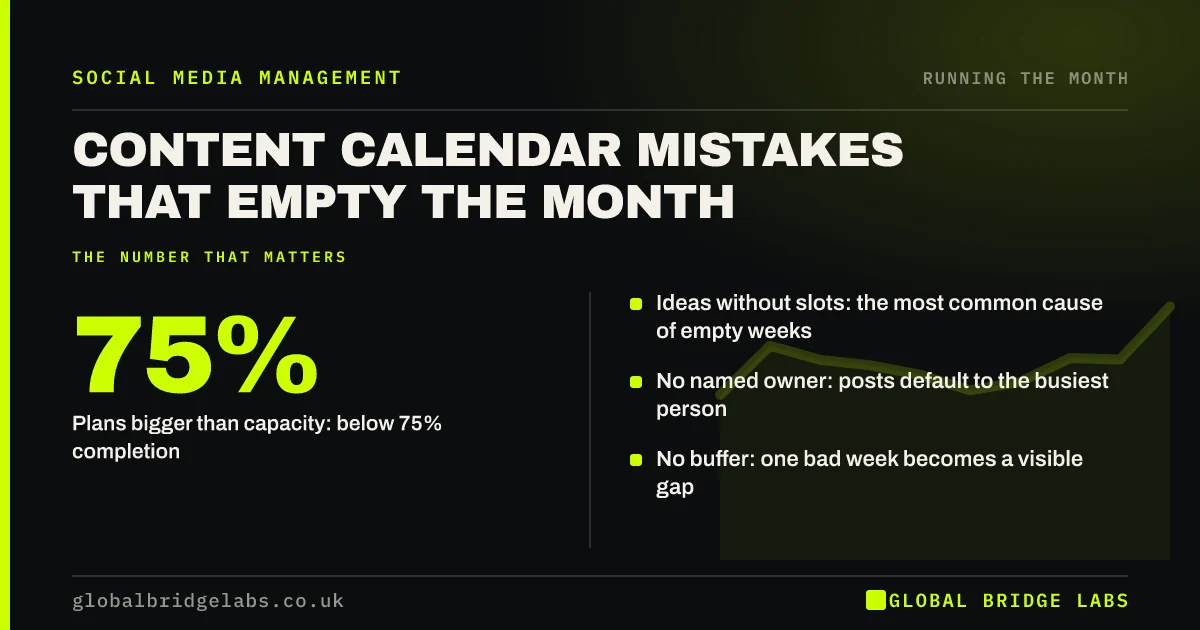
- Ideas without slots: the most common cause of empty weeks.
- Plans bigger than capacity: below 75% completion.
- No named owner: posts default to the busiest person.
- No buffer: one bad week becomes a visible gap.
Want your calendar checked for these mistakes? Message us on WhatsApp.
Chat on WhatsApp →Which mistakes empty a content calendar?
Eight mistakes cause most empty months:
- Planning ideas instead of fixed weekly slots.
- A plan bigger than the hours available.
- No named owner or deputy.
- Planning in the last days of the month.
- Approving post by post, so sign-off drifts.
- No one-week buffer and no reserve posts.
- Too many platforms for the team.
- Never reviewing what worked.
Why are slots the first fix?
Because a calendar of ideas has nothing behind it when an idea falls through. Fixed slots, with the pillar and format decided, mean every gap is quick to refill. Most failing calendars start at the ideas step and skip the structure.
How do you know which mistake you are making?
Your completion rate and status column tell you. Below 75% completion points to capacity. Posts stuck at 'drafted' point to approval. Posts stuck at 'idea' point to ownership or missing inputs. Gaps in the first week of the month point to late planning.
Which mistake is most expensive?
Missing replies, not missing posts. A calendar can run perfectly while comments and messages from buyers wait for days. If the posts go out but enquiries do not come in, check the inbox before changing the content.
When is it not a calendar problem?
When the calendar runs but results do not come, the problem is usually the strategy: wrong platform, wrong buyer or a weak profile. Fix those through the strategy, not the calendar.
What does this look like in practice?
A pattern we see: three new calendar templates tried in a year, each abandoned by week three, with the team blaming the template. The template was never the problem; fixed slots, a named owner and a deadline of the 25th usually are.
Calendar mistakes checklist
- Set fixed slots before ideas.
- Size the plan to your hours.
- Name an owner and a deputy.
- Plan in week three, approve by the 25th.
- Keep a buffer week and five reserve posts.
Next step
Check your calendar against the eight mistakes and pick the one that cost you most last month. Fix only that one next month.
Message us on WhatsApp and we will check your calendar, or book a 30-minute consultation.
Chat on WhatsApp →Sources and further reading
- Meta Business Help Centre · Meta
- LinkedIn Pages best practices · LinkedIn
Frequently asked questions
Why do content calendars fail?
Usually for structural reasons: ideas planned without fixed slots, plans bigger than the time available, no named owner, late planning and approval, and no buffer for bad weeks. Changing the template rarely helps; fixing the structure does.
What is the biggest content calendar mistake?
Planning ideas instead of slots, because when an idea falls through there is nothing behind it. The most expensive related mistake is posting on schedule while comments and messages go unanswered.
How do I fix a content calendar that keeps failing?
Check your completion rate and status column to find the cause, then fix one thing a month: fixed slots, a smaller plan, a named owner, earlier deadlines or a buffer week.
Written by

Global Bridge Labs (GBL) is a UK–Sri Lanka partner for social media, websites and BPO. Everything here comes from client delivery, not theory.