
On this page
- 01Key takeaways
- 02Why do chat widgets slow pages down?
- 03How do you tell if chat is the problem?
- 04How do you load chat without slowing the site?
- 05What are the trade-offs of delaying chat?
- 06When should you drop chat altogether?
- 07What does this look like in practice?
- 08Chat widget speed checklist
- 09Next step
- 10Sources and further reading
- 11Frequently asked questions
Key takeaways
Yes, a live chat widget usually slows a website down, because it loads a small application from the supplier on every page before most visitors want it. That is a cost in load time and in how quickly the page responds to taps. It is not a reason to remove chat that brings enquiries. Load it after the page has settled, or when a visitor taps the chat button.
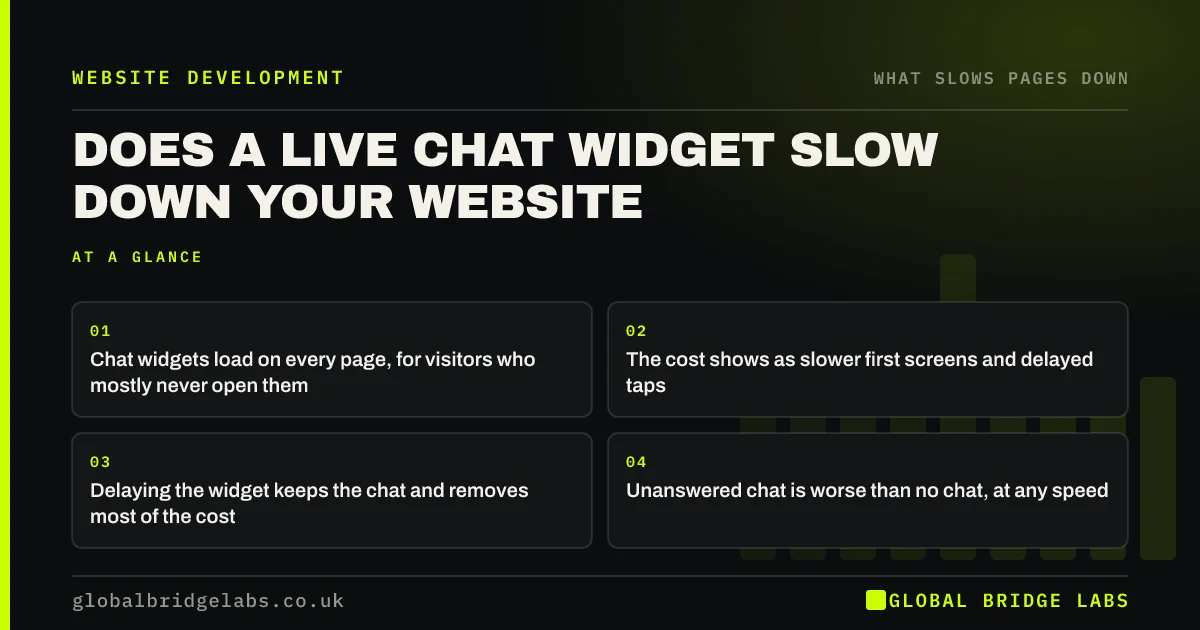
- Chat widgets load on every page, for visitors who mostly never open them.
- The cost shows as slower first screens and delayed taps.
- Delaying the widget keeps the chat and removes most of the cost.
- Unanswered chat is worse than no chat, at any speed.
Want to keep chat without the slowdown? Send us the URL on WhatsApp.
Chat on WhatsApp →Why do chat widgets slow pages down?
Chat widgets slow pages because they are complete applications. The small bubble in the corner brings scripts, styles, fonts, images and a live connection to the supplier. All of that is fetched and started while your own page is still trying to appear.
The share of visitors who open chat is small on most sites. The widget's cost is paid by everyone, including the majority who only wanted to read a page and tap a phone number.
How do you tell if chat is the problem?
Test a page with and without it. A developer can block the chat supplier's address in the browser and re-run the test in a minute. PageSpeed Insights also lists third-party code by supplier, with the time each one occupies the main thread.
Then check it by hand. Open the page on a phone and tap the menu the moment it appears. If there is a pause that disappears when chat is blocked, you have found the cause.
How do you load chat without slowing the site?
Change when chat loads. There are three approaches, and they can be combined.
- 1. Delay it: start the widget a few seconds after the page is ready, or when the visitor first scrolls.
- 2. Load on tap: show a lightweight chat button of your own and load the real widget when it is pressed.
- 3. Restrict it: run chat on service, pricing and contact pages, not on every article.
- Check the supplier's settings: many offer a delayed or lightweight loading option.
Not sure how your chat tool is loaded? Ask us on WhatsApp and we will check.
Chat on WhatsApp →What are the trade-offs of delaying chat?
Delaying chat means the bubble appears a moment later and proactive greetings fire later. With load-on-tap, the first press takes a second while the widget starts, so show a loading state. Some suppliers' features, such as tracking a visitor across pages before they open chat, work less well.
For most small businesses those are minor losses. If chat is your main sales channel and opens within seconds of arrival, a shorter delay is the better compromise.
When should you drop chat altogether?
Drop chat when nobody answers it promptly. A widget that says 'we will reply within a day' adds weight and removes confidence. A tap-to-call button and a WhatsApp link are far lighter and reach a person on the visitor's own phone.
If chat is valuable and staffing it is the problem, cover can be outsourced. That is a resourcing decision, separate from how the widget loads.
What does this look like in practice?
A pattern we see on service sites: a chat widget was added during a free trial and left running. It loads first on every page, the chat itself is answered a few times a month, and visitors on phones wait for it before they can use the menu.
Replacing it with a WhatsApp button, or loading it only on tap, removes the wait and often increases contact, because the lighter route is quicker to use. Across client work at Global Bridge Labs (GBL), we have seen a 2.4x enquiry rate from conversion changes like these.
Chat widget speed checklist
- Count chats received and answered last month.
- Test a key page with the chat supplier blocked.
- Delay the widget or load it on tap.
- Restrict chat to pages where buyers ask questions.
- Add a call or WhatsApp button beside it.
- Remove chat that is not answered within minutes.
Next step
Chat should make it easier to reach you, not harder to load your site. We will measure what yours costs and set it up to load without getting in the way.
Message us on WhatsApp for a chat widget speed check.
Chat on WhatsApp →Sources and further reading
- Loading third-party JavaScript · web.dev (Google)
- Best practices for using third-party embeds · web.dev (Google)
- Interaction to Next Paint (INP) · web.dev (Google)
Frequently asked questions
Does live chat slow down a website?
Usually, yes. A chat widget loads scripts, styles and a live connection from the supplier on every page. That adds to load time and can delay the page's response to taps. Delaying the widget or loading it on tap removes most of the cost.
How do I stop my chat widget slowing my site?
Load it later. Start the widget a few seconds after the page is ready, or show your own lightweight button and load the real widget when it is pressed. Restrict it to pages where visitors are likely to have questions.
Is WhatsApp faster than a chat widget?
Yes. A WhatsApp button is a simple link that opens the app already on the visitor's phone. It adds almost nothing to the page. A chat widget is a full application loaded from a third party.
Should a small business have live chat on its website?
Only if someone answers within minutes during the hours it is shown. Promptly answered chat can win enquiries. Slowly answered chat costs speed and trust. For many small businesses, call and WhatsApp buttons do the same job with less overhead.
Written by

Global Bridge Labs (GBL) is a UK–Sri Lanka partner for social media, websites and BPO. Everything here comes from client delivery, not theory.


