On this page
- 01Short answer
- 02What is a WhatsApp click-to-chat button?
- 03Why do WhatsApp buttons work for UK SMEs?
- 04How do you set up the button step by step?
- 05Should you use a plugin or a plain link?
- 06What are the privacy basics?
- 07When is WhatsApp the wrong channel?
- 08What does this look like in practice?
- 09WhatsApp button checklist
- 10Next step
- 11Sources and further reading
- 12Frequently asked questions
Short answer
To add a WhatsApp button to your website, link a button to WhatsApp's official click-to-chat address, wa.me followed by your number in international format, with an optional prefilled message. Place it where visitors decide, track clicks as a key event, and make sure a named person answers within a stated time.
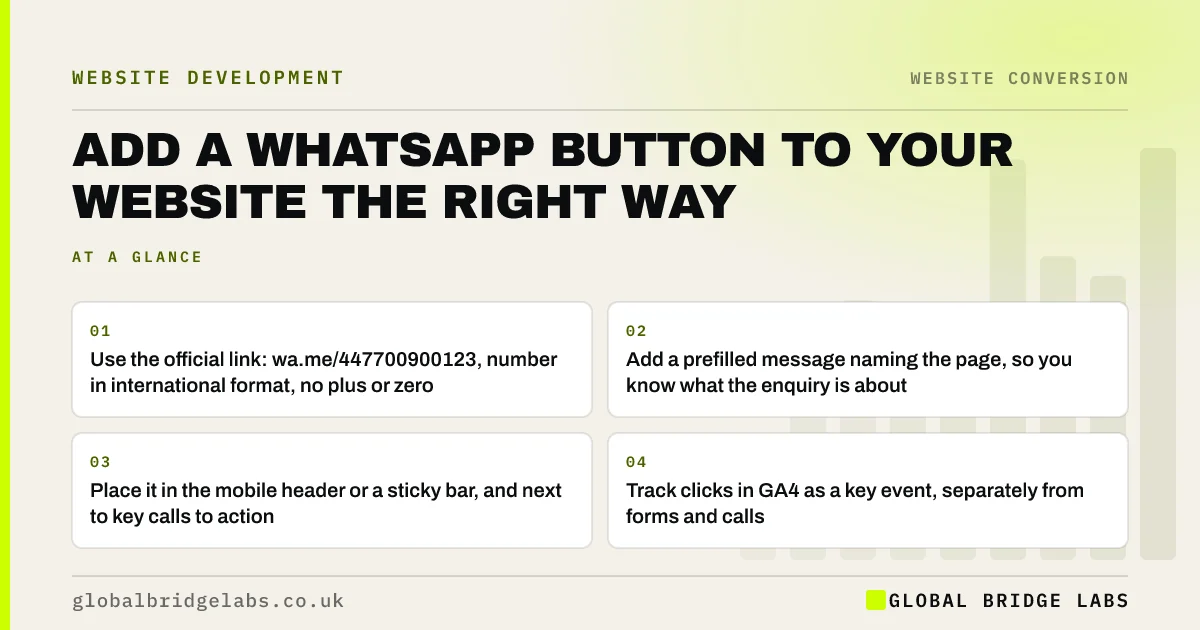
- Use the official link: wa.me/447700900123, number in international format, no plus or zero.
- Add a prefilled message naming the page, so you know what the enquiry is about.
- Place it in the mobile header or a sticky bar, and next to key calls to action.
- Track clicks in GA4 as a key event, separately from forms and calls.
- State reply hours and answer within them; slow replies undo the benefit.
Want a WhatsApp button set up with tracking and a page-specific message? Message us on WhatsApp.
Chat on WhatsApp →What is a WhatsApp click-to-chat button?
A WhatsApp click-to-chat button is a link on a website that opens a WhatsApp conversation with a business number, on the visitor's phone or in WhatsApp Web, without the visitor having to save the number first.
WhatsApp documents the format in its help centre: a link to wa.me followed by the full phone number in international format, omitting any zeros, brackets or dashes, with an optional text parameter that prefills the first message.
Why do WhatsApp buttons work for UK SMEs?
They work because they lower the effort of making contact. A visitor on a phone can send a question, a photograph of a problem or a postcode in seconds, without filling in a form or making a call they may not feel ready for.
For trades, clinics, hospitality and local services, where visitors often want a quick answer or a rough price, that low-friction route can bring in enquiries that would otherwise never have happened.
How do you set up the button step by step?
The set-up takes less than an hour on most websites.
- 1. Use a WhatsApp Business account on a number the business controls, not a personal phone.
- 2. Build the link: https://wa.me/ plus the number in international format, e.g. 447700900123.
- 3. Add a prefilled message with ?text= and URL-encoded words, e.g. Hi, I am on your boiler repair page.
- 4. Add the button to the mobile header or a sticky bar, and beside key calls to action.
- 5. Track clicks as a GA4 event and mark it as a key event.
- 6. Set a greeting and away message in WhatsApp Business with your reply hours.
Should you use a plugin or a plain link?
A plain link or button is usually best. It adds no extra scripts, so it does not slow the page, and it cannot break when a plugin updates. Many chat widget plugins load heavy JavaScript on every page, which can harm Core Web Vitals.
Use a plugin only if it adds something you need, such as routing to several team members, and check its effect on page speed before and after installing it.
Want the button added without slowing your site? Message us on WhatsApp and we will show you how.
Chat on WhatsApp →What are the privacy basics?
When someone messages you on WhatsApp, you receive personal data such as their number and anything they send. UK GDPR still applies. Mention WhatsApp in your privacy notice, keep chats on business-controlled devices, and do not add enquirers to broadcast lists without their agreement.
Marketing messages sent to individuals by electronic means need prior consent under PECR, so replying to an enquiry is fine, but sending promotions afterwards is not unless the person has agreed.
When is WhatsApp the wrong channel?
WhatsApp is the wrong primary channel when nobody can answer during the hours people message, when enquiries need detailed documents, or when your buyers are corporate procurement teams who expect email and formal proposals.
The trade-off is expectation. A WhatsApp button promises a quick, personal reply. If replies take a day, it can do more harm than a form, which sets slower expectations. Only offer it if you can staff it.
What does this look like in practice?
A pattern across UK trades and local services: most enquiries already arrive on WhatsApp, but to an engineer's personal number found on an old van or flyer, with no record kept and no way of knowing which came from the website.
Moving to a WhatsApp Business number, adding a click-to-chat button with a page-specific prefilled message, and tracking clicks in GA4 turns an informal habit into a measurable enquiry channel. The business can finally see how many website visitors choose WhatsApp over a form.
WhatsApp button checklist
Set it up once and test it monthly.
- Use a WhatsApp Business account on a business-controlled number.
- Build the wa.me link in international format.
- Add a page-specific prefilled message.
- Place it in the mobile header or sticky bar.
- Track clicks as a GA4 key event.
- Set greeting and away messages with reply hours.
- Mention WhatsApp in your privacy notice.
Next step
If most of your customers would rather message than fill in a form, we will set up a tracked WhatsApp button with you in 30 minutes, including prefilled messages for your main pages.
Message us on WhatsApp to set up your website button, or book a 30-minute consultation.
Chat on WhatsApp →Sources and further reading
- How to use click to chat · WhatsApp Help Center
- About key events · Google Analytics Help
- Electronic and telephone marketing under PECR · Information Commissioner's Office
Frequently asked questions
How do I add a WhatsApp link to my website?
Create a link to https://wa.me/ followed by your number in international format without a plus sign, zeros, spaces or brackets, such as https://wa.me/447700900123. Add ?text= and a URL-encoded message to prefill the first line. Attach the link to a clearly labelled button on your pages.
Is a WhatsApp button better than a contact form?
For many local and service businesses it brings in more enquiries from mobile visitors, because messaging feels quicker than a form. It only works if someone replies promptly. Offer both where possible, with WhatsApp prominent on mobile and a short form for visitors who prefer it.
Can I track WhatsApp clicks in Google Analytics?
Yes. Set up an event in Google Analytics 4 that fires when the WhatsApp link is clicked, then mark it as a key event. You can also use a different prefilled message per page, so each conversation shows which page the visitor came from.
Does a WhatsApp widget slow down my website?
Some chat widget plugins load heavy scripts on every page and can affect Core Web Vitals. A plain button linking to WhatsApp's click-to-chat address adds almost nothing to page weight. Test page speed before and after adding any widget and remove it if it causes problems.
Written by

Global Bridge Labs (GBL) is a UK–Sri Lanka partner for social media, websites and BPO. Everything here comes from client delivery, not theory.