On this page
- 01Key takeaways
- 02What should a website say during a temporary closure?
- 03Should you take the website offline?
- 04What about Google Business Profile?
- 05What should existing customers be told?
- 06How do you handle new enquiries?
- 07When is a closure notice unnecessary?
- 08What does this look like in practice?
- 09Temporary closure checklist
- 10Next step
- 11Sources and further reading
- 12Frequently asked questions
Key takeaways
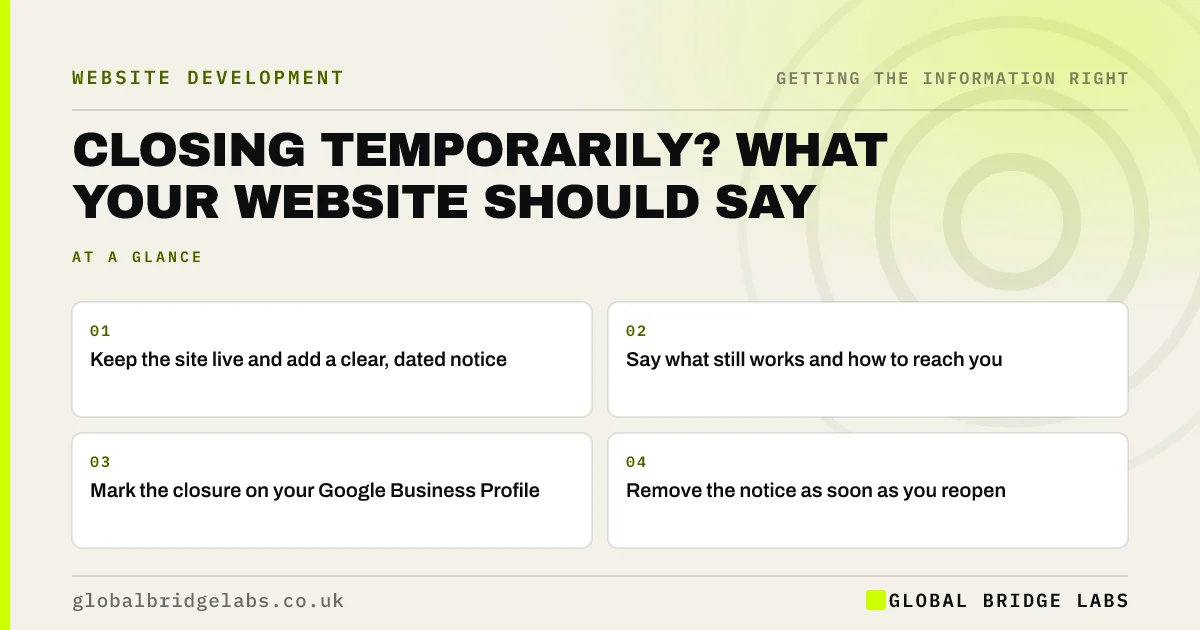
If your business closes temporarily, keep the website live and add a clear notice: the closure dates, the reason if helpful, what still works (such as orders, emergencies or messages), how to reach you and when you reopen. Mark the closure on your Google Business Profile. Google advises against taking the whole site offline.
- Keep the site live and add a clear, dated notice.
- Say what still works and how to reach you.
- Mark the closure on your Google Business Profile.
- Remove the notice as soon as you reopen.
Planning a closure? Message us on WhatsApp.
Chat on WhatsApp →What should a website say during a temporary closure?
It should say when you are closed, when you expect to reopen, what still works, such as online orders or emergency contact, and how messages will be handled. Global Bridge Labs (GBL) recommends a short banner on every page and a fuller note on the contact page.
Should you take the website offline?
No. Google's guidance on pausing a business advises keeping the site available and limiting functionality, such as disabling the basket, rather than removing it. Taking the site offline can affect how it appears in search and leaves customers with no information at all.
What about Google Business Profile?
Mark the business as temporarily closed or set special hours on your Google Business Profile, so Maps and local results show the closure. Update it again the day you reopen. Customers often see Google before your site.
What should existing customers be told?
Tell existing customers how ongoing orders, bookings, subscriptions and support are affected, and who to contact. Email them directly as well as updating the site. Pause or reschedule recurring payments if the service will not be delivered.
How do you handle new enquiries?
Say whether you are taking enquiries or bookings for after reopening, and when you will reply. An auto-reply on email and a note beside forms prevent people assuming they have been ignored. Keep an emergency route if your customers need one.
When is a closure notice unnecessary?
A notice is unnecessary for very short closures that fall within normal holiday patterns already shown in your hours. For anything longer than a few days, or unexpected, a notice saves wasted journeys and unanswered calls.
What does this look like in practice?
A pattern we see: a business closes for a refurbishment, updates its door sign and social media, but not its website or Google profile. Customers arrive to a locked door. A banner and a Google closure, set the same day, prevent it.
Temporary closure checklist
- Add a dated banner to every page.
- Say what still works.
- Mark the closure on Google.
- Email existing customers.
- Set email auto-replies.
- Remove notices the day you reopen.
Next step
Write your closure notice and Google update now, even if no closure is planned, so it is ready if you ever need it.
Message us on WhatsApp for help planning closure messages, with no pitch.
Chat on WhatsApp →Sources and further reading
- Temporarily pause or disable a website · Google Search Central
- Google Business Profile Help · Google
- Consumer Contracts (Information, Cancellation and Additional Charges) Regulations 2013 · legislation.gov.uk
Frequently asked questions
Should I take my website down if my business is closed?
No. Google advises keeping the site live and limiting functions, such as disabling orders, rather than removing it. A clear notice with dates and contact options helps customers and protects your search presence.
How do I show temporarily closed on Google?
In your Google Business Profile, you can mark the business as temporarily closed or set special hours for the closure dates. Update it again when you reopen, and make sure your website says the same.
What should a temporary closure message say?
It should give the closure dates, the expected reopening date, what still works, how to contact you and how messages will be handled. Keep it short, dated and consistent with your Google profile.
Written by

Global Bridge Labs (GBL) is a UK–Sri Lanka partner for social media, websites and BPO. Everything here comes from client delivery, not theory.